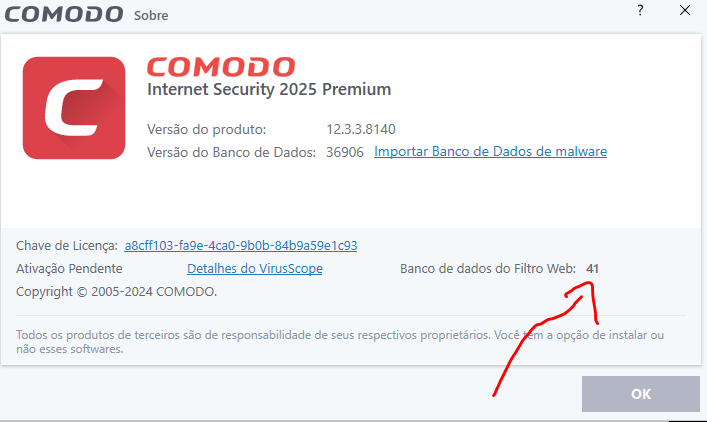
The database of sites is still not fixed. It feels like no one cares about it. I hope CIS will continue to work and not cease to exist, like many Сomodo products
2 Likes
This bug is still there and it’s been months since the release of CIS 2025.
Why hasn’t anyone fixed this?
Is it really that complicated?
It’s numbered 41, are we protected?
2 Likes
So it’s not just me who’s having the “content decoding failed” errors as of late?
2 Likes
I’m having the same problem.
I have the same problem, it always shows this message: “Error: 0x80072f8f - Content decoding failed”
2 Likes
This was a bug about 2 years ago, and now it’s back.
At least it’s not affecting the container’s ability to contain/block unknown files
and it’s not affecting the HIPS engine’s ability to block things or the firewall’s ability to block things.
Still better than norton and mcaffee even though something on the back end is broken
2 Likes
That’s right, thank goodness.
But you agree that this problem needs to be fixed, because the bugs in CIS always take YEARS to be fixed, which is not good.
We need updates more frequently.
2 Likes
Installed the 2025 version on a fresh W11 23H2 and tried some games, using HIPS in paranoid mode and ran into the ‘freeze’ issue as I’ve had on older 8012 on W10 where a game that goes fullscreen, or when swapping from borderless windowed to fullscreen a HIPS popup in combination with the game taking “over” the screen will hang the entire machine forcing a reboot.
The workaround ofcourse is to either block or allow: Direct Monitor, Memory and Process Access prior to the game fully loading, so normally what I have to do is to click ‘accept’/‘block’ on the first popup for a new game, and then open Comodo properties and manually set this option before I continue with the rest of the HIPS Prompts.
Alternatively I could be more efficient and create a “GAME” Profile I can just apply to the game immediately, but I haven’t been that efficient yet 
2 Likes
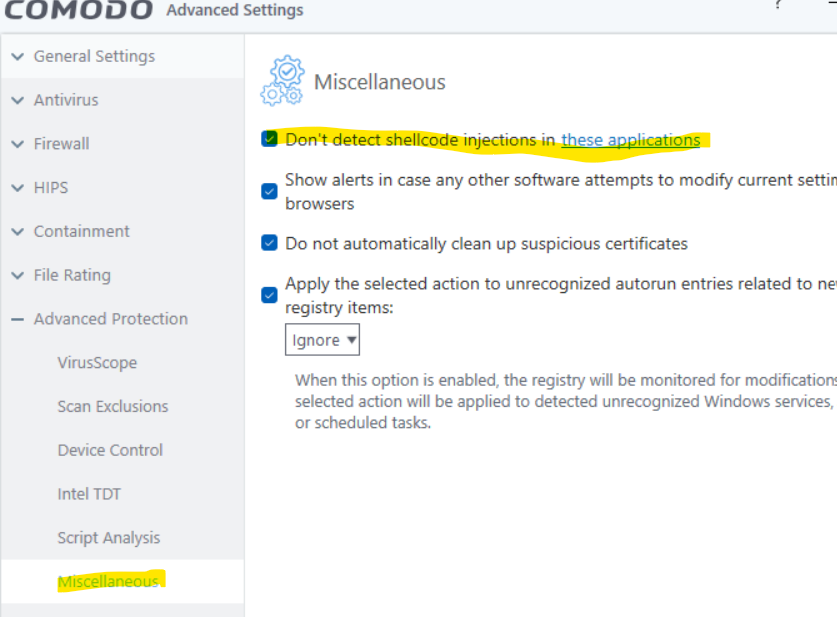
HIPS is better in Safe Mode if you are using Containment as too restrictive can mess with some functionality. If your still having issues with HIPS in safe mode, try adding the game to the Shell Code exceptions.
1 Like
Speaking of HIPS and Profiles, is there a way to create a rule that will take the executable path into consideration, for example for FILE ACCESS I could say
ALLOW .*
Which would allow file modifications in the executable paths current folder.
For the “NO FREEZE” hips profile I made to apply to new games (that typically need a bunch of permissions with process execution, memory access to other applications, com objects etc) I make something like “D:\Games*” permission to give them all access under that folder structure, but with a “*” like permission I could restrict it to where the game actually is.
yes, one of the reasons why I stopped using comodo for about 10 years
it kept causing bluescreens on my old system and the people I chatted with about it disconnected from me, the people here on the forums I talked to about it kept talking in circles and never answered any of the questions I was actually asking.
Comodo is great at preventing malware infection, but to this day it’s still terrible at detecting malware. And if you have an issue that can only be fixed by the devs changing something, you’re ■■■■■■■. because they won’t help you.
2 Likes
Hello!
Sorry for anyone who can’t find help here.
Let’s see… Today I need help too…
Comodo CIS has blocked this script:
-noprofile -ExecutionPolicy Bypass "(Get-ItemProperty ‘C:\Program Files (x86)\Microsoft\Edge\Application\msedge.exe’).VersionInfo.FileDescription
Can a connoisseur passing by this forum tell me if I should authorize it or not?
Thanks in advance!
I have the same error on Windows 10 Home 64bits.
How to fix this error ?
1 Like
Hi Comodo RT, could you please check also for Windows 10 Home ?
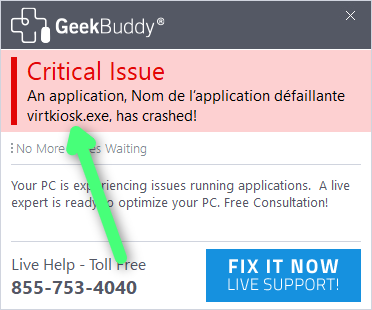
Virtukiosk.exe crashes
That’s why I don’t have a Virtual Desktop…
I’m pretty sure the bug is because of something on Xcitium’s end
1 Like
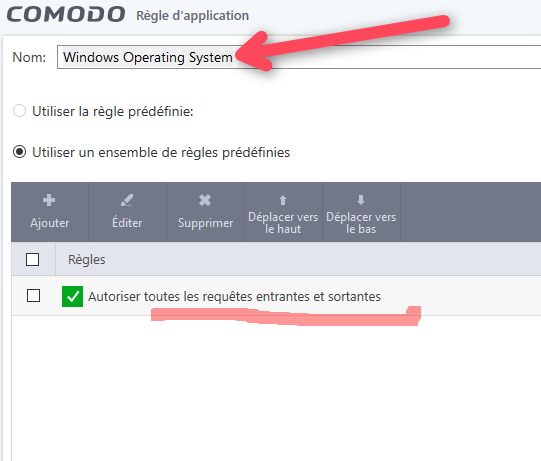
Sometimes things aren’t clear…
does it mean:
Allow only and only the system itself to connect as it wishes?
or
Allow all those who request a connection to the system to do so as they wish?
(Authorize all connections on the system?)
or
Allow all system processes to connect as they wish?
or
Allow only all processes belonging to the System (i.e. only from Microsoft and belonging to Windows) to connect as they wish?
and
Will an unreliable program that calls on an authorized process be able to connect as it wishes?
En se documentant:
1 Like
Merci beaucouop Domo78 
Oui, mais là, ce n’est pas une application… C’est le système…
Je vais lire plus en détail dès que j’ai une minute… Merci encore
A post was merged into an existing topic: Forum Violation Thread
A post was merged into an existing topic: Forum Violation Thread