Switching to Proactive didn’t fix task Manager issue.
Are you sure about that.
If you create a HIPS rule for Task Manager as Allowed Application, it should show a prompt when it tries to access protecte files which would allow you to modify the rule to allow but again, I don’t see why you would need to. I mean you can turn off HIPS and not get any alerts or less of them since your already disabling HIPS elements to get rid of log spam. It’s protection vs usability.
Yes, I a pretty sure that it’s not early 2000s, that it’s a bit harder to get unlicensed software, and that I am not that stupid to complain on a public forum while using illegal software.
tried that, didn’t work:
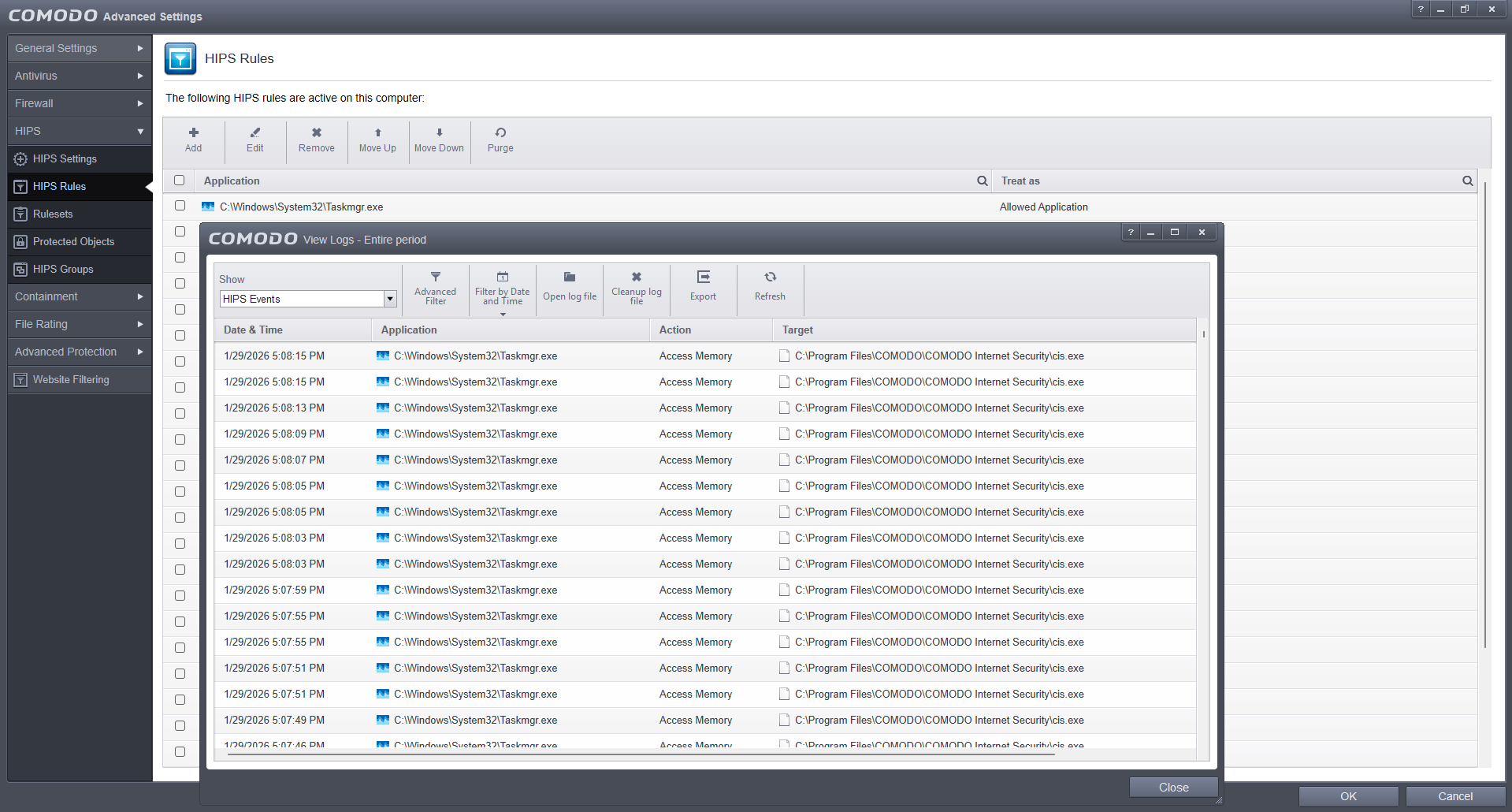
Didn’t show any prompts either.
And I do want HIPS protection. I just don’t want it complaining about Task Manager.
Maybe you can tweak the rule to allow Read Only for protected files / data for Task Manager or try terminating or changing the state of Task Manager so it’s not always running in the background. CruelSister has explained in her video (Second Paragraph) Comodo Setup and Commentary having HIPS enable doesn’t really add protection when Containment is enabled.
Anyway, we can wait for devs or others to reply. I’ve explained what I can from my end.
Are you saying CIS has a mostly useless feature? Not sure it’s a nice thing for a mod on Comodo forum to say 
LOL. I’m saying it’s useful but not necessary with containment setup with @cruelsister 's configuration but as long as you know enough to interpret the HIPS alerts then great. CS’s setup is very much a set and forget as anything unknown will be sandboxed any changes etc are done in containment and cleared simply by clicking on Reset Container.
I’ve been trying to figure out a workaround and a cause of your constant TaskManager blocks but CIS will protect itself and log any intrustions even from safe apps. You can beef up the HIPS by some advice I had from @DecimaTech some time ago but that only really makes sense if your reducing the protection from Containment.
HIPS Advice:
“under protected files adding ?:* will cause HIPS to protect all files on all volumes and drives. For protected registry keys while not necessary, unless you want greater coverage, you can add *\Software* and \System*. Under protected COM interfaces, adding \RPC Control\ntsvcs monitors access to the service control manager, LocalSecurityAuthority. allows you to control process token privileges, and {} and . will cover many COM interfaces by CLSID and ProgID.”
Or you could even see if @jay2007tech is still around. He’s done some historical posts about fuly tweaking out CIS in his topic here: https://forums.comodo.com/t/whats-your-method-for-locking-down-cis/321331
Just a thought but you could run a 3rd party virus scan like Norton Power Eraser just for a second opinion to confirm your system is safe but CIS won’t let you get infected unless you ignore the alerts.
1 Like
If it’s a useful feature, it’s probably necessary.
If it’s not necessary, it’s probably not that useful.
So this sounds like a bunch of words for “useless”.
Hehe. pre-2019ish HIPS was enabled by default but they reduced a lot of the baseline protection in favour of usability and reliance on Containment. For the old guarantee you had to also do a full system scan. Will let @cruelsister chime in if she’s around about how easily HIPS of any sort can be bypassed as she’s got more first hand knowledge.
Anyway, either ignore the log entries which is easy to do, try the various workaround options or just wait for Devs to give you advice. I mod here in my spare time to help people with using Comodo and I’m short on spare time, need to make tea etc so will leave it at that and we’ll see if anyone else has suggestions/advice.
You should go to comodo go to chat session and allow them access your computer and show you how to do it.
One tech actually connected to my computer. He tried a few things that didn’t work, then told me to wait for the new version, and gave himself 5 stars before disconnecting.
I’ll wait for devs, but I haven’t heard from them for a long time now. I have logs for them.
I guess you got a dumb tech person then a real tech person would be solve it.
Not gonna try again after the first sleazy tech.
Fingers crossed for the devs though I expect you’ll get similar response.
I can reproduce that a log entrie is logged every couple of seconds but - only when task manager is open - the logs stop when you close task manager,
I’ve spent some time post baking tonight and even when Task Manager is set to installer/updater, you’ll still see the HIPS log entries. Adding it to Shellcode Injection exclusions doesn’t work either nor does creating a rule allowing access to protected files/folders
So it is CIS/CFW protecting it’s own files by blocking task manager from accessing the status of cis.exe. My thoughts are if you want a HIPS model of protection, either accept that this is how CIS protects itself or turn off HIPS or look for an alternative product. ESET has strong HIPS when set correctly but I don’t have much experience with what logs you’ll get.
I have been using CIS/CFW since version 2.0 but with all my years of experience with it, I haven’t been able to discover a workaround. I’ve done all I can from my end. Over to the devs…
1 Like
But here’s the thing - I don’t want to close TM. I want it running in the background minimized at all times.
The workaround I found is adding TM to Windows System Apps group:
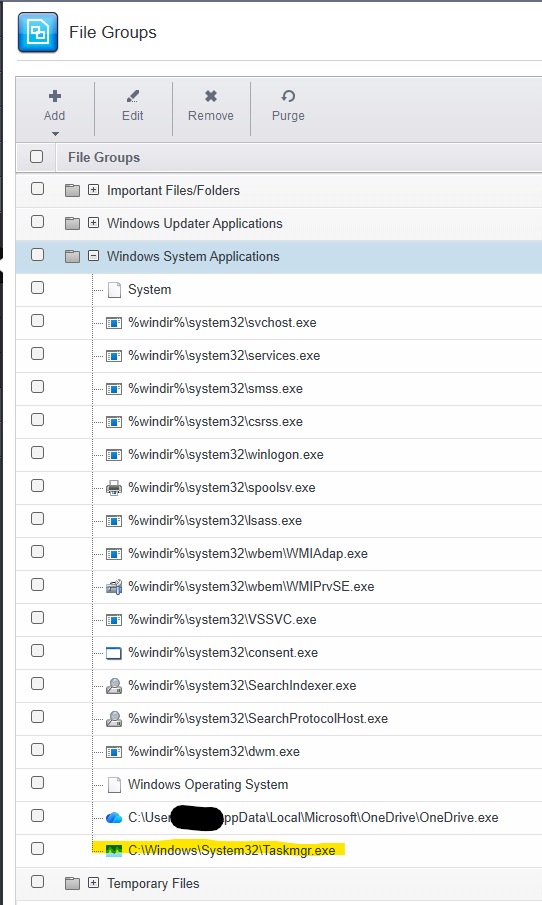
Yes, I added OneDrive, too, for now.
I am pretty sure those aren’t proper solutions, so hopefully devs will provide a proper solution.
I am not going to accept that this is how CIS protects itself now, and I want HIPS enabled. This wasn’t happening on Win 8.1 and Win 10. Blame on different TM, on whatever - I don’t care, I just want it to not alert me about a non-malicious Windows app doing its job.
I don’t think it’s a good idea to suggest alternative product on Comodo’s forum, especially for a mod, but this is something I have started thinking about.
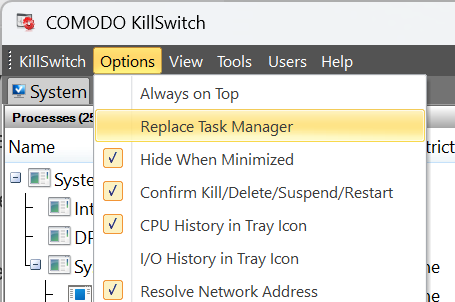
Glad you found a temporary workaround. Another option would be to use Comodo Killswitch which you can set to replace Task Manager. I prefer it. You can set it to view just sandboxed or untrusted processes.If you install it, you’ll get a small CIS update which updates the file signatures for it. Some of the tools can have false positives like startup analyzer so just double check things you decide to action with the included tools. (Windows Defender incorrectly detects the temporary installer file as a PUP or Trojan which is a false positive and the same with Emsisoft because it’s a very powerful tool. If you are using Microsoft Defender, you’ll need to temporarily turn off MD real-time protection and then re-enable it when installed)

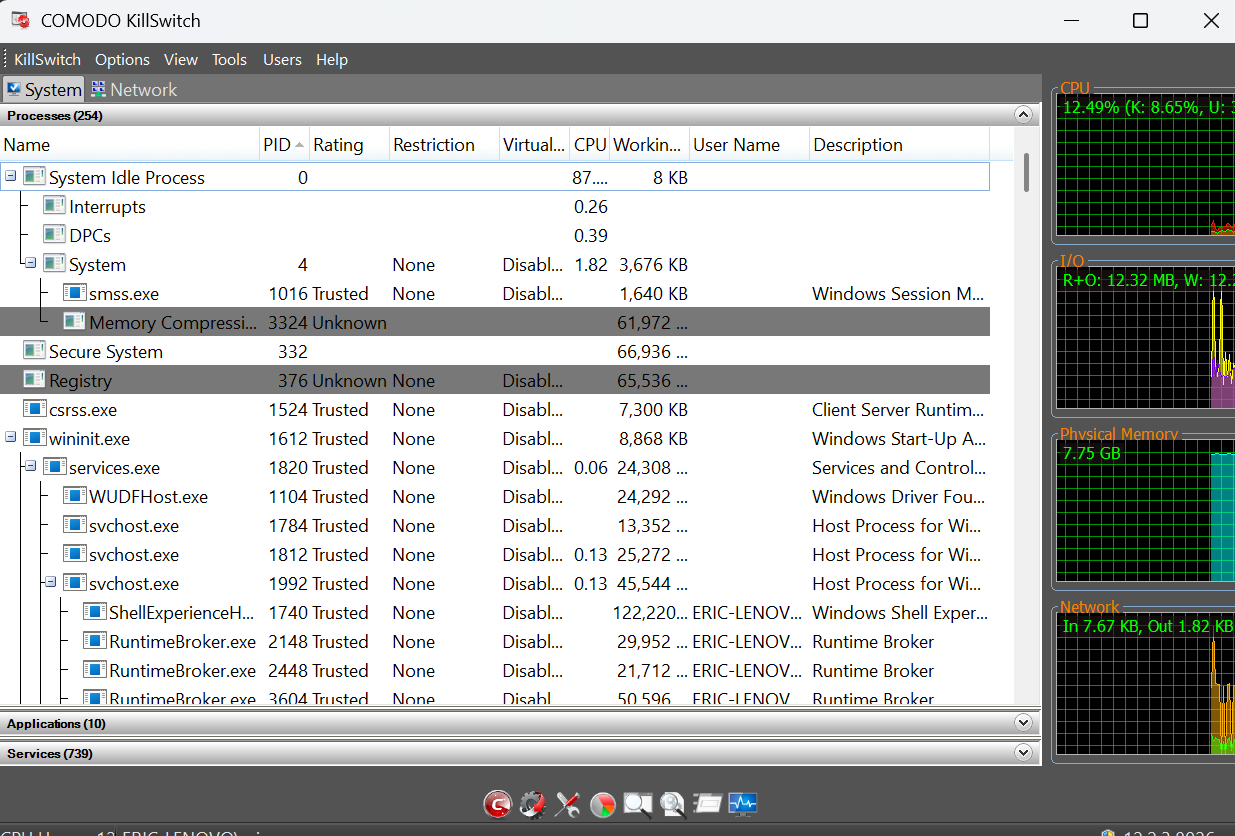
As to your other comments, I won’t engage in those.
1 Like
Greetings, dear EricCryptid (I can reproduce a situation where a log entry appears every couple of seconds, but — only when the task manager is open — the logs stop appearing when you close the task manager) (or look for an alternative product. ESET has powerful HIPS protection). ESET has exactly the same picture as COMODO!!!
Thanks. I don’t have experience with Eset beyond trying it out at one point. If ESET also shows alert logs when Task Manager is open then it is a common protection feature amongst products and shows that it’s protecting itself. ComodoUser2025 doesn’t want those log entries to show but he’s found and interim workaround which I don’t fully think is the safest option given history of malware and task manager.
Anyway, thanks for the info 