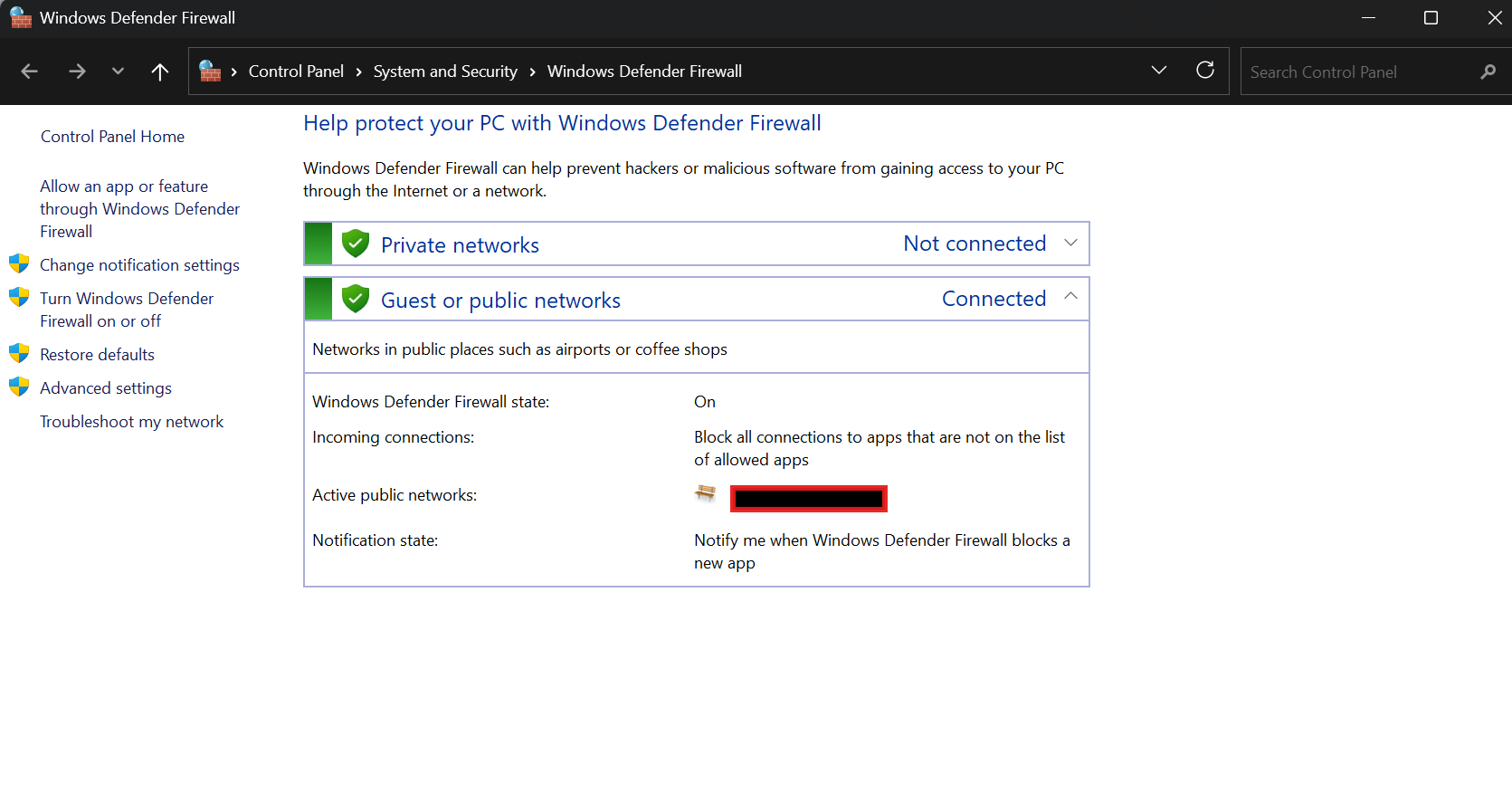
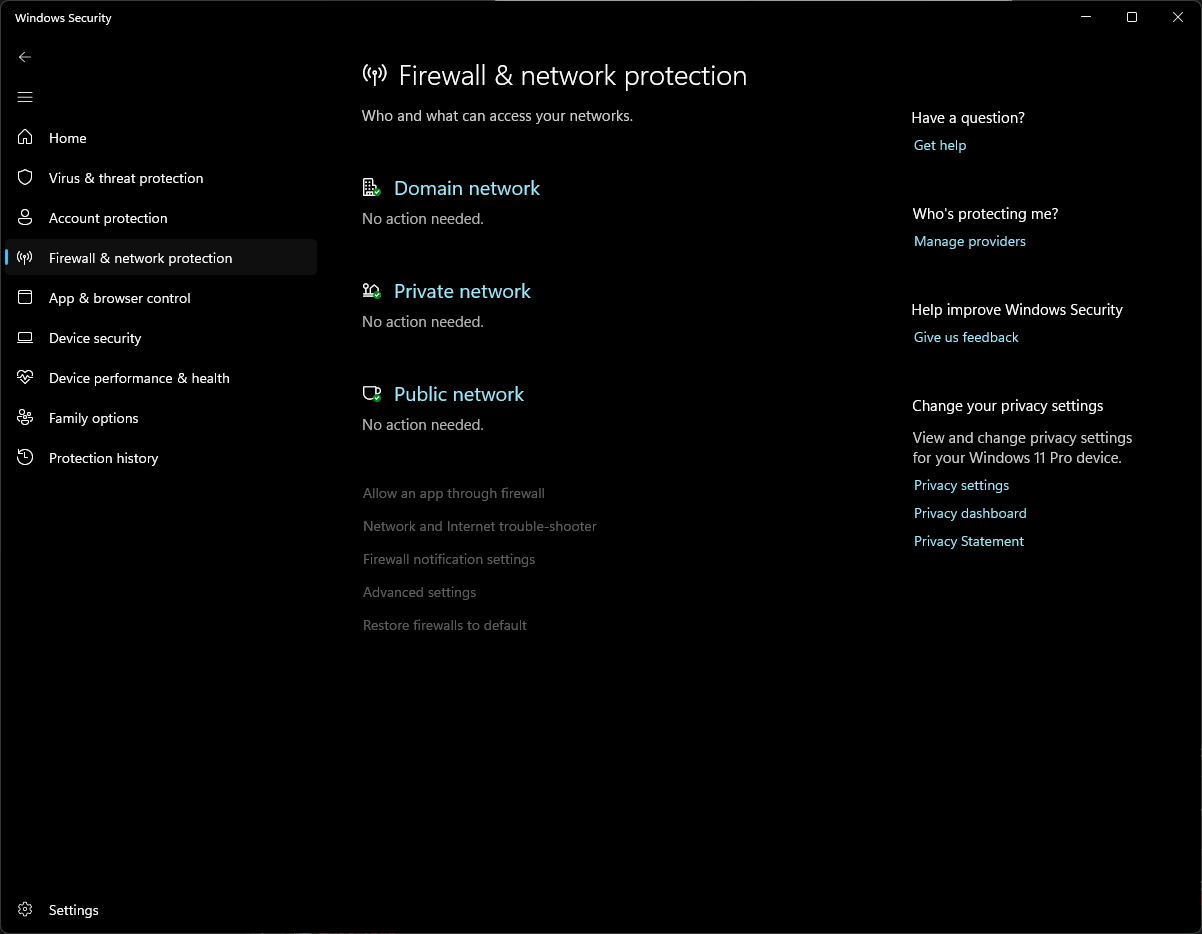
Why am I still getting Windows Firewall notifications to allow or deny an app for some apps even though I’m using CIS with firewall fully enabled? Windows Security Center has Comodo Firewall registered as firewall, so why am I still getting those sometimes?
You have both WF and CF enabled on your system- that’s OK if you so choose, but note that one will not deactivate the other. Also, obviously you have “tweaked” WF by adding Rules for outbound app connections. The Outbound connection alert rules for either are totally different and are not mutually exclusive.
To avoid the WF outbound app alerts, you must either Disable WF or add WF rules to allow those apps for which you are receiving alerts. Personally I think your setup is overkill, so I would suggest that you re-consider your WF rules.
m
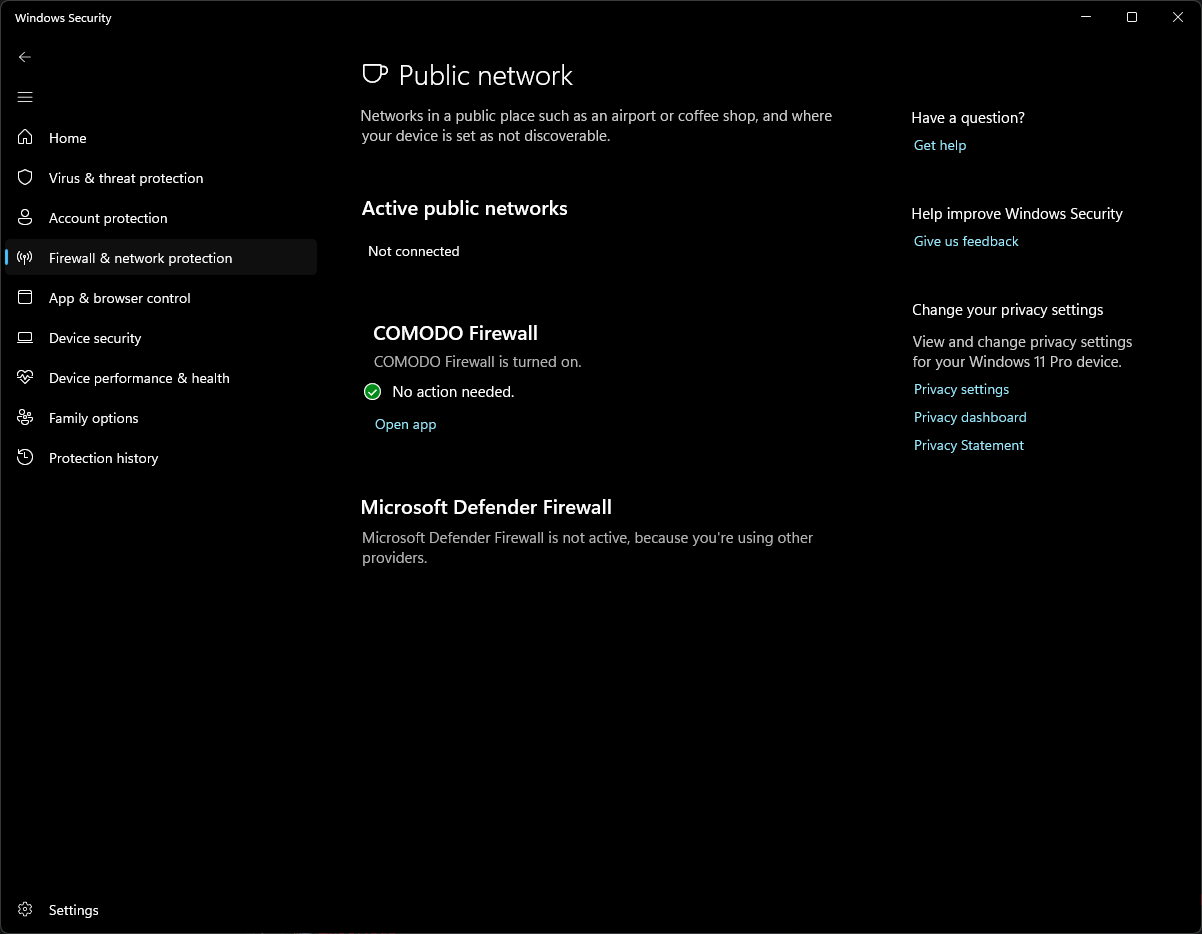
That can’t be right because I can’t use ANY of the Windows Firewall controls and it also says “Comodo Firewall is turned on” all over the Windows Firewall section. Anything I want to do is disabled and it only allows me to open the app in control which is Comodo.
It even says “Windows Firewall is not active because you are using other providers”. Yet I still get Windows Firewall notifications for some things.
Sorry!- I though you meant the native Windows Firewall (more properly Defender Firewall) when you actually meant Windows Firewall Control.
The answer here is easy- you do NOT want both WFC and CF active, so you must chose which one will be uninstalled.
Apologize again for my misunderstanding!
m
1 Like
Agreed, Although WF is enabled along side of CFW, running WFC with it makes no sense and is duplication. What you can do is implement firewall hardening by creating LOLbin block rules by using Andy Ful’s FirewallHardening Tool which is included in the H_C tools found here that will create block rules in WF which will still work even while CFW installed though unnecessary as CFW will block those connections as subprocesses of contained apps.
1 Like
No, you’re still misunderstanding it. I can’t “uninstall” Windows Firewall, it’s always just there. It just gets disabled if you’re using different 3rd party firewall. It even says Windows Firewall is disabled, but I still get notifications to allow apps sometimes.
Are you sure that you have not installed a program called:
Windows Firewall Control?
I am questioning that since e built-in Windows firewall (called “Windows Defender Firewall”) can run at the same time as Comodo Firewall, and unless you add quite a few Rules to it, Windows defender Firewall will not alert to outbound traffic (also, I agree that the native Windows firewall cannot be uninstalled).
So anyway, please check out if you have Windows Firewall Control installed- and if so uninstall it.
And please get back with the results if you have the time.
1 Like
Yes I’m sure, this is clean 25H2 install with nothing else, just CIS.
Can you post an example of such notification?
It’s just a regular allow app notification you get from built in windows firewall. I don’t have any addons or GUI expansions for Windows Firewall installed. I can’t post it because I don’t know why some apps just randomly invoke it.
Are you talking about these notifications?
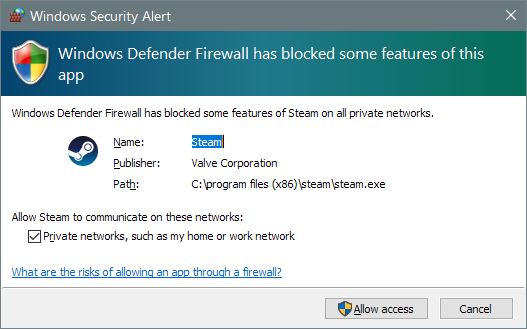
If so, it’s not related to Comodo Firewall in any way.
Just disable Windows Firewall or simply disable notifications for current profile
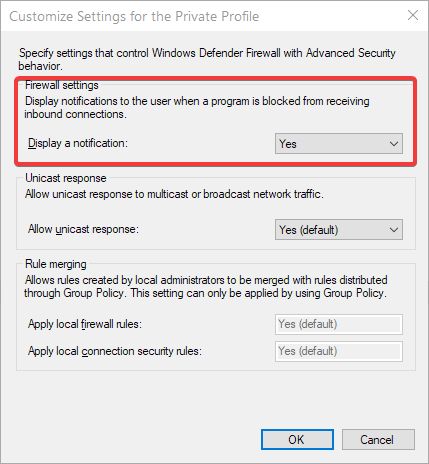
It looked a bit different, taller and narrower with Allow/Deny buttons vertically and the buttons were larger iirc. I’m on Windows 11 25H2 tho…
Wow! I was confused because Defender Firewall rarely alerts to anything, but in this case it actually did.
To fix this, just:
1). Go into Control Panel
2). go into Windows Defender firewall
3). on the left, click “Allow an app or feature through Windows Defender Firewall”
4). Look for Steam
5). Make sure the Allow box is checked for Private Networks for Steam
This should fix it (please inform us if it actually did).
m
1 Like
Allow an app through firewall is greyed out for me on 25H2… I literally CANNOT change a single thing about Windows Firewall because Comodo Firewall is active.
In that case the best option would be to disable defender firewall (no real loss there). Are you able to do this, or is that action blocked also?
For me Windows Firewall only ever throws a pop-up after I’ve reset the firewall to defaults. I’ll get one for Steam, Firefox in Privat mode and a couple of other things but I don’t find that it interferes with CFW in any way. CFW takes time to load and for some reason Security Centre takes time to show CFW after a reboot but it’s still protecting you from the startup.
You can disable windows firewall but it might be a mistake if your planning to use FirewallHardening Tool which will create block rules for commonly exploited LOLBins though CFW will block those connections for contained apps and their sub processes. You could run CFW in Custom Mode so you can create rules and block them, like you would do in Windows Firewall Control but I wouldn’t stress over having an allow rule in Windows Firewall as CFW works independently and the connections would be blocked if a CFW rule was set or the file was sandboxed.
Like I said, CIS is detected as active protection and both Defender and Firewall controls are all entirely disabled and all unavailable.
This is odd. You should at least be able to disable Defender Firewall, unless you are logged in as a Standard User (as you would need Admin access to make changes).
If this is the case, log out as Standard and log back in as Admin, then disable (or make changes to) Defender Firewall.
if I’m totally off-base on this, please come back!
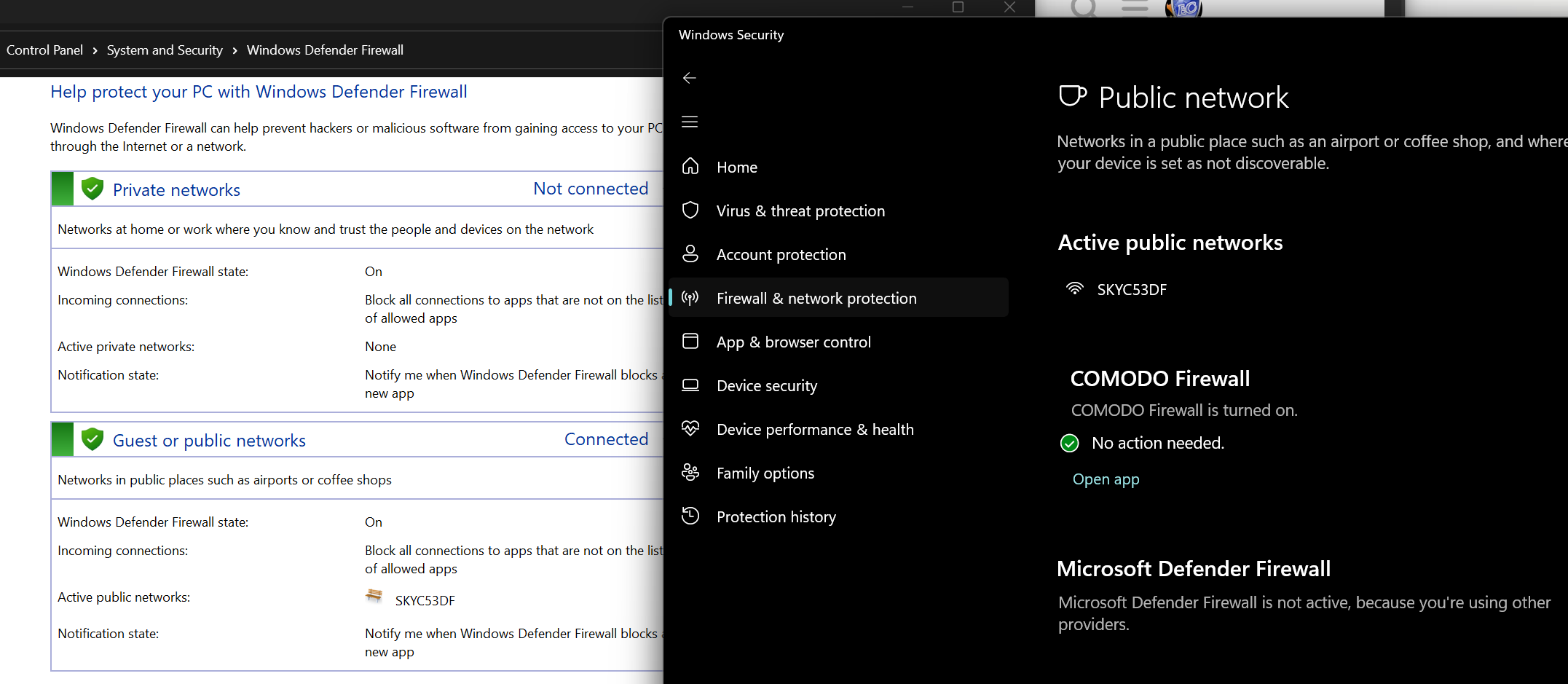
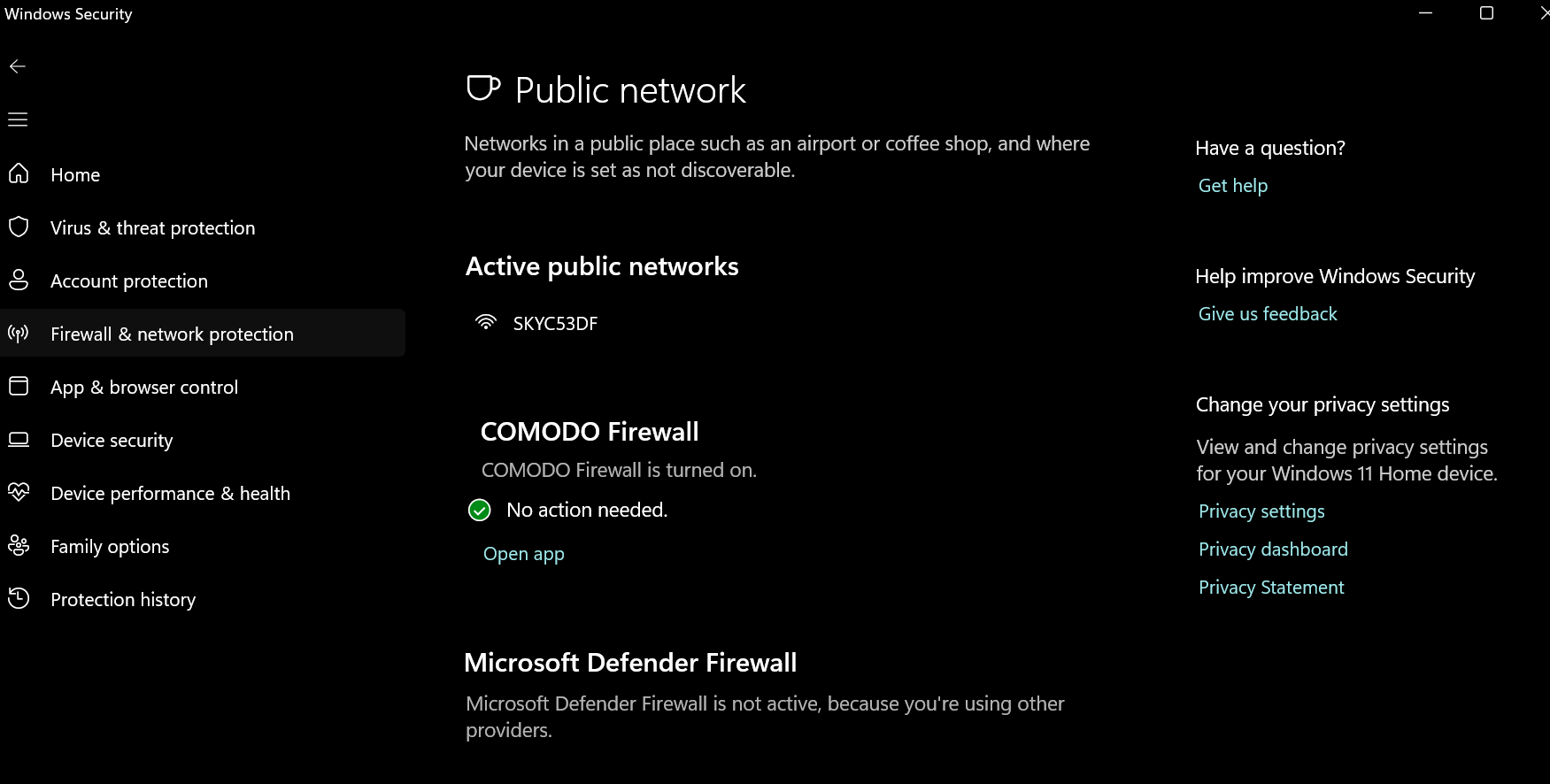
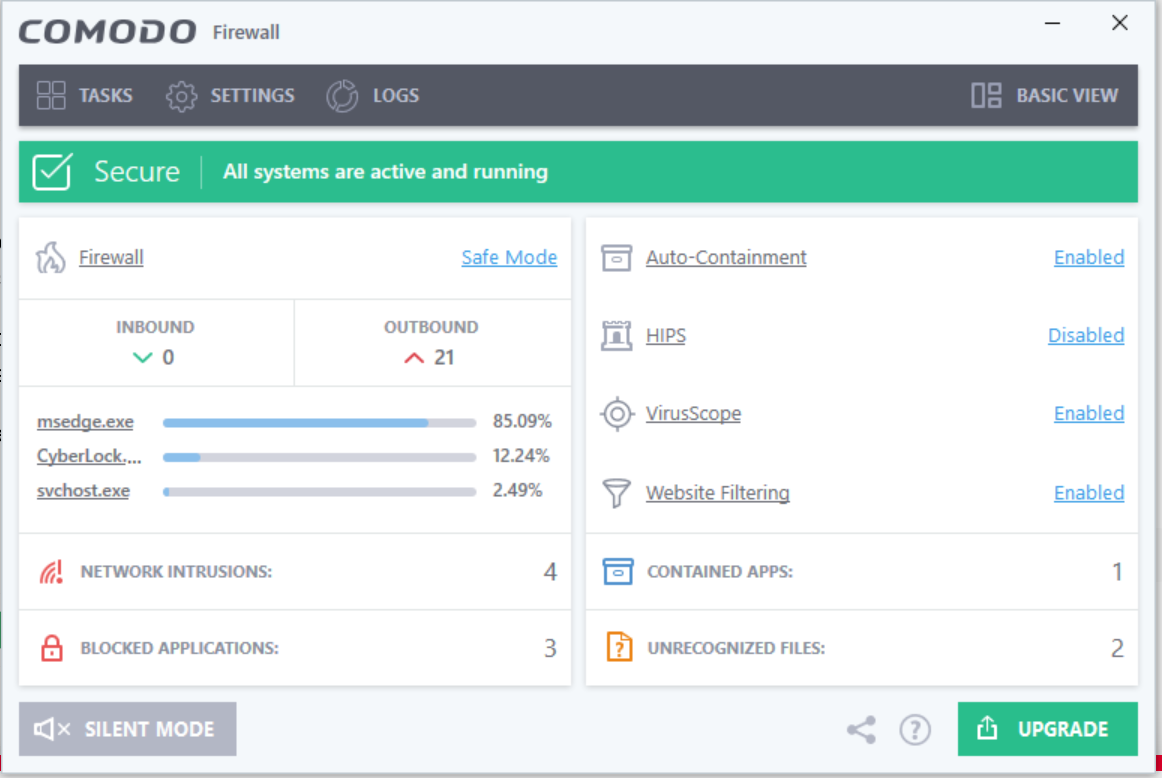
Can you share screenshot of Windows Security - Firewall & Network Protection - Public Network like the below. Also, using CFW’s Lycia Theme, can you send us a screenshot of the advanced view? Example of both below.
Also worth seeing what you have on control panel - windows firewall like the below.