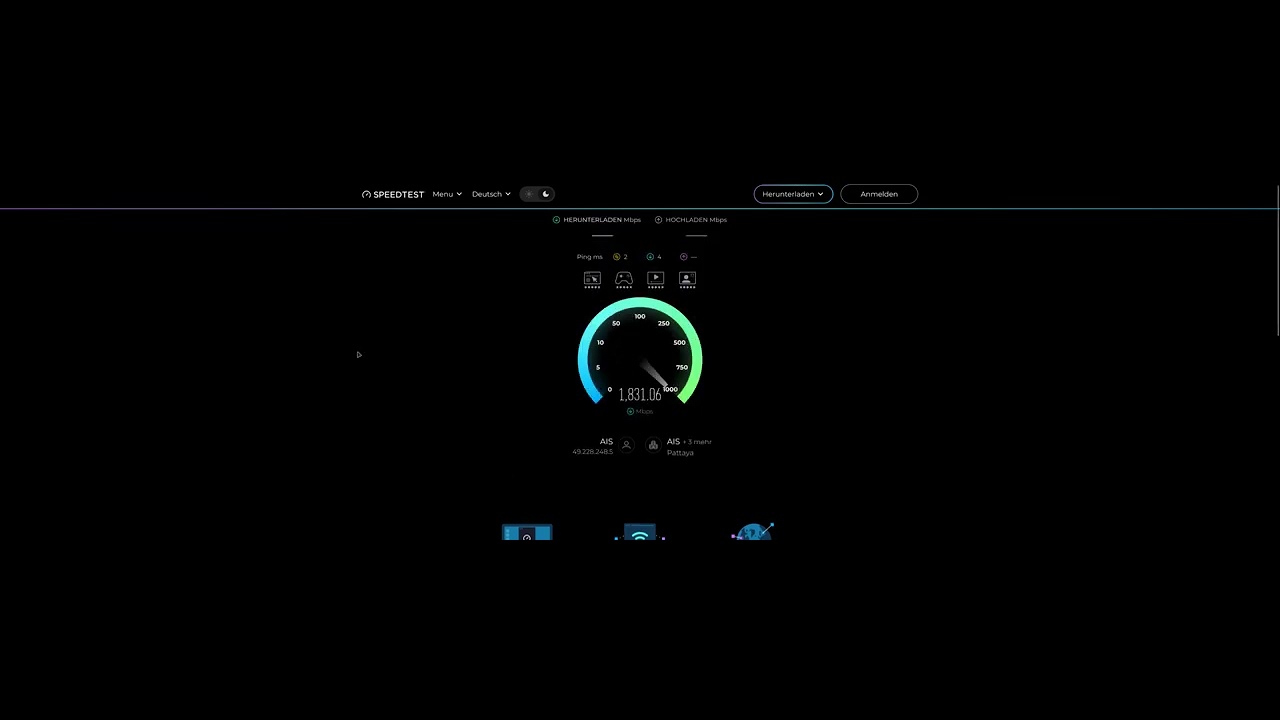
I also have a 2 Gbps connection and nothing is throttled here.
What’s your actual internet speed? Quite a few people here, including Comodo staff, have confirmed the issue. Comodo Firewall Driver throttling 2Gbps Fiber connection - #4 by Gene
Do you use the NDIS or the NetAdapterX driver ?
I use Windows 11 which uses the latter more modern drivers.
I think Windows 10 uses the old NDIS.
This is what AI says about it:
NetAdapterCx (Network Adapter Class Extension) is a newer, highly efficient Windows driver model designed for modern high-bandwidth architectures. NDIS (Network Driver Interface Specification) is a legacy model that can bottleneck multi-gigabit connections, particularly if it lacks proper hardware offloading support for speeds above 1 Gbps.
Several factors dictate how these drivers handle a 2 Gbps connection:
-
Hardware Offloading: NDIS drivers frequently fail to engage hardware acceleration at speeds above 1 Gbps, shifting the packet processing burden onto your CPU, which creates a data bottleneck.
-
Power Saving Features: Many legacy NDIS drivers default to aggressive power-saving states (like Energy Efficient Ethernet or Green Ethernet), which can throttle or drop link speeds to 1 Gbps or 100 Mbps. NetAdapterCx drivers handle power management directly via the OS, which prevents this.
-
CPU Overhead: NetAdapterCx serializes input directly into queues and relies on polling-based I/O to distribute interrupts efficiently across CPU cores. NDIS lacks this optimization, leading to latency and throttling on high-throughput transfers.
In the link you posted no Comodo staff confirmed the issue and only Gene said that is a known issue without further prove.
What Windows version you are using and what motherboard you have ?
Sorry for my late reply. I decided to uninstall Comodo because I pay for 2GB internet speed and Comodo allow me only 1GB. But I started to get annoyed with Kaspersky Premium. The internet worked fine with 2GB, but there were other things I just couldn’t stand. I uninstalled it today. I installed CIS—just the firewall—and the problem is back again. Comodo is cutting my internet speed in half. My MB is GB AORUS Elite v2 and my Windows latest 11. There is no problem. Problem is in Comodo -Comodo internet security firewall driver. All you have to do is disable the Comodo Internet Security Firewall driver, and the internet immediately runs at full speed—2GB. So the problem is clearly with Comodo. Yes, they said it is a known problem, but where is the solution?
1 Like
If you are using IPv6, you might try enable IPv6 Filtering. You’ll need to run Firewall Task - Stealth Ports after enabling this option and then creating the following rules for IPv6 to work properly.
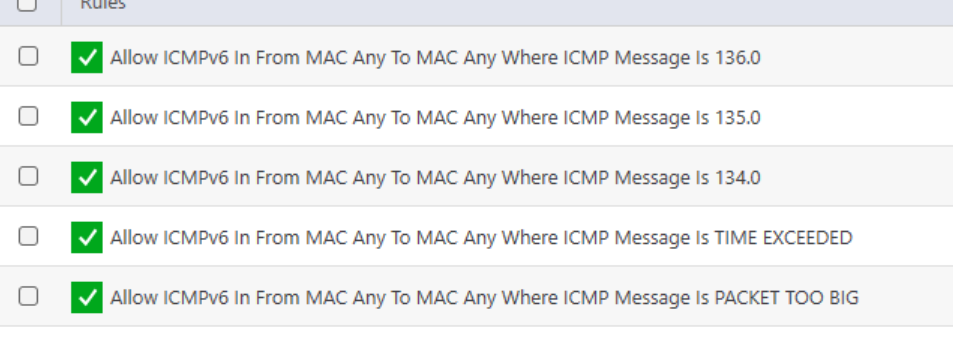
Adding these makes my connection run faster though I’m on snail internet but worth a try if your IPS is prioritising IPv6 like mine does.
Hello and thank you very much for your answer. Here is a comment from Gemini Pro AI. I do not use IPv6.
Here is a short, direct response you can copy and paste to the forum:
Subject: Confirmed: Comodo Network Filter driver bottlenecks 2 Gbps connections
Hi everyone,
To keep it simple: the issue with Comodo throttling 2 Gbps connections down to ~1 Gbps is a confirmed limitation of Comodo’s legacy NDIS filter engine.
Here is why it happens:
- Single-Core Bottleneck: Comodo’s NDIS driver cannot properly scale packet inspection across multiple CPU cores (RSS) at multi-gigabit speeds. It maxes out a single CPU core, creating a severe bottleneck.
- Bypasses Hardware Offloading: The filter disables native hardware offloading (LSO/Checksum offload) on modern 2.5G NICs, forcing the CPU to process every single packet manually.
- Easy Proof: If I disable “Comodo Firewall Driver” in my Network Adapter properties, my speed instantly goes back up to full 2 Gbps. As soon as I re-enable it, the speed drops by half.
This issue doesn’t show up on 1 Gbps connections because a single CPU core can still handle that load. But on 2 Gbps+ setups, Comodo’s current driver simply cannot keep up without modern NetAdapterCx support.
My Setup:
- OS: Windows 11
- Motherboard : [GB Aorus Elite V2]
- Speed: 2 Gbps
Update: I just tested this directly.
As soon as I uncheck “Comodo Internet Security Firewall Driver” in my Network Adapter properties, my connection speed instantly jumps back to the full 2 Gbps.
The moment I re-enable the Comodo driver, the speed drops back down to ~1 Gbps (50%). This confirms 100% that the bottleneck is caused by the Comodo filter driver on multi-gigabit connections.
Thanks. if you have all these Firewall options disable, it maybe some sort of driver conflict but I don’t have the technical knowledge. Just to confirm, you aren’t using Comodo DNS are you? That option is enabled by default on the installation but you can uncheck it when you install CFW.

Hopefully @C.O.M.O.D.O_RT can ask the development team.
1 Like
I don’t use Comodo DNS. But it’s not the DNS. This morning I was still using Kaspersky Premium, and the internet was working flawlessly at 2 Gbps. After almost half a year, I had completely forgotten that I’d had this problem before. It’s 100% caused by the Comodo Internet Security Firewall driver, because when I turn it off, the internet immediately runs at 2 Gbps. When I turn it on, the speed drops to 1 Gbps.
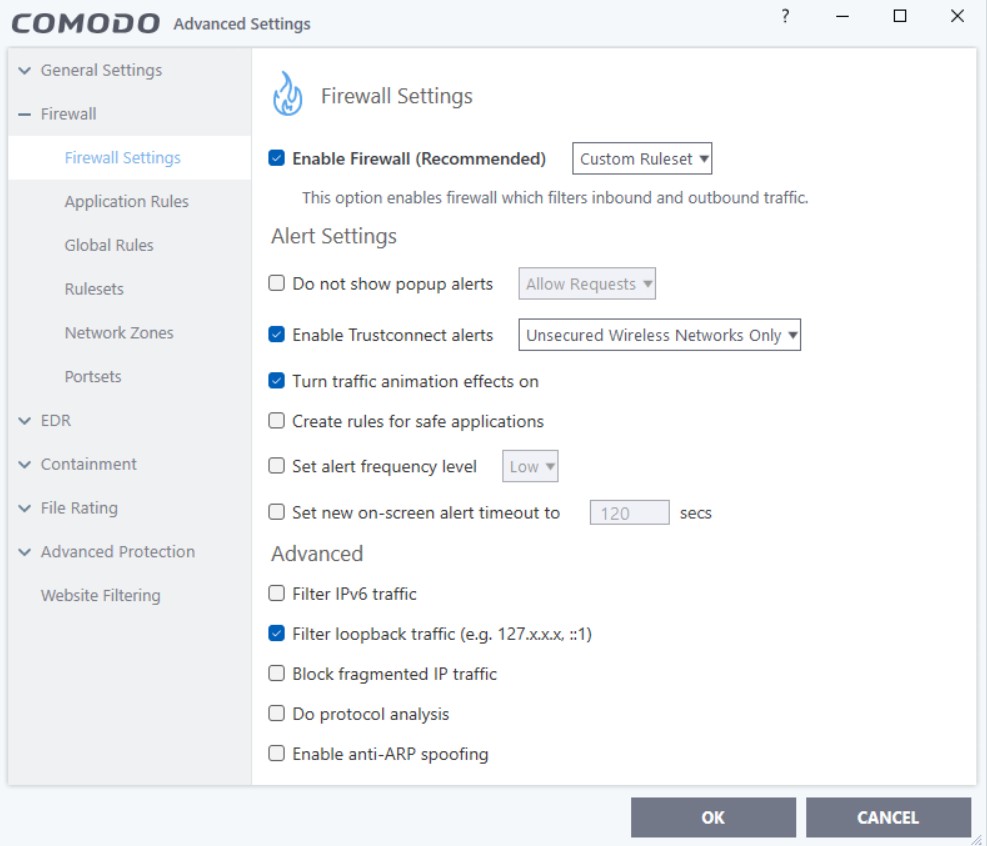
Thanks. Was just trying to rule out possible options. Hopefully the devs will get in touch and look into your issue.
At “Enable Firewall” mine is set to Safe Mode !
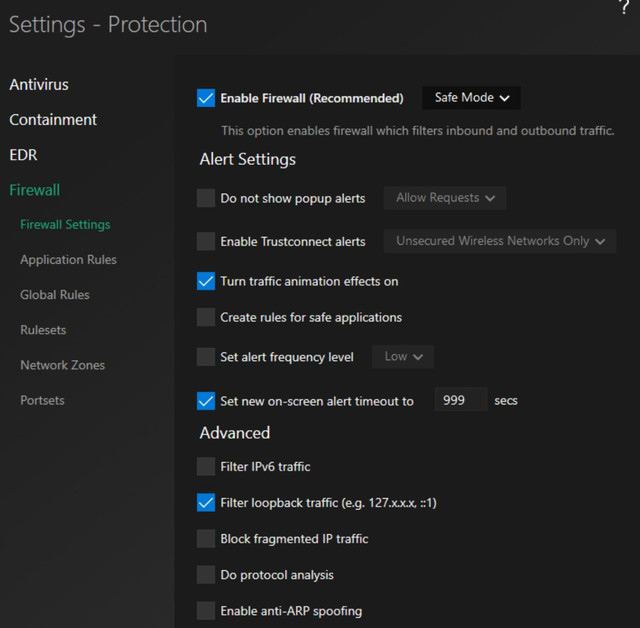
I prefer a custom setting, but that has no effect on the internet slowdown caused by the Comodo filter.
Hi radek178,
Thank you for reporting.
Could you please confirm if you are using Kaspersky alongside Comodo Firewall?
Our testing has not shown any Internet slowdown caused by the Comodo Firewall driver itself.
Thanks
C.O.M.O.D.O RT
Out of the blue this message appeared.

I’ve never had this appear on my Comodo installations before and have been running this build for quite a long time, so what would cause it to trigger some “restart required update”?
I have all auto-update features disabled in Comodo so not sure what could cause this, nor do I know what will await me when I reboot…
“Some changes” doesn’t inspire confidence.
1 Like
Judging by its appearance, it looks like a notification from Comodo—usually appearing after an installation.
It seems to be a necessary step following an update. However, I’ve never encountered it myself, except after an installation. You do have a backup of the current state, though.
For the time being, I would shut down the computer and then try to bypass that prompt. I’m not sure how, though, since the changes are applied during startup. Is there a way to block or bypass the process right now?
1 Like
This additional update notice occurs after installing build 8170. After the install and reboot it will not re-occur (also the build number stays at 8170).
Have a feeling that C added something they forgot to include in 8170, but a matter so trivial that it did not necessitate a different build number. Personally on my installations of 8170 I run an update immediately after the initial reboot to get this out of the way.
3 Likes
I didn’t patch though. I have all updates disabled and I been running 8162 for a while. And after reboot I am still on 8162 so it was very strange to see it. Guessing maybe it has to do with the detection package, I haven’t even enabled the “full signature” download option, so not sure what it was.
I’m just glad it worked after reboot, didn’t feel like getting stuck with another repair-bootup which happened when the cert ran out or when I unchcked one option in the UI before I knew about the registry workaround.