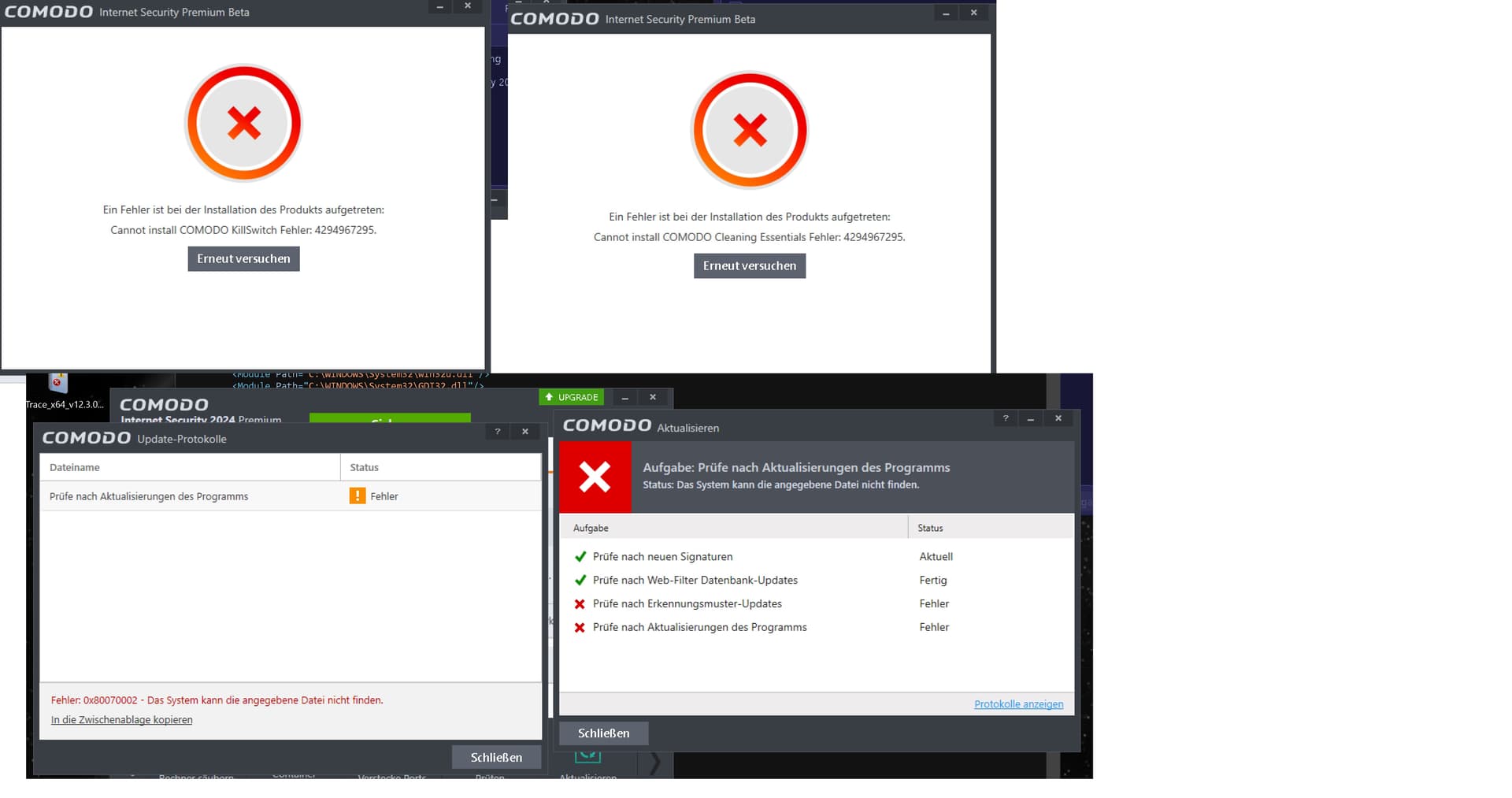
I did:
- Uninstall other security suite.
- Rebooted system.
But to no avail. The issue remains. CIS 2024 Beta won’t install.
I did:
But to no avail. The issue remains. CIS 2024 Beta won’t install.
Hi CISfan kindly reinstall windows and let us know if you are facing this issue again.
Thanks 1807
The current beta version has many bugs, and it is recommended to wait for the stable version
My previous attempts to install CIS 2024 were done on a fresh Windows installation with all MS security and updates installed, it serves no purpose to re-install Windows again.
CIS 2024 Beta does not install on my system.
Agree, but at least it should install.
Hi CISfan May i know what version of Winows do you have (Windows 7.8.8.1 or 10) or higher?
Thanks 1807
Windows 7 Ultimate 64-bit
Hi CISfan we are sorry but we do not support Windows 7,Kindly upgrade to Windows 10 or Higher to Install it.
Thanks 1807
No thank you. I do not prefer to move to Windows 10.
Will use other protection for my system.
Thanks for your time and effort in creating CIS 2024.
Hi CISfan Thank you for your words we appriciate them and we wish that you use CIS 2024 when you move on to Windows 10.
Thank you 1807
I installed the new beta on a “toy” system I have. Install went fine. I haven’t tested it, but I can report that the old themes are still available to use for those who don’t like the new ones. Hopefully they will remain as options when the final is released.
Can we import the configuration of the release 8012 in CIS 2024 ?
Thank you for your answer
The previous CIS did not seem to be filtered by WireGuard. Fixed?
@1807 with regards to my doubts it is now seen that you are officially posting as a COMODO / Xcitium staff member.
Apologies for my voiced doubts but would have been good if C. O. M. O. D. O. RT had posted to state your position and your help with posts on the forum 
Things have now come to light that where not stated before and so I shall retract the above.
There needs to be an icon ( similar to Moderators ) that shows authorised COMODO Staff here on the forum.
I imported the configuration without any problems.
Hi Dolphin66 Yes COMODO RT is my friend and we work together as well as Ilgaz and Umut Thanks for your nice words we appriciate them as same with the team.
Thanks 1807
Best Regards Xcitium Team
found another bug ,under advanced protection,when clicking on scan exclusion the whole advanced settings window/menu crashes/collapses
Hi Frustrated_User1,
Thank you for reporting.
We are aware of this issue and team is working on it.
found another bug ,under advanced protection,when clicking on scan exclusion the whole advanced settings window/menu crashes/collapses
We have checked this and found no crashes.
Kindly disable and enable the all components of CIS and check.
Kindly let us know your feedback.
Thanks
C.O.M.O.D.O RT
issue remains, maybe I can send you my cfg file so that you will be able to reproduce it…
check your PM
THX