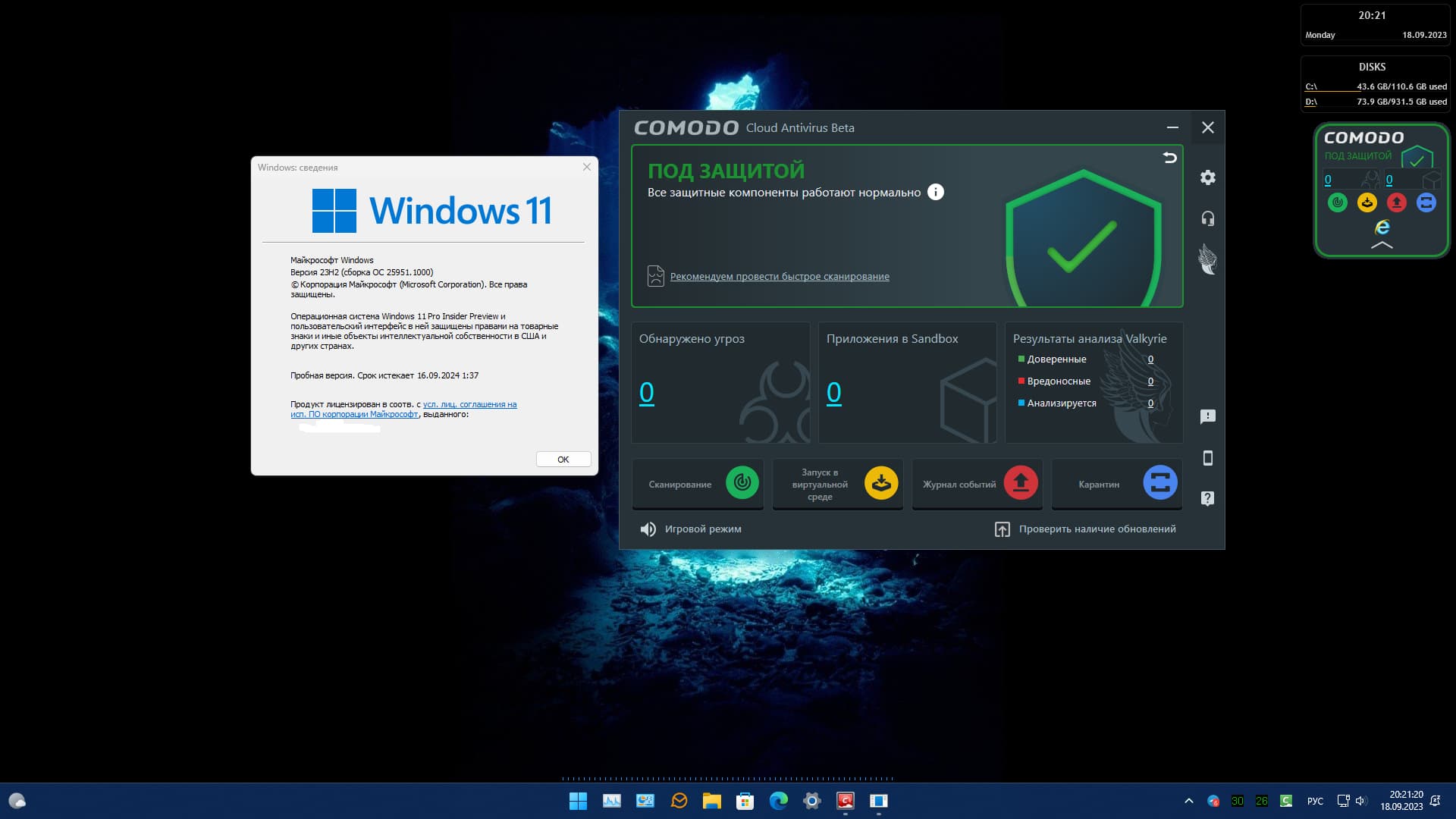
On 25951.1000, CIS 12.3.0.8088 Beta does not work, it cannot install, and if it is installed with glitches, the Internet turns off. It is not possible to delete it later.
As an experiment, I installed CCAV 2.0 Beta, it works great, it just “flies”. And it was developed 5 years ago.
Restore its development.
Lycia and Arcadia are much better.
Thank you
Hi user9823742,
Thank you for reporting.
Could you please check with the below CIS beta version and check whether you could see the Intel TDT setting .
https://download.comodo.com/cis/download/installs/9010_beta/CIS_2024_beta.exe
Thanks
C.O.M.O.D.O RT
Hi megaherz33,
Thank you for reporting.
From the above statement we understood that the CIS beta V12.3.0.8088 doesn’t install in win 11 isn’t it ? or do we missed something else to understand ?
Thanks
C.O.M.O.D.O RT
Hi C.O.M.O.D.O_RT
Yes, but if it turns out with glitches, then the Internet turns off and cannot be deleted. I’ll check the latest version now.
Thank
megaherz33
The latest version is installed and the Internet does not turn off, but HIPS…
CisReportData_MEGAHERZ33-HP_2023-09-19_13-59-59.zip (1.1 MB)
Hi megaherz33,
We will check and update you.
Thanks
C.O.M.O.D.O RT
comodo is one excellent protection antilogger and firewall…
Hi,
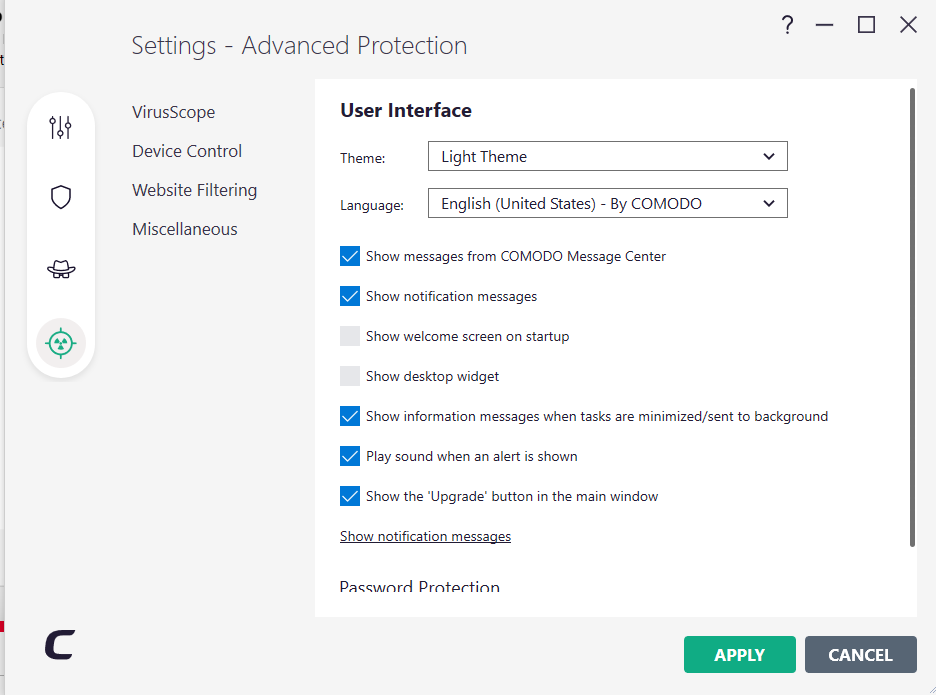
I have 12.3.0.8088 and no Intel TDT option.
Is it suppose to be available for all machines or certain hardware only.
If I switch to Light Theme you can see still no Intel TDT option and i have never seen this before.
Thanks
The beta works normally here on Windows 11 Insider builds 25951.1000 and 25951.1010.
When uninstalling the beta (8088) CIS will leave behind cmdguard.sys and cmdhlp.sys drivers. I found out coz something was interfering with updating my Windows Insider Canary build using an ISO image. Windows rolled back with " Installation failed in SAFE_OS phase with an error during BOOT operation 0xC1900101 0x20017" error.
I need to uninstall CIS when updating the Insider Canary builds when using an ISO image. That happens with both the beta and CIS 12.2.4.8032. I have a memory dump file of one of the updates of the Canary builds that failed with CIS 12.2.4.8032 installed.
1 Like
Hi AATTUBATO,
Thank you for reporting.
Could you please check with the below CIS beta version and check whether you could see the Intel TDT setting .
https://download.comodo.com/cis/download/installs/9010_beta/CIS_2024_beta.exe 23
Thanks
C.O.M.O.D.O RT
Installed, still the same problem with the HIPS not working.
Hi megaherz33,
Thank you for reporting.
So CIS beta HIPS doesn’t work in win 11 right ?
Thanks
C.O.M.O.D.O RT
For the 11th final, it works. Doesn’t work on 11th Canary.
Good find. I just found these in my driver repository. Manually removing them now 
@EricCryptid You can try this.
After manually removing the residual driver files, whether you can reinstall the CIS beta successfully. 
Installs without issue. I still prefer the Lycia theme for the Advanced view but installs and runs fine at my end.
Look forward to upcoming updated beta in a couple of weeks.
1 Like
I think the new beta will come soon as a new XCS version was released with lots of bugs fixed a few hours ago.
1 Like
Just a quick tip on removing Comodo remnants after uninstalling Comodo.
Startup and EventViewer entries can be deleted from registry:
Computer\HKEY_LOCAL_MACHINE\SYSTEM\CurrentControlSet\Services\EventLog
Computer\HKEY_LOCAL_MACHINE\SOFTWARE\Microsoft\Windows\CurrentVersion\Run
Removing cmdguard.sys and cmdhlp.sys drivers is done by running CMD as Administrator. Entering the below to get the driver list:
Dism /online /Get-Drivers /Format:Table
Make a note of the Comodo Entries oemXX.inf number and then enter the below for each entry to delete them, replacing the XX with the corresponding oem number.
pnputil /delete-driver oemXX.inf /uninstall /force
and then reboot.
3 Likes
Hi Comodo RT,
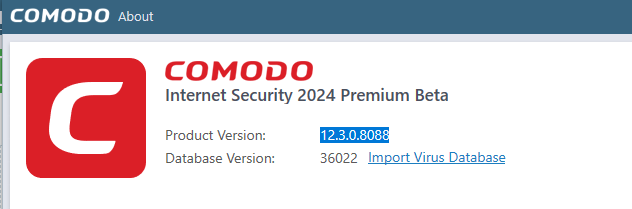
I already have version installed 12.3.0.8088 however I did download and install again from the link you provided and still the same no Intel TDT see screenshots
Thanks