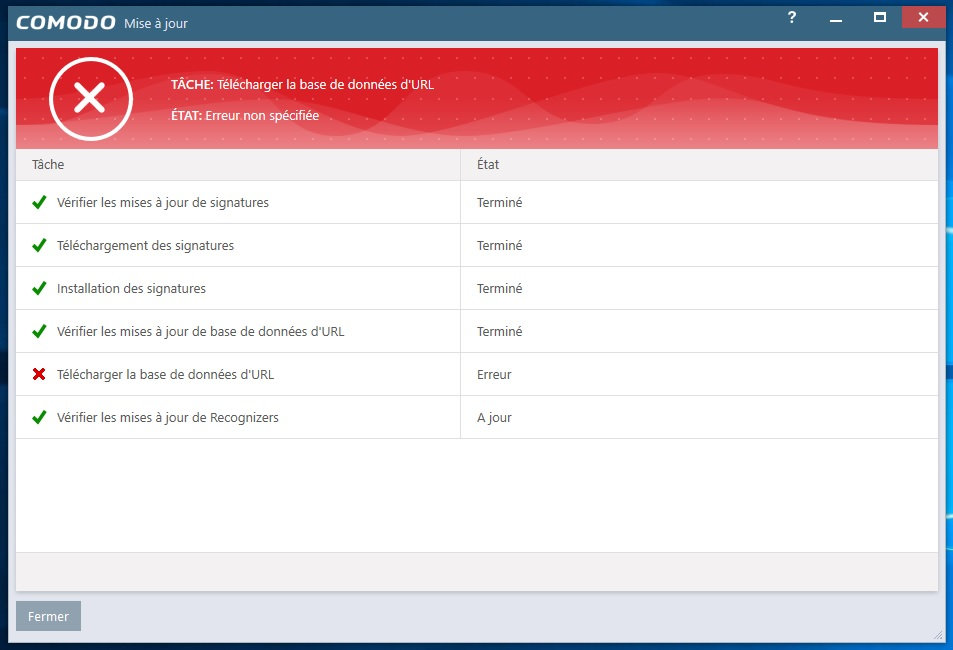
You can ignore those errors, we have fallback urls for those. It’s a non-issue.
Alright, thanks for the info!
Hello,
The event log Windows 10 1803 (17134.137) reports:
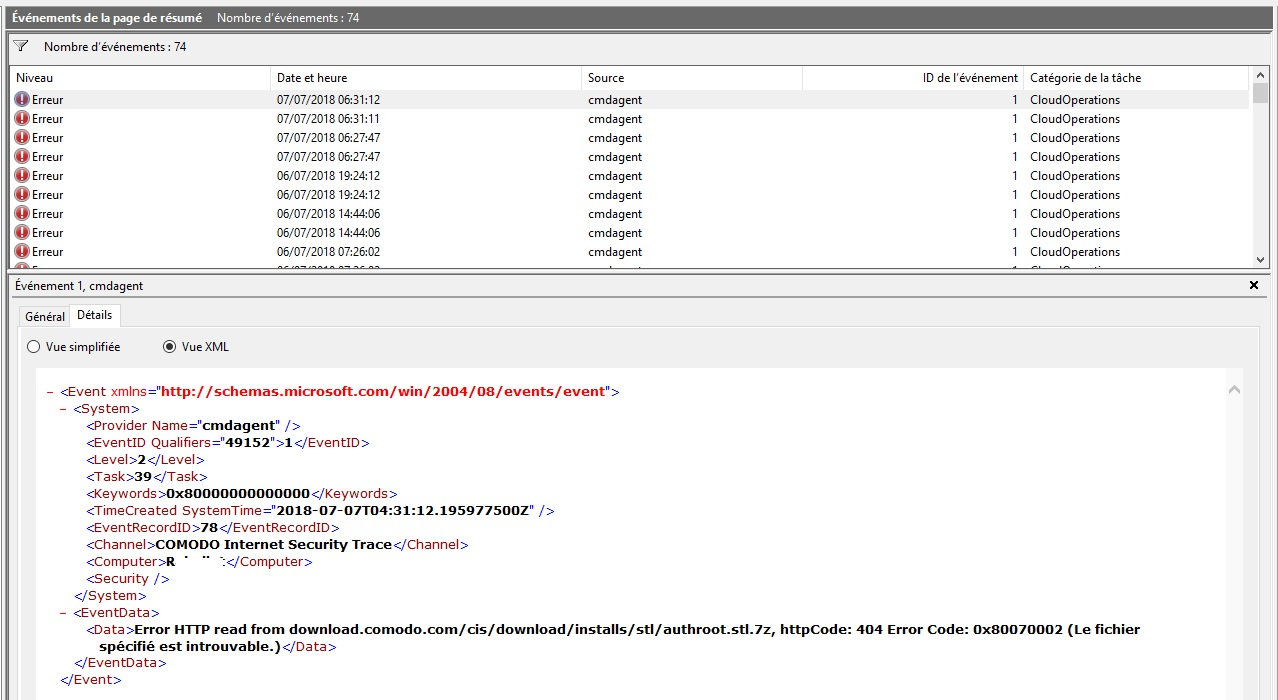
in relationship with
Is Comodo ISE updated automatically with CIS 11.0.0.6606 even if not installed?
ISE will automatically update itself. It’s a separate program with it’s own automatic updates but can also be updated via CIS when CIS is installed. Same goes for Comodo Secure Shopping.
I’m trying out Comodo Cloud AV while there are issues with CIS as I only have production machine at the moment and can’t beta test the fixes but hopefully the issues people are having will be resolved very soon. You can safely leave CSS and ISE and CD installed.
Eric
Thanks Eric. I also see that none of the documentation about Comodo ISE has the updated version number listed.
Good morning!
Unfortunately, the flickering problem of the “C” notification icon at the bottom right when using CIS with Windows 10 has not yet been solved even in this version.
When will it be solved?
Thank you!
Nunzio.
Hi NDABBRU,
We are working on it. fix will be done shortly. Thanks for understanding.
Kind Regards,
PremJK
A quick generic question: On the HIPS Rules page, there are buttons to move items Up and Down. (Same in the Firewall Rules.)
But I can’t find anything in the help.comodo.com Guide about why I would want (or need) to move HIPS items up or down the list.
I did find the following about the Up/Down buttons for the Firewall Rules: “Move and Move Down - TRules [sic?] are prioritized top-to-bottom, with rules at the top of the list having highest priority. The Move Up and Move Down buttons enable you to change the priority of a selected rule.”
I didn’t see that text (or similar) for the HIPS Rules. But I assume the thinking is the same.
Still, I can’t think of why I would need to change priorities of the Rules.
Anyone got a real world example? (Typically, my Rules are ordered chronologically, corresponding to when I got around to running a certain program. So Libre Office could be low in the list or high in the list, depending on when I first ran it.)
Ok the last few days I was able to get CIS run by hitting the destop CIS icon after reboot like a maniac(repairmodus till says:No error found); but today I installed the windows10 updates and now hitting the icon has no effect anymore(btw repairmodus says:“no error found”)…
I have 2 pc´s till I insatlled this aweful new update both run without problems(even with zonealarm and cis) but now both have issue because of this “update”.
come on I liked Comodo premium alot pls get it fixed… can you guys realease an installation which would run(install) in windows safe-mode, like other software also can do?..
Maybe that would help me and others.
Peace
update: its the UI which do not start; the right click “run in comodo box”," check with Comodo anti-virus"
works both… but like I said no main UI and no tray icon in deskbar
Comodo stuff members new Errors found… now “run in comodo box”," check with Comodo anti-virus" dont work no more but it seems it(CIS tray) wants to auto start after reboot…
any one here/there? HELP HELP!
Hi Frustated User,
Thanks for informing. We are checking.
Kind Regards,
PremJK
Did any of the other security programs you have installed update it program binaries? That would be the most logical explanation.
Iobit malwarefighter(freeversion) had a program update and the patch updates from windows10…
I tried a windows safemode CIS installation(after using the CIScleanuptool64)…but it seems CIS dont like that (safemodus installation)
PS: after the CIScleanuptool I let windowssearch for Comodo remainings on harddrive ;it found some I also delete them
SYSHardener was the problem! After set- “System default settings” CIS run with out problems…
My bad; and I would THX all kind persons here which try to/and helped me.
Best regards
Hello to all,
apart from the flicker of the icon “C” in the notification icons, which I have already reported, I noticed that when I turn on or restart the PC the icon “C” appears after one minute a minute and a half abundant, there is the box black immediately reserved for the icon and then appears after that minute and a half minute the red icon with the “C”. Can it be solved?
Thank you!
Nunzio. 
Hello,
sorry for my English. I would like to ask you. I installed this version 11.0.0.6606 and after reboot PC it offered me another update, I installed it and I have beta now. But I do not want beta. What can I do now? I have 11.0.0.6622 now.
And I have this in after right click on file or folder. I do not want it there. How can I remove it? PLease have look at the attachment.
thank you
You must have changed the server address to that of the beta server in the past and forgot to revert the setting. It is either done by modifying the Hosts file or by changing the CIS settings for updating as described for example in the topic start of the current beta topic.
Export your configuration and install 6606 again. Then import your configuration and activate it. If you changed the Hosts file do not forget to remove the Hosts file entries of the beta server.
Thank you. I uninstalled it.