i use your settings for comodo firewall 12.2.2.8012 and i been having problems with windows updates for months always failing and i seen this thread and turned HIPS on and the update finally completed after 20 retries so i guess TheMalwareMaster is on to something maybe
Turning on HIPS works but also check this solution posted on malware tips forum: https://malwaretips.com/threads/comodo-blocks-windows-updates-with-error-0x80070005.138187/post-1156262
another issue i found is if i dont manually add a rule in firewall and auto-containment for “C:\Windows\System32\DriverStore\FileRepository\nv_dispi.inf_amd64_6d8eaa80a18aada4\nvngx_update.exe” when i play games like battlefield 6 it will spawn lots of “nvngx_update.exe” and wont close them even though its trusted already it doesnt show in logs until you create the rules then you see it spammed as trusted and ignored
The issue came back on 1 machine out of 2. @C.O.M.O.D.O_RT can you take a look at this solution posted at MalwareTips forums? https://malwaretips.com/threads/comodo-blocks-windows-updates-with-error-0x80070005.138187/post-1156262
1 Like
@C.O.M.O.D.O_RT can you please explain whether removing the %windir% rule from protected HIPS objects also affect the containment somehow? Removing that rule seems to fix all windows updates problems
@C.O.M.O.D.O_RT Issue came back, it has been 1 year with this problem…
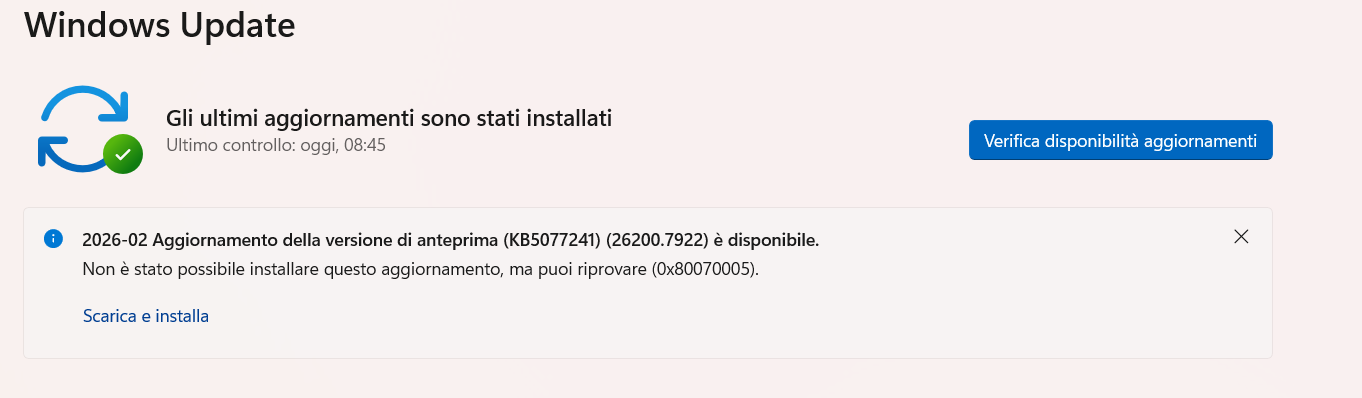
@C.O.M.O.D.O_RT Here is where the issue may lie if your team ever intends to solve this problem: https://malwaretips.com/threads/comodo-blocks-windows-updates-with-error-0x80070005.138187/post-1156262
Hi TheMalwareMaster,
We have reported to the team and team is working on it.
We will keep you posted.
Thanks
C.O.M.O.D.O RT
Please also note that the issue occurs only when:
COMODO Firewall only component is paired with Windows Defender
Hi TheMalwareMaster,
We will take this to the dev team.
Thanks
C.O.M.O.D.O RT
Glad to have found this thread! Both my desktop PCs were affected by the strange interaction of Windows 11 24H2/25H2 + Comodo FW + Microsoft Defender causing Windows Update fails for cumulative security updates resulting in 0x80070005 (“Access is denied”). For Comodo, I only use Comodo FW + HIPS (Proactive configuration), but disable HIPS during Windows Updates. No other Comodo features are activated. My two machines have VERY different hardware (one is 12 years old & required Rufus to update it to Windows 11, the other is 3 years old that originated with Windows 11, with both using local accounts rather than MS accounts.) But they both were experiencing the same failure each Windows Update, with multiple update attempts required before the update ultimately would finally install (generally on the 3rd attempt.) Because it was so problematic, I skipped updates until every third month.
Finally, relatively easy workarounds: found at the link provided by TheMalwareMaster above - the one I use is to activate a temporary Comodo configuration that has %windir%*| removed from the “Important Files/Folders” group. After the update I reactivate my normal Proactive configuration. By doing this I can now update both machines without issue.
Due to the odd MS Defender interaction, it seems it could be difficult to find the actual cause, but you may want to at least add this as a known issue & workaround to provide relief-solutions to those affected.
Yes, you can temporarily switch the CIS configuration as a workaround, but overall I would not recommend removing %windir%*| permanently.
In CIS, under “Protected Files and Folders”, the „|” symbol added at the end of file and folder path strings protects these files and folders from sandboxed and unrecognized applications.
In Windows 11 Pro Insider Preview, the issue does not occur so far, but of course, it used to happen before this topic appeared on the forum. I regret not reporting it earlier 
Issue is still present and that workaround is the only way to solve. I removed it permanently, it should affect only HIPS, which I do not use.
Hi TheMalwareMaster,
Sorry for the inconvenience.
We are aware of this issue and team is working on it.
Thanks
C.O.M.O.D.O RT