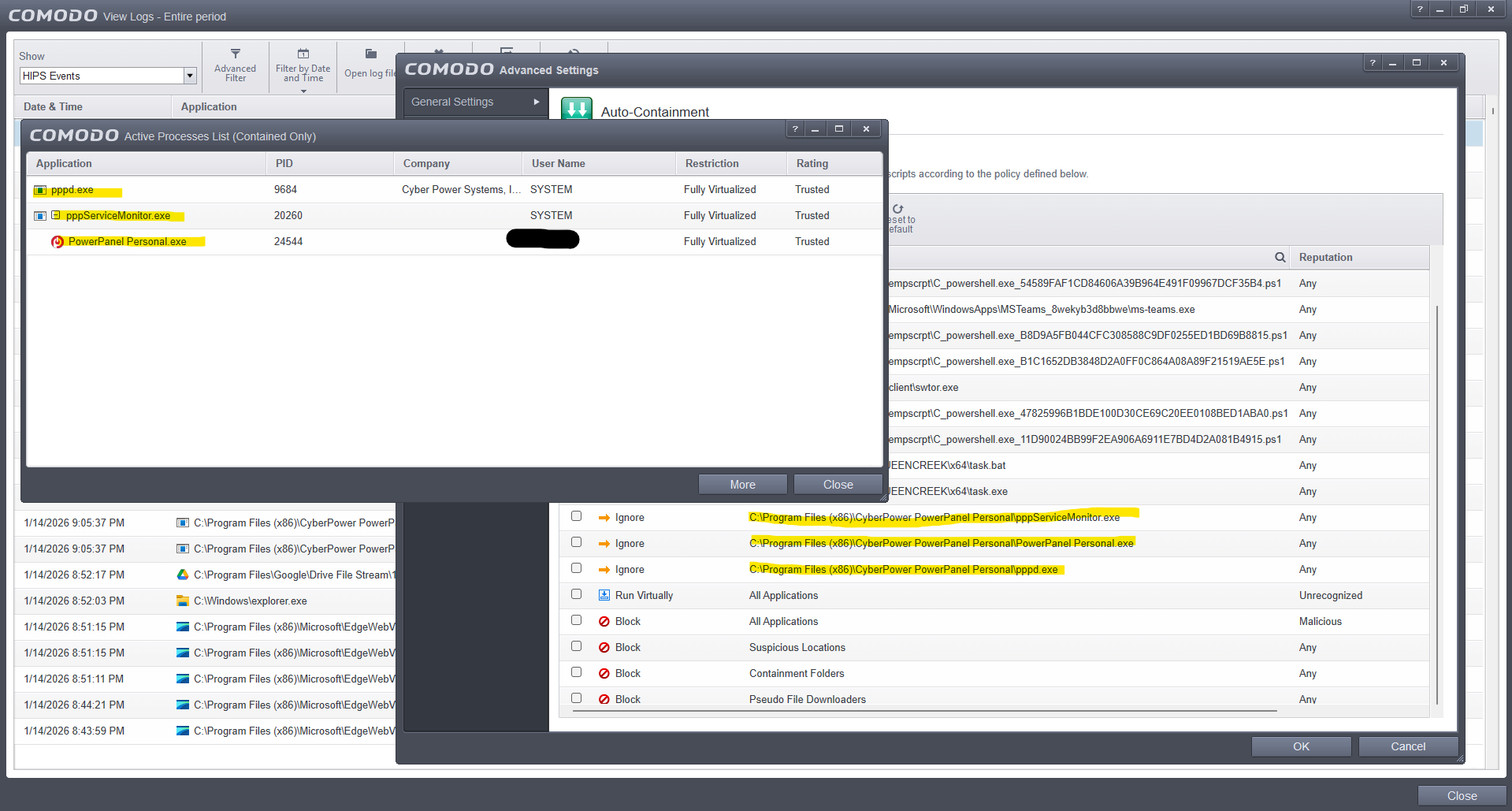
This is not a hack. Explorer.exe is also listed and was listed previously
1 Like
Just trying to get my head around what the issue is. CIS/CFW will always block anything that tries to read or access CIS/CFW files or folders.This is part of Comodo’s self protection. Explorer.exe, OneDrive, Task Manager are trying to Index or access CIS folders hence why you get a block alert but those three programs should still work even if CIS/CFW blocks the access to it’s files. Each time a program is blocked, it gets listed in the Blocked applications list. Having lots of log entries isn’t a bad thing, it’s just telling you what’s happening. I get hundreds of edgeview blocked firewall entries after each reboot as it tries to access the internet before CFW is fully loaded.
Does Explorer and OneDrive work as intended despite the blocks??
They seem to work, but:
- I didn’t have this issue with Task Manager in Windows 11.
- This shouldn’t be considered an intrusion for the purpose of notifying a user, even if it’s CIS trying to protect itself against legitimate system apps doing legitimate things. It’s no fun to notice that intrusion count is increasing every few seconds, freak out, and then realize CIS is complaining about running Task Manager. I consider it a bug.
And what does “Access Memory” even mean? Is OneDrive trying to somehow access cis.exe?
That’s fine. Some people get the task manager block as well. It’s an intrusion in the fact that an app is trying to access CIS/CFW files or processes so CIS/CFW rightly blocks it. You might be able to create a rule to not log those blocks but it’s not something I’ve ever tried. You could add the Comodo folders as exclusions here:
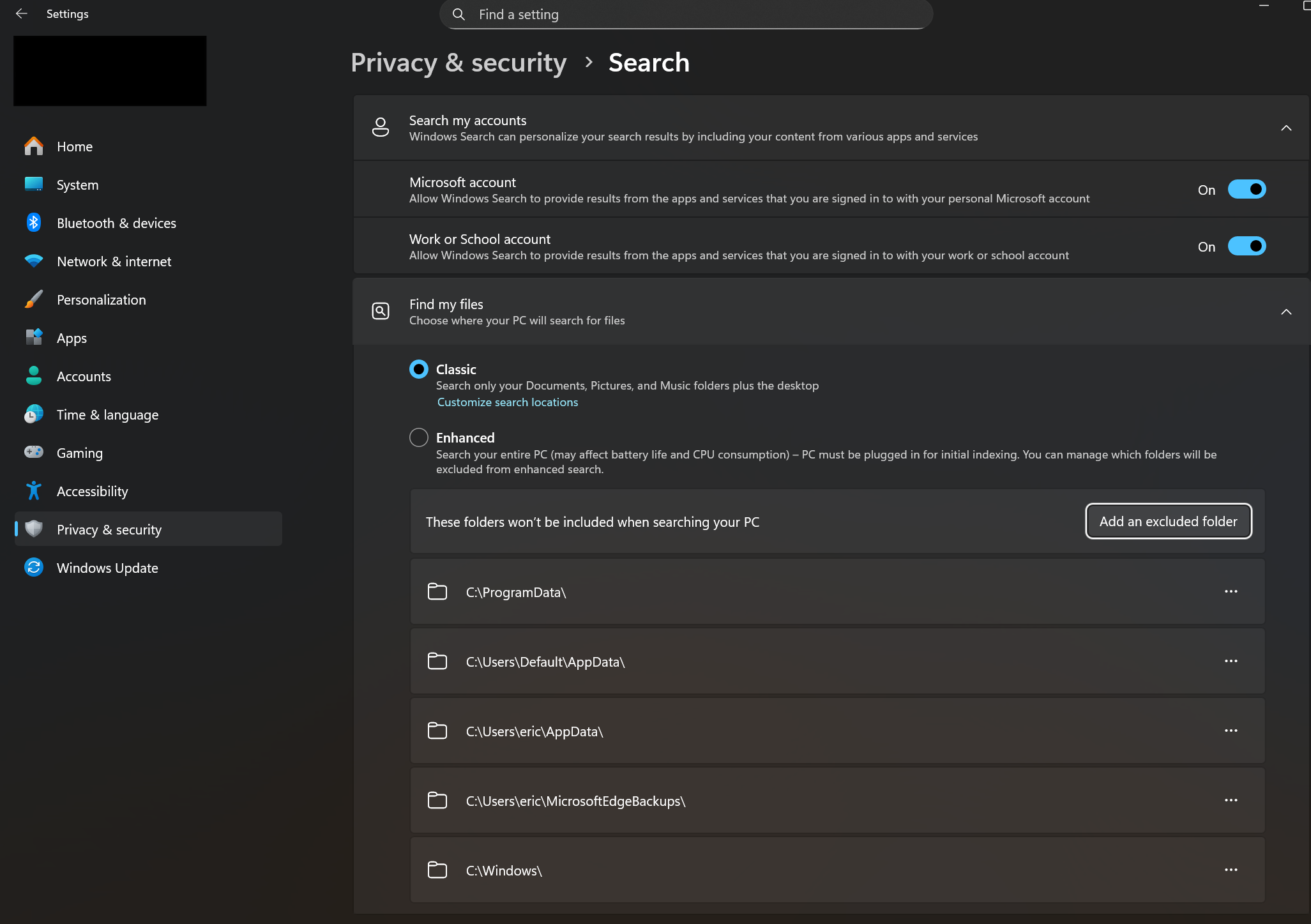
In reading or indexing files, OneDrive can access a running process to get the file information and in doing that, it can be referred to as accessing it. I don’t use OneDrive so I don’t have first hand knowledge.
Anyway, CIS/CFW is protecting itself and if the applications are still working, it’s not interfering with those, I wouldn’t worry. It may be that one day they’ll include the option to exclude entries from the logs but we’ll see what CIS 2026 brings when it comes out.
That annoyed me too, so I blocked the file and classified it as unknown or malicious.
That’s exactly what I meant. Edge might be harmless, but it doesn’t have to be the first one. But I don’t know who else Edge “brings along,” who or what Edge uses as a vehicle.
These settings seem to be related to search and not OneDrive, and interestingly enough, SearchIndexer.exe is already listed in Windows System Applications group in HIPS, so indexing CIS files shouldn’t trigger intrusion blocks.
Now, I do appreciate your help, and everyone else’s, but “I don’t use OneDrive, so I don’t know what’s going on” doesn’t help. The fact that most people miss the point - THE INCREASE IN COUNT OF BLOCKED INTRUSIONS - is also kinda annoying. The excuse that CIS is just protecting itself has been heard, weighed, and found wanting. The advice to just ignore applications getting blocked and ending up under Unblock Applications list has also been considered and found inadequate.
My understanding of “Access Memory” means an app is accessing RAM, which apps do in order to run. Why CIS says that OneDrive is targeting CIS.exe - that I don’t know and that would be a question for devs. As a paying customer, I do hope they will test everything and respond soon, and I hope they will do a better job than one of Comodo support techs who tried to fix the issue but didn’t, yet gave himself high rating before he disconnected from my computer, which was really sleazy thing to do.
Am I misunderstanding something? Accessing storage means “intervention” with elevated privileges. Doesn’t that also mean that an application has write access? What if an application was poorly programmed, or a legitimate application was infected by whatever (no update, so vulnerabilities are exposed; often it’s said that software is, for example, 5% dangerous if it’s stored in %system32%, otherwise it could be ……, etc.)? Legitimate software can also be infected, so a successful cyberattack also has elevated privileges.
For example, I uninstalled an Adobe program because every time I opened it, CIS blocked my internet connection, as it was trying to establish a remote connection to my computer (I’m glad CIS successfully intervened). Who knows who or what might be snooping around then (CIS warned me about it). Let’s say I was doing my banking at the same time (which I would only do securely anyway). Could the program, or whoever was on the other end, have read my data? Again: an Adobe program. Has a Trojan or something similar attached itself to the program? There have been many reputable programs, including Adobe Reader, that were very dangerous.
CIS even partially blocks itself. Isn’t that perhaps the same as a write or access protection that I set myself for some applications or data, even though I trust myself? Because it has already happened to me that I lost access.
I’m less inclined to believe that. Quite the opposite, in fact. I think it goes much deeper into programming knowledge and an understanding of Comodo’s algorithm (where a single change to a measure can have far-reaching, dangerous consequences. Cybercriminals never sleep). A detailed analysis would be interesting, showing the far-reaching consequences of a single measure and how it might weaken the security barrier.
I would use proactive mode with @cruelsister’s suggestions; that way you’re on the safe side. This is one of those cases where people say Comodo can’t keep up with the market leaders and ends up in last place.
I’ve also created many rules in addition to cruelsister’s suggestions. However, they tend to focus more on security and allowing less. In a recent case, I did create an allowing rules, but only after thorough research to determine if it could be dangerous.
1 Like
Thank you for your input. It hasn’t clarified anything for me, so I still would like an input from devs.
Interesting observation:
If I add Task Manager by itself, as a separate app, and assign it Windows System Applications ruleset or copy rules from that ruleset, I still get increase in count. I have to add it to existing group of Windows System Applications (which already has some system apps in it) to make the count stop. This doesn’t make any sense to me.
The Task Manager can disable and enable programs (startup),
it measures performance, reads processes, and is probably behaving quite suspiciously for Comodo.
If it works as you described, then that’s good. If the Task Manager still has administrator rights, it becomes even more critical for Comodo. TKMGR takes over tasks that were previously handled with msconfig, such as startup.
Perhaps someone from the development team will get in touch. Elevated rights are probably suspicious, especially in memory where other programs are also located. You do have Windows 11, right? Comodo is a bit older, and it might not be compatible with the new TKMGR yet. Well, let’s wait for someone from the development team. I really think it’s not as simple as with other programs: just press a button and that’s it. But you already know that.
Yes, let’s. Best advice so far.
HI ComodoUser2025,
We have reached through private message to get required log for further information.
Kindly check and respond.
Thanks
C.O.M.O.D.O RT
Greetings dear prodex. I tend to think that what you reported in your post is fair!!
I replied to your message and am waiting for additional instructions.
As @EricCryptid has stated what you are witnessing is the self protection of CIS.
When a program accesses another program in memory it will get full control over the program that is being accessed and is able to terminate it. For this CIS does not allow any of its processes to be accessed in memory by any program regardless whether these programs are legit or not.
The reason is that if a legit executable would get compromised it could never take down CIS. That’s why we are very very very reluctant with advising to give program memory access to CIS.
This protection is by design and has been there since CIS v3 was first released in 2006. It’s a fortification and a cornerstone of the protection CIS provides also to its self.
Seeing Task Manager being blocked from accessing CIS processes in memory assures me CIS is doing its protective work.
2 Likes
I have no problem with my windows 11 Pro 25H2 and paid version of comodo
For me “intrusion” means “something is trying to invade your computer”. If Comodo wants to block programs trying to access it, that’s fine with me. Just log the attempts but don’t increase block intrusion count so that I don’t freak out.
I don’t know what to say besides that I am happy for you.
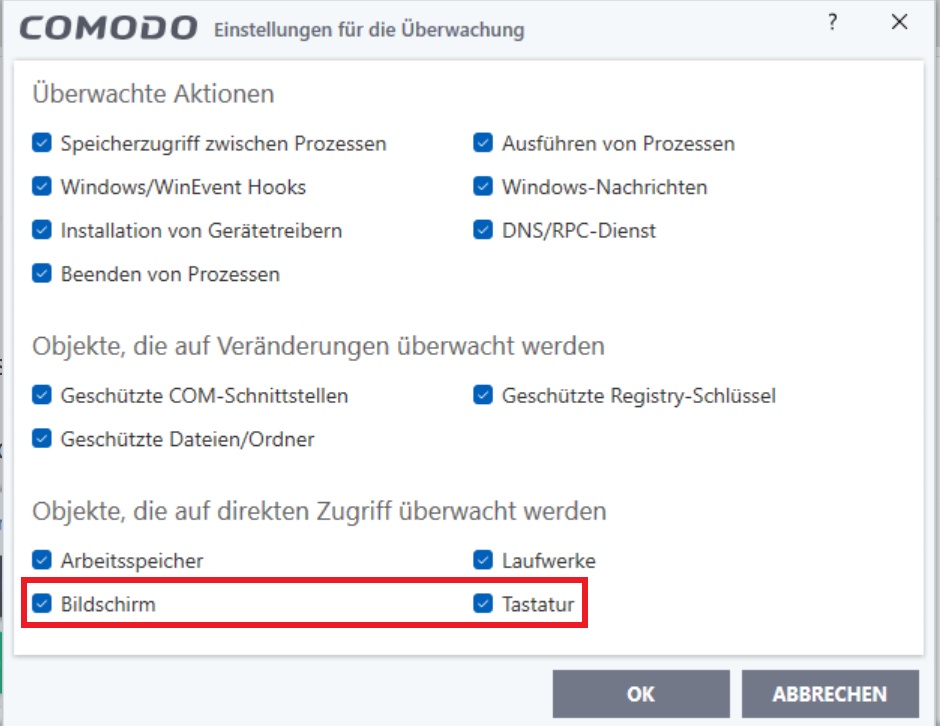
It was once discovered that screenshots could be taken despite CSS.
Question: Was a vulnerability found that allowed that, despite the setting in HIPS (see attachment)? The monitor and keyboard are described as objects that are being monitored.