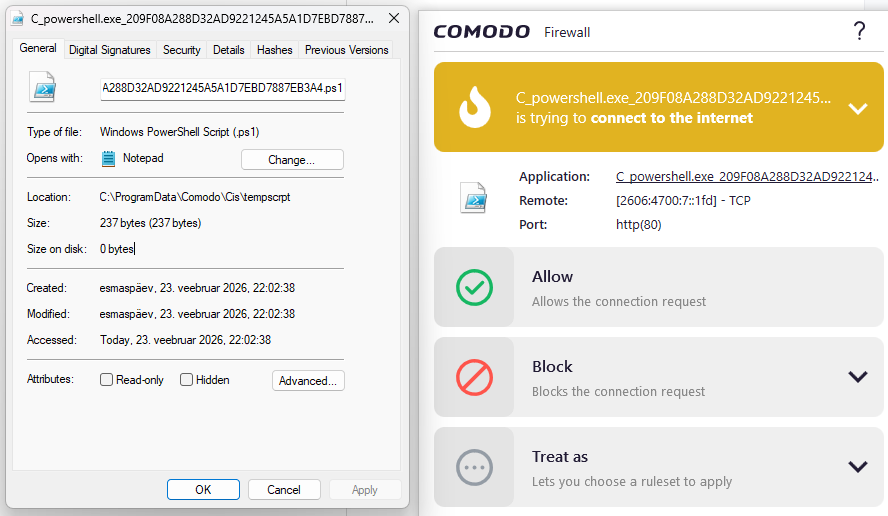
I’ve had some alerts from script files from the folder C:\ProgramData\Comodo\Cis\tempscrpt trying to connect to the internet.
Inside those files seems to be different variants of launch arguments and snippets of code.
Why do these files connect to the internet? Is there a way to silence these alerts?
There currently are over 800 scripts in that directory - CIS never purges it?
Please provide the contents of the tempscript file. More likely this is a copy of a script, probably powershell from a legitimate program but you can tell the cause by opening the file with notepad. They are stored in the Program Data/Comodo folder. Once you find out what file is causing it and presuming it’s safe, you can add the program to Shell Code Exclusions under Miscellaneous protection.