Was wonder what you think about using defendui set on recommended with your settings with comodo firewall. Trying it on one pc and just wanted to hear your take on it as I really value your expertise on this stuff. Thanks ahead of time.
Hi Born! Easy question here. The one main drawback many have with Comodo is the sub-optimal AV module; although an AV is not really needed, it is indeed nice to have one running in tandem with CF. The theory here is that Comodo will catch whatever the main AV misses (which can be substantial, depending on the AV used).
In therms of AV performance, Defender has improved significantly in the past few years Making it not as easy to bypass. Dan’s product, DefenderUI, indeed tightens things up. I’ve used it in testing with CF active and found no issues at all (fun fact- when you open the DefenderUI GUI, notice the “Prevent malware From Ever Infecting This System” option? For giggles, in conversation with Dan I proposed that addition).
Anyway, yeah- it would be a good addition. Just be aware of any potential incompatibilities of DefenderUi with your currently installed applications. You probably won’t find any, but just sayin…
M
1 Like
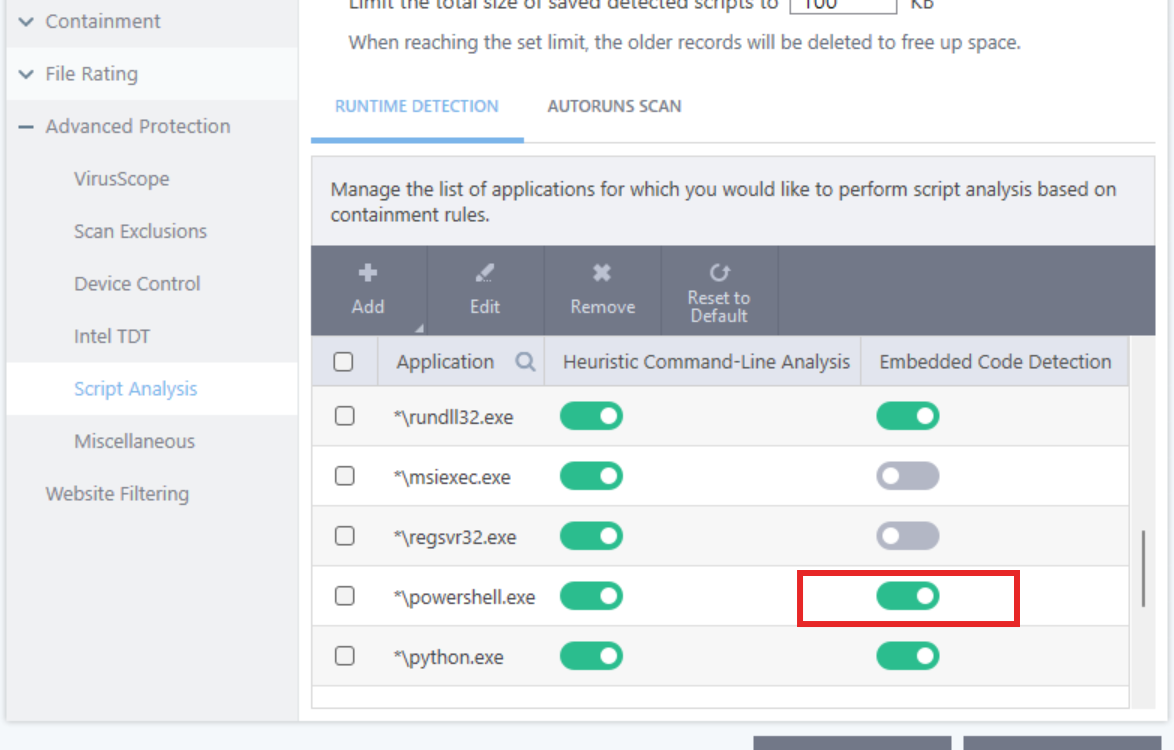
@Born Just a quick note on DefenderUI and CFW. You need to disable Embedded Code Detection in CFW to change DefenderUI settings and when you initially install it as CFW blocks those powershell scripts.

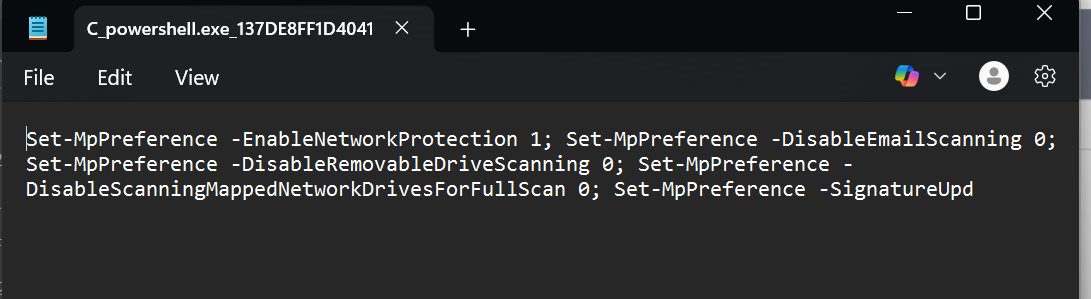
I’ve yet to figure out another way to whitelist these other than manually allowing them but a new temporary script file is created when you do the same change or a different one with CFW so you’ll just have to temporarily disable embedded code detection initially and if you make any changes in DefenderUI.
Toggle the below to Off.
1 Like
Ok big thank you to both of you for the feed back.