Thanks.
@C.O.M.O.D.O_RT just reporting that my COMODO which I have installed says no update is available to this new version. I am using COMODO 12.3.4.8162 on windows 11. Using just comodo firewall, not the full suite
Thanks.
@C.O.M.O.D.O_RT just reporting that my COMODO which I have installed says no update is available to this new version. I am using COMODO 12.3.4.8162 on windows 11. Using just comodo firewall, not the full suite
This update isn’t working; even though admins and moderators say it is, in practice, it hasn’t actually been updated. And in the end, no one resolves the issue.
Is there anybody using JUST the firewall module paired with Windows Defender, having issues with windows update?
I tried to reinstall comodo from scratch without importing my config to see if the issue I reported here two years ago was fixed: COMODO Firewall - Firewall module make Windows update fail with error 0x80070005 on Windows 11 24H2
Since I have just updated I have no way to test it right now, will wait for the next cumulative update
I had to uninstall Comodo to install the last update for Windows 11.
Hi TheMalwareMaster,
The team is aware of this and is currently following up with the development team. We’ll keep you updated and share further details as soon as we receive an update from the developers.
Thanks
C.O.M.O.D.O RT
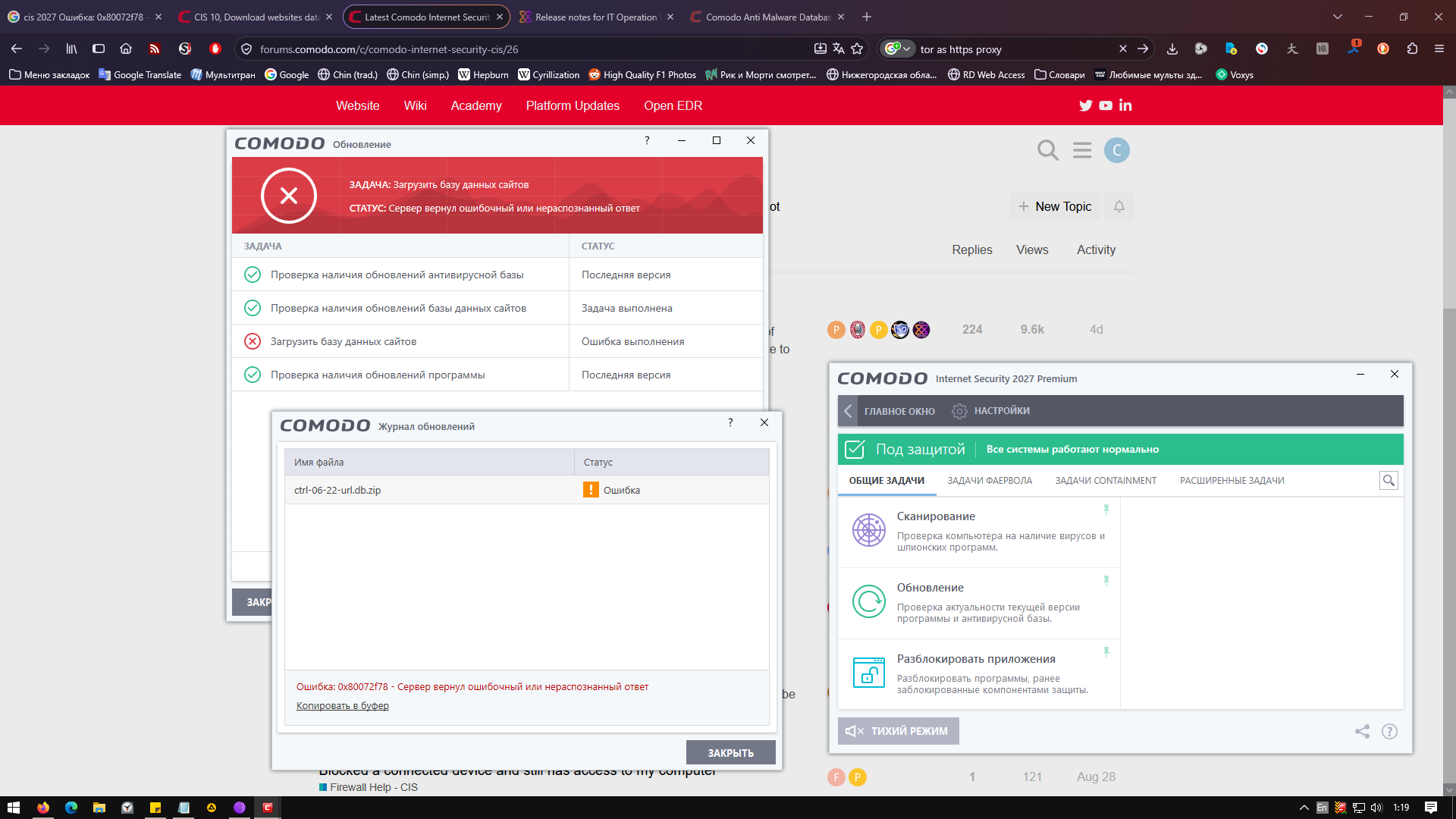
Hi. I have an issue. I can update cis 2027 V12.4.0.8170 databases using tor localhost:9080 as http proxy only because comodo.download.com is blocked in mother russia. Partly my trick works. However the site database can’t be downloaded because of 0x80072f78 error. What should I do?
Dumb question if you partly block how can you access this website.
Hi cummode,
Thank you for reporting.
We will check with the team and update you.
Thanks
C.O.M.O.D.O RT
when i tried to download free version which is only available through this forum i encountered weird things.
also, should comodo premium be called comodo premium free, or something similar. pro vs premium is confusing.
website and this forum gives different files for pro version.
first:
when downloaded through from the website with the link for free antivirus.
second:
when downloading from the website as firewall.
third:
from this forum specifically as cis pro.
fourth:
from the website as comodo internet security.
956b78ee9a10a0135ea4109e9005eb6be548278b8f5eb954f919a13405c381c2  cispro_installer-antivirus-free.exe
9ba85f49276a94d335553631bff096f370f17671f0fa6914dd884e7719d05f83  cispro_installer-firewall.exe
0c820042dfd2dcb34bde820b3ada0504a43bd8f4cdbfb3b6e2c31e6182e8be10  cispro_installer-from-forum.exe
9ba85f49276a94d335553631bff096f370f17671f0fa6914dd884e7719d05f83  cispro_installer-internet-security.exe
could someone explain what is going on?
i haven’t tested these installers.
Typically their web installers is an executable that extracts a lot of metadata and then does a lookup to catch the exact installer you need, based on what you select in the process. There are most likely resource files in these exe packages that point to every version combination from comodo that you can obtain which then grabs the full installer. the only different one would be a offline-installer that they used to offfer (much larger file) that contains the whole pack of everything from comodo,
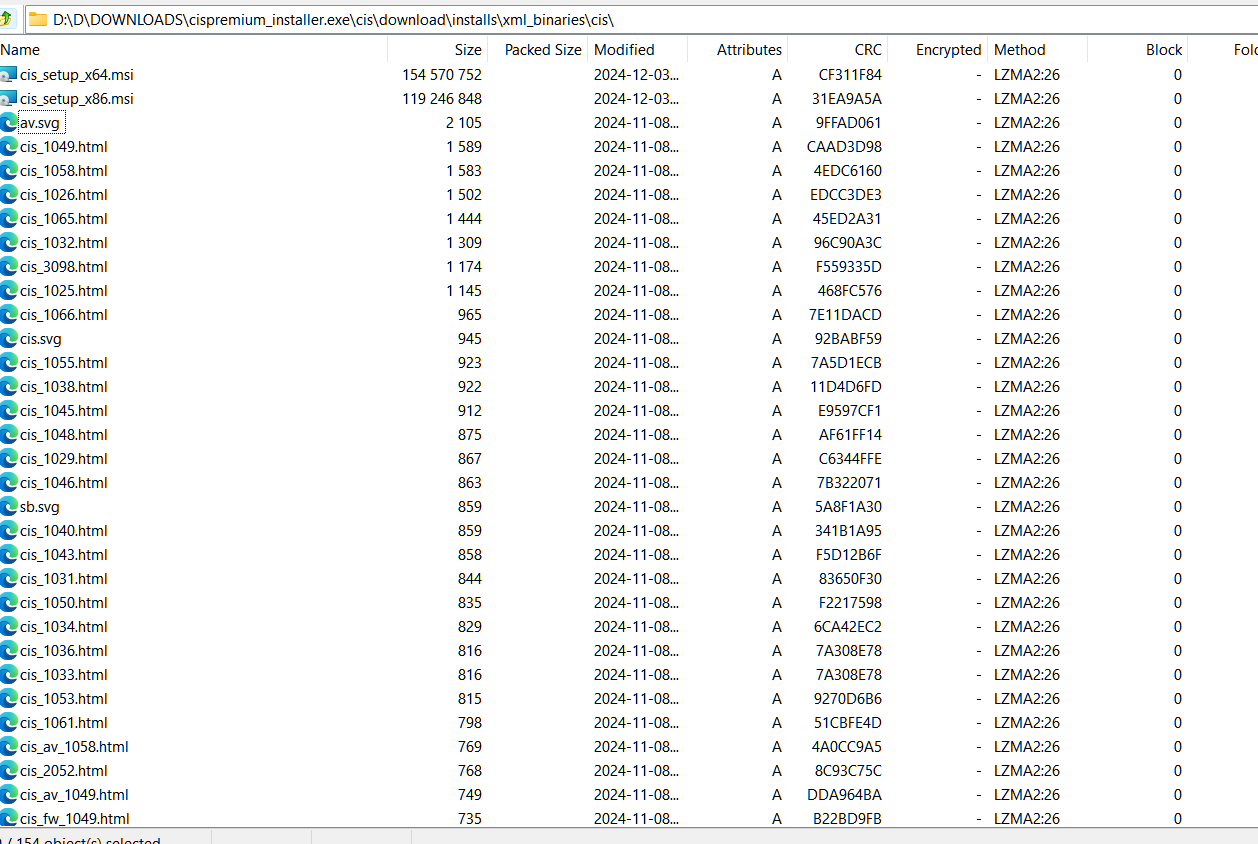
Then you end up with something like this.
It is both efficient and inefficient in the same file, somehow.
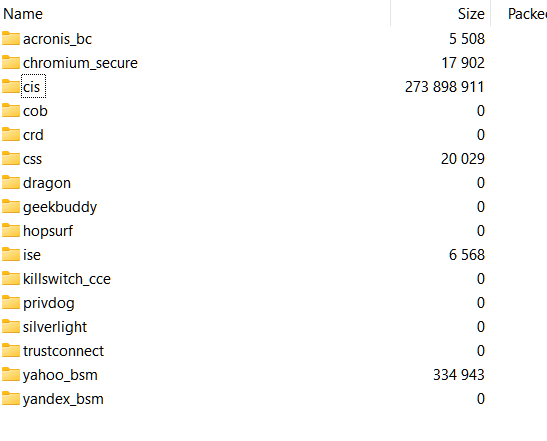
You see it also is “prepared” to receive other features you might pick.
Basically everything is controlled by installer_init.xml inside the archive, and you can probably discern the full download urls to get the files directly from comodo just for the stuff you need in addition to what thw two MSI files do - unsure if they require some particular intialization arguments or if you can just run them with msiexec /i <filename.msi>, but in some cases for some installers they do not allow them to be triggered directly so you’d need to use an MSI editor such as ORCA from Microsoft to “unfxk” the msi.
With your 4 exe files, grab 7z and just right click each of them and extract to a folder and then inspect their contents, most likely they contain the same MSI files or close enough, and some of th other folders might have the files in them or not.
This information was based on an earlier CISinstaller exe I had on my disk since I didn’t want to download those.