just found this in news update. is this something which will be considered in the new update for CIS 2026? just wanted make sure protections are in place to handle the new threats such as these. thank you for any input.
1 Like
This is where the chain of preventative measures begins. Users are increasingly required to be proactive and cautious. It seems that simply installing a top-ranked security program is no longer sufficient. I hope that Comodo’s protection strategy can also ward off such threats in conjunction with user behavior online. @cruelsister also explicitly emphasizes that cybercriminals are successful when users allow intrusion attempts. The simplest example (although now very sophisticated) is phishing emails. Consider whether the demands made in the email are feasible. It’s a chain of measures that a user must take, such as activating tamper protection in Windows.
Edit: I’m probably oversimplifying the protective measures as a layperson. Perhaps deeper interventions in the system are necessary in the hope that everything still works.
2 Likes
When a user downloads and executes an unknown file the executable will be contained by CIS which should stop the infection process in its tracks.
The chain of infection requires luring a user (relatively easy) to run an executable. With default Windows settings the file will be run with administrator settings which allows full access to the OS which allows the payload to be deliverd. In this case allowing for a driver to get installed.
With CIS containment unknowns are not able to run with adminstrator rights and are not able to install a driver. The infection gets stopped in its tracks keeping it from doing the scary stuff the article talks about.
2 Likes
That’s in theory.
Because here on the forum there’s already malware that bypasses the sandbox containment.
There’s even a video on YouTube.
And COMODO itself said they are working to fix this flaw, but that was over a year ago.
1 Like
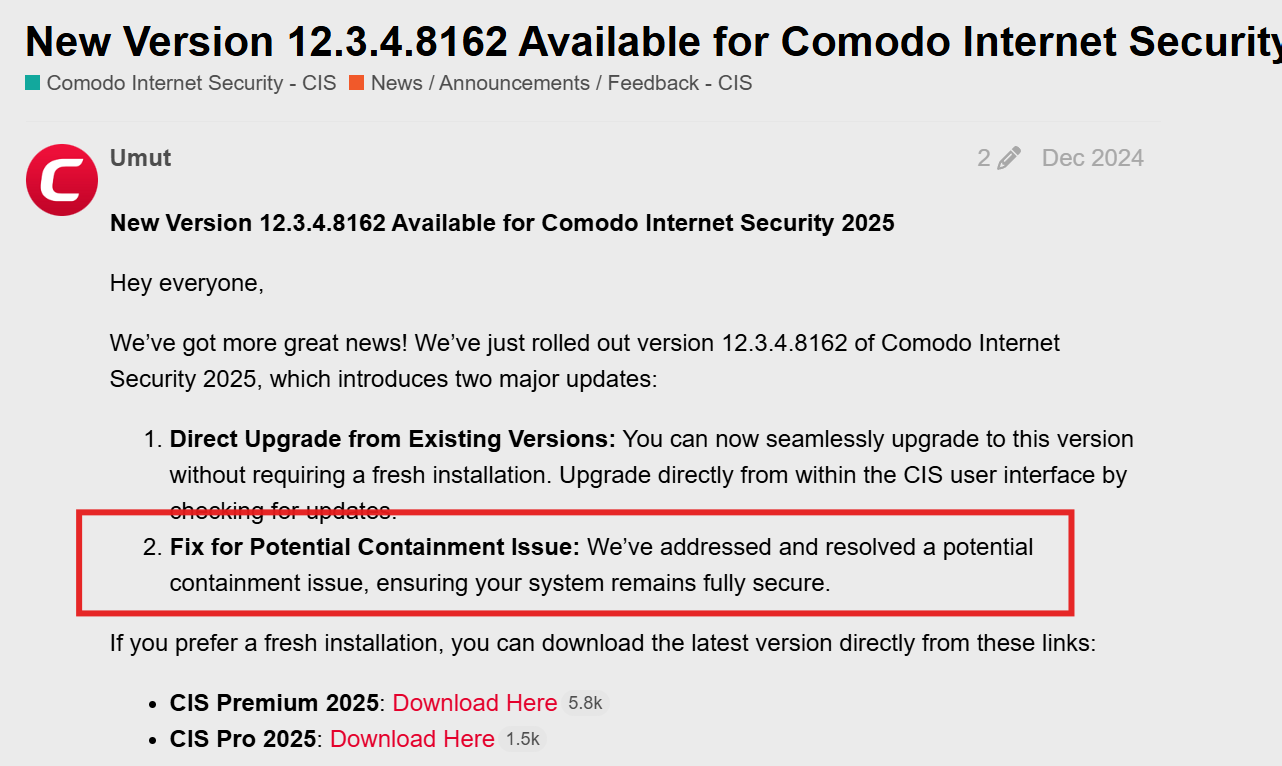
Which flaw are you referencing? I know they did the Elevated privledges fix in the last update but maybe your referencing a different one than the one that was fixed?
I’ve seen these bypass videos including the more recent one. In each case, an unknown executable had to be downloaded or copied onto the system to be executed at some point in the chain and at that point, the executable would be stopped from infecting the system no matter what part in the chain it gets executed. Something has to start that chain reaction. I haven’t seen a real world example where it’s has successfully bypassed without users disabling security elements. I don’t know enough about measures or avenues used in these tests though a lot of them seem to copy or extract the files with the security elements disabled.
2 Likes
The discussion about this and the video links are on the XCitium forum; it hasn’t been resolved yet.
1 Like
So your referencing old Vitaotec aka Loisant video from March 2025 which was then apparently fixed with Xcitium. I’ve scrolled through the surrounding months of Xcitium update release notes but other than a duplicate file fix in these release notes, I don’t see any other possible related fixes. He also hasn’t tested CIS again since then but it was down to an Xcitium only feature of untrusted DLLs for safe programs that is disabled by default because of the false positives.
In that user’s test, the malicious DLL is already on the computer before CIS activated but maybe @C.O.M.O.D.O_RT can check with the team to see if it was in the pipeline for the upcoming version if it’s still a bug with CIS. Most importantly, it has to get on your system in the first place. He claims Windows Defender detects it so you could always just run CFW with it, just depends on what setup you want to use.
1 Like
I looked at the three videos Vitaotek made. In the last one he tested with CIS. That test looks solid and the system CIS did get breached.
That would only be the case if D+ was set to Training Mode. A user bypass is easily made by convincing a user to download an archive to a system. F.e. by posting an archive which promises a c_rack for an expensive well known paid program. The user will unpack the archive and start the executable.
There was one strange thing happening during that test. The malicious dll would only get detected when running a manual scan but did not get picked up by the on access scanner. It puzzles me and I have no explanation for this behavior. I would expect the on access scanner to also detect it.
2 Likes
Thanks for the info. I’ll have to look at it again when I get a minute and I don’t have the expertise on the methods. It is odd that the detection only happened during a scan which had me thinking it was a dll of a trusted executable but perhaps I’m wrong. I do think if it was introduced to the system after protection enabled that it would have been blocked. I’ll have to research what tweaks can be made to protect against this.
1 Like
Hello, the test was done again recently, this test was done in a LIVE stream to avoid any doubts, and once again, after 1 year, COMODO is still being affected by this sandbox flaw.
1 Like
I look forward to watching the video. He tests just the Firewall not full CIS in this video but will be interesting to watch.
2 Likes
I looked at the video and indeed CIS is still being affected.
In the final words he states it won’t stop him from using Comodo Internet Security because it always has served him well (I am paraphrasing). For those who want to hear him in his own words: https://youtu.be/al8CYChHMpM?t=6147 . That makes him a friend who will speak truth when really required.
3 Likes
Great, I liked the comment. But remember, there’s a flaw. If the Comodo team fixes this problem, then it will become an impenetrable sandbox again, but until then, the flaw remains, and it hasn’t been fixed for years.
1 Like
Finally had a chance to watch through it. Just some notes I made:
- Using Firewall only, HIPS disabled, Cloud Lookup disabled initially until the containment alert popped up and then re-enabled.
- Disabled Windows Defender fully but that’s all fine. Also disabled UAC.
- Using 7zip but you don’t need 7z with Windows 11, it handles all types. 7Zip excluded from containment to work. 7Zip run as Administrator
- Starail is a github a game file What is StarRail.exe?
- DLL detected by xcitium on VT, both on 11 months ago test on VT and current 4 days ago
- DLL rated as malware on comodo verdict.valkyrie
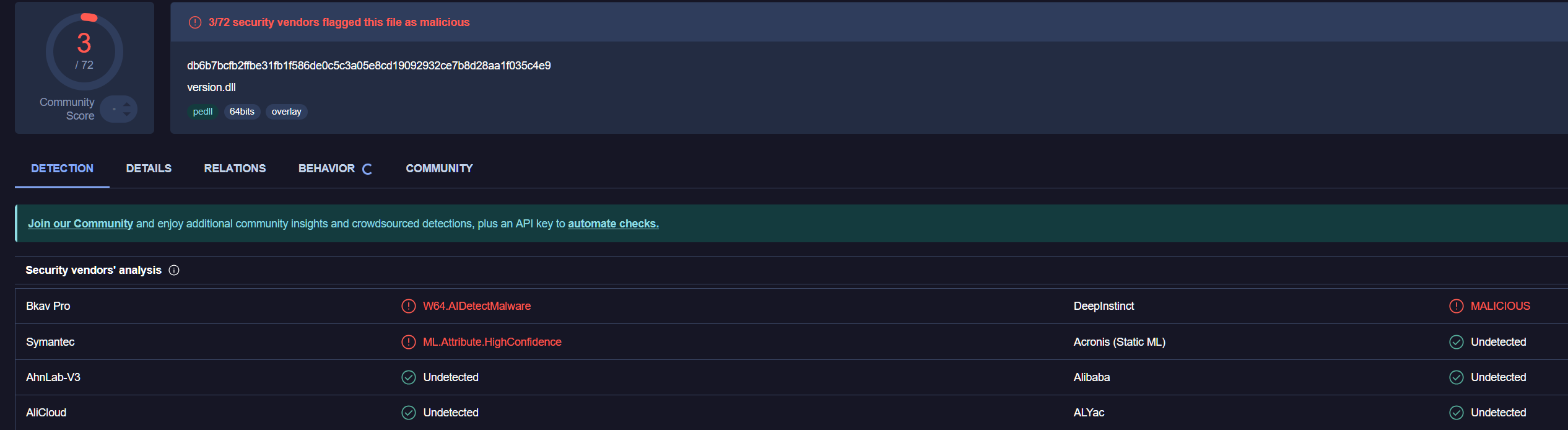
- Another example of DLL hijacking.
Part of me initially though related to .7z extension as Antivirus only unpacks .exe & .jar by default.
Kept removing it from the file rating list and then clicked block but I don’t understand why it wasn’t contained when it ran again though might have been cloud verdict for the executable. Odd that cloud didn’t pick up the DLL as malware given that there’s a signature for it. Certainly a flaw with this DLL hijacking where they disabled that protection feature for FPs. I wonder if there’s a workaround but I’m rusty with HIPS rules.
1 Like
Hello guys. Im VitãoTub.
If You guys need some more testings, just say what should be tested, like configurations, etc.
As explained on the live, I cant share the files as Loyisa didnt allowed me to do so. Im trying to contact her (or him) but with no luck. If anyone has her contact, please, provide it, or show her the video/live or this topic.
1 Like
Didn’t scroll through the entire video but there is a point he skims through the HIPS settings and it is disabled, how can he claim he bypass Comodo if HIPS isn’t active?
40 minute video for what could have been 3 minutes of text with a few screenshots… I hate the internet 
1 Like
The relevance of HIPS being desactivated is that it is deactivated with the default Internet Security configuration.
Ya, vitaotub had been criticized in a previous video hence why he made this long and extensive video
There will always be nay sayers that like to saw doubt.
2 Likes
It is a tradeof, where if you give the user the option to “Baseline Secure” and “Highly Secure, but this might break things” some of them will pick Baseline secure and then blame it when advanced attacks get through - even if they are prompted and accepts the attack (in most cases, then claim they didn’t do anything afterwards), and users who pick “HIghly Secure” and ignore the warnings, will then complain that stuff stopped working. In neither scenario they didn’t use any agency themselves to learn how to use the tool and will instead blame Comodo - with the added support of malicious actors that make way to long youtube videos instead of writing 40 lines of text in notepad.
The fault isn’t in comodo, they are offering choice and falsely advertising it as a weak application because you intentionally disable the features that prevents your attack from working, simply to gain “internet fame” is dishonourable - more so if its 40 minutes long
Anyway, I’m glad we have Comodo and i wish there were more tools in the landscape if only to reduce the risk of having Nothing should Comodo disappear at some point.
1 Like
doesnt matter if some disable hips or not. comodo can not handle this dll injection thing. i showed it in many videos and lives, with hips on and hips off, in default config, with cruelsisters config, with configs of mine, and so on… in any scenario cis failts to prevent this kind of attack. comodo has marked this especific dll as malware by its hash but not the behavior of it, so if someone change an little dot inside this dll, it will become another dll, anothe hash, so, it will destroy cis defenses again and again… Im getting out of ideas on how to show this flaw in cis containment…  anyway… i showed it once again. the first time was more than a year ago. now, in 2026, the same problem continues. this all show that comodo doesnt seems to know how to solve it, or they just dont care that much… who knows… its normal to see some users taking the time to try to defend cis by ignoring everything that is in place. i dont care… have a good day bro. ill be back with more tests as soon as someone asks any different test for this flaw, or when the new cis gets released (if they release it). bye.
1 Like
Perhaps my Portugeese isn’t good enough to get what you actually did, which might also be the case, but it seemed to me like you pressed the button that pretty much trusts every vendor certificate in the world, which includes what Hoyo use for their signing process.
Injecting a version.dll to the Hoyo Launcher gets it to run in whatever you’ve allowed HoYo to do, if Comodo says “We trust this file 100%” because you press the checkbox that says to do just that, … then thats not an exploit in Comodo.
It may be a weakness however that Comodo allows the application to side-load dll files, but that is normally up to the developer to select, isn’t it? As far as I know there are several safeguards that developers can put in place to ensure they only load the dll files they require, and it is also a feature of Windows development that allows you to replace, proxy, detour or w.e. those files. Which is pretty much how we have Reshade and similar great tools these days.
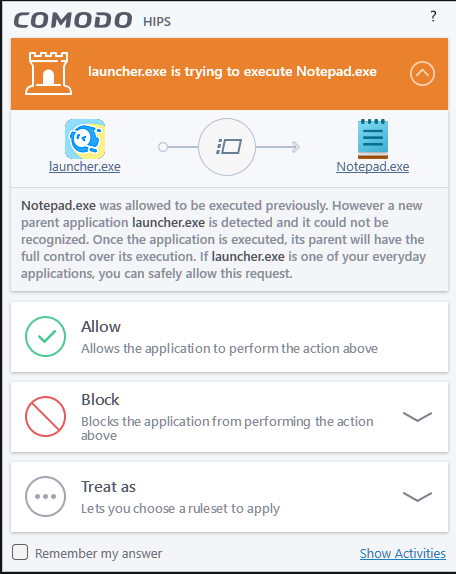
Or did I miss something and you exploited a weakness in Comodo that allowed it to, for example do LOLBINS through an application that is “Locked down” with HIPS?
I’m still not getting what the issue is.
Perhaps the “Trust application signed with this certificate and matching the hash of the exe we know from the cloud” in Comodo should include its actual load environment (Executable + any DLL file it imports) which would certainly make for an interesting definition file and should slow down the process considerably, or they would need to evaluate the import table of the executables they decide to trust and give them a security rating based on whether the application calls explicit file paths or searches the “known paths” for a file matching the name and picks the first one it hits (like many apps do as you see with Procmon).
1 Like