I’ve been having some high CPU usage issues for quite some time, on at least two systems. A desktop and a laptop.
On desktop, the solution used to be to end the high % cavwp task via Taskmanager. I cannot do that anymore as of a few months ago, a prompt will now state that I do not have access / access denied or something like that. Restarting will solve the high CPU usage. When opening CAV interface, no scans appear to be running. It does not result in any noticeable performance loss due to the medium to high system specs. I only notice it due to the fans ramping up. Desktop is running 12.2.2.8012. Database version 38241.
With laptop, restarting does not seems to help. It is nearly thermal throttling the CPU and performance loss is noticeable. Same as with the desktop; when opening CAV interface, no scans appear to be running. cavwp tasks cannot be terminated, same access denied prompt. Laptop is running 12.2.2.8012. Database version 38241.
Re-installing dit not solve the issue. I cannot try the steps as mentioned in several “high CPU” topics, as the link appears to removed.
I hope someone may have a solution for this. I like the auto-containment and HIPS features and would love to keep using it. Antivirus is off.
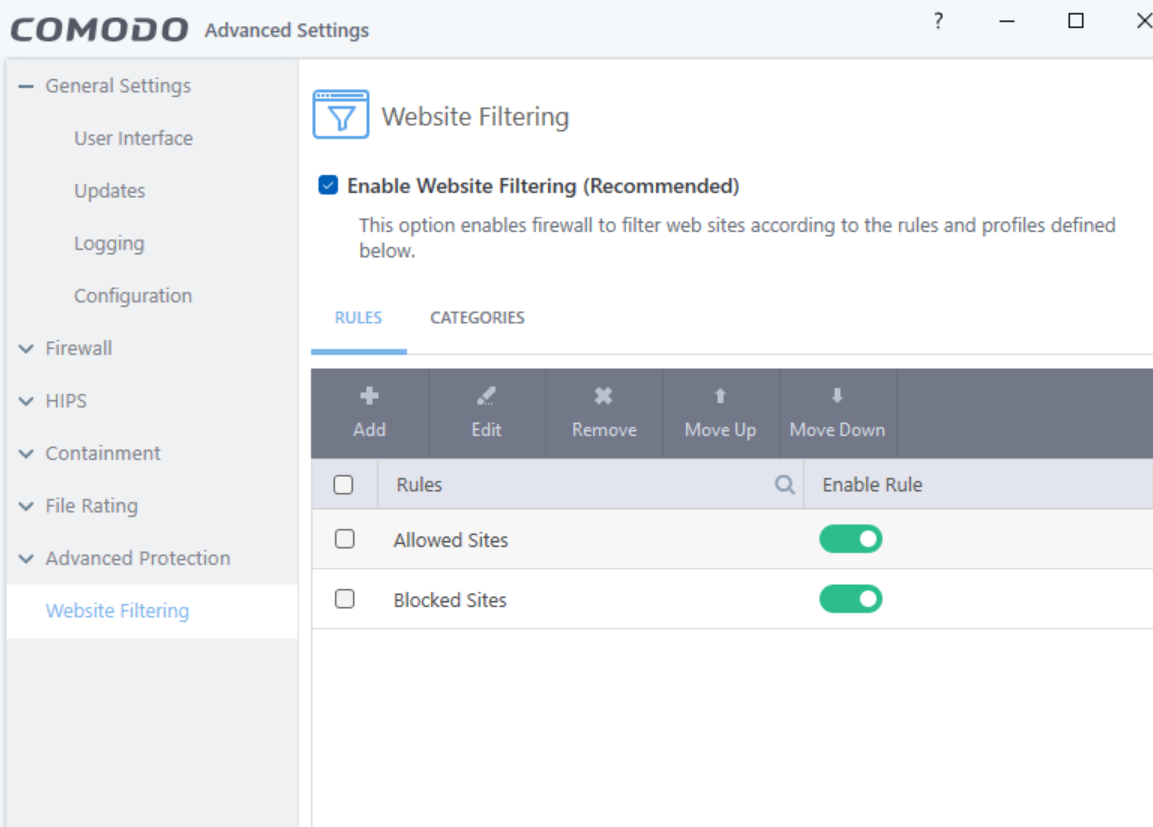
I’ve never really experienced issues with High CPU but you could try disabling Website Filtering which is what cavwp relates to. If you experience it with specific applications, try adding them to the exclusion list for Shell Code Injections under Miscellaneous Protection.
I don’t see any options relating to Website Filtering. The only thing I see as somewhat related to internet options is under General Settings>Configuration, listing Internet Security, Proactive Security (active) and Firewall Security. No options to change there though.
The high CPU isn’t related to a program or application. Running a game, CAD program, Youtube video via browser or video via VLC, or simply idling; it will happen without any pattern to its behaviour.
I also forgot to mention: closing the program via the taskbar icon doesn’t resolve the issue / the high CPU task keeps running.
At first, before replying, I thought I didn’t have CIS installed but regular CAV, but now I’m not sure which programs carries what name. Please correct me if I’m wrong in thinking this is the regular CAV and not CIS. The installer I use(d) is callet cav_installer.
When I look at Settings>File Rating>File Groups, it lists COMODO Internet Security “cis.exe” with the same icon I see in the taskbar. COMODO Internet Security “cavwp.exe.” is however without icon. I cannot recall installing it. If I recall correctly, I think I might have uninstalled it after auto-installation.
It will always show CIS installed whether it be the firewall or the AV. You can tell in `Manage Providers in the Security Centre. I have just the Firewall installed at the moment.
I will correct @EricCryptid, cavwp stands for Comodo Antivirus worker process, so it’s related to antivirus engine.
If reporter doesn’t have any scans running, then it’s real-time monitoring causing CPU load.
I would suggest to check process command-line, what are process arguments for this misdemeanor.
Thank you for your suggestion. During the high CPU load, the dashboard (advanced view) does not show active scans running. I also have “Full Scan” on “Never”. The latest “Quick Scan” shows a few months ago, so does “Manual scan”.
Where / with what and how can I check “process command-line”? What should I look for? Should I check the task manager for service / process details, when it occurs? Or should I check something from the Command prompt / Powershell?