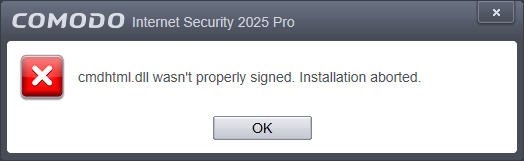
Hello futuretech.
I have tried with two different Windows 7 Ultimate x64 SP1 installations at different stages of updating, the SP1 is native, not slipstreamed.
Pretty much everything I’ve tried has been done using a disk image that’s one year old, it’s updated with the May 2016 rollup and updates up to July 2016 rollup (using DISM, no third parties applications). I’ve also tried installing CIS after installing updates up to the 2018-09 rollup, nothing changed. Also tried manually updating the root certificates, still no change. I kept using this image since nothing changes with other setups, even on other computers.
I’ve also tried with a fresh installation of Win 7 using an ISO which includes the rollups up to July 2016, because this image has some disabled services and other stuff removed, that one was a clean install with nothing touched, the result was still the same.
The logs I get are like the one from the other topic by user Tesseractus, they stop at the same point, saying cmdhtml.dll signer is ‘’. If I let cmdinstall connect to the internet, the log keeps going after that point, and it reports the actual signer on that file and some others.
Once I’ve tried this: start the installer, let cmdinstall go online, wait for the welcome screen (the one at the beginning of the installation), then unplug the network cable, and keep going with the installation. The result has been this: after it ended the removal of the installed CIS, at the point where it should give the dialog to restart in order to continue, the popup only flashed for an instant and closed itself, and even the installer got deleted (I mean cispremium_only_installer.exe, which was on the desktop), and everything ended there. I’ve never seen any installer actively deleting the original installer file on top of the temp ones.
The log there ended with messages about checking online for a license, and stating that it couldn’t continue because an internet connection was required (the offline installer used to work fine offline and then CIS required a connection after the whole thing was installed).
Another time it worked fine starting the same way, letting cmdinstall go online, waiting for the welcome screen, then closing it and restarting the installation while offline.
As I said in the other post, online installers give the same error when they are started offline, but once cmdinstall has had access to the internet once, starting online installers while offline gives the expected error of having no access to the internet.
In any case, logs say cmdinstall checks for the license and sends machine and installer IDs to Comodo servers before getting to the welcome screen at the beginning of the installation, once that is done the installation can be cancelled, started again while offline and it still works.
I have version 10.0.0.6092 installed on this image, the newest installer I have saved is still v10 and it still works fine when used offline.
I rarely download new installers, I usually do when there’s a new version and I stick with it with online upgrades/updates till the next one, so maybe I just missed an update where it’s been said that the offline installer is now one of those “offline” installers that still require an internet connection in order to start the installation, and not a proper offline installer anymore?