hi, Is it possible to create a shortcut for a sandboxed application with custom settings? For example, if Auto-Sandbox is currently in “Restricted” mode, I would like to create a sandbox shortcut that runs in “Partially Limited” mode. Thanks.
The easiest way would be to do a containment task as shown below which creates a shortcut but for specific containment level, you would need to create a containment rule. Cruelsister describes how to do it in this old video of hers: Cruelsister Comodo Variation
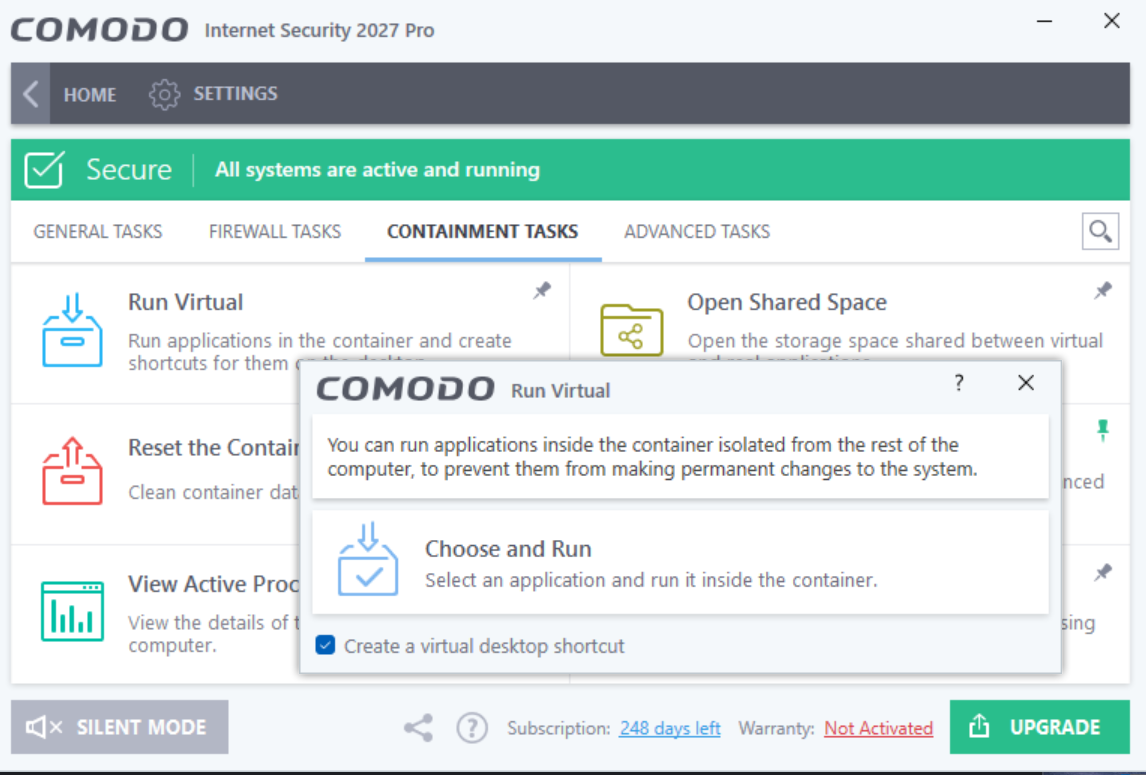
Thanks for the reply—I had indeed forgotten about that video! The second part is now pointless (the firewall rule, since all connections are blocked within the Sandbox—unless you remove the HIPS rule; I assume there’s a reason for this, but it significantly limits the Sandbox’s usefulness).
I have been trying different workarounds or allowing the connections as adding winsock interface as an exclusion in a edr/hips rule and a containment rule when browser started bu virtkiosk.exe and set as partially limited but not been successful in my attempts so far. There’s probably more to it that needs exceptions but I don’t have the time at the moment.
In the “CruelSister Comodo Variation” video, it shows how to sandbox an application using a specific mode; however, the video also reveals that—once Chrome is set to “Partially Limited” and runs in restricted mode—you cannot create a shortcut (this seems to be a fixed limitation of that rule). Furthermore, the screenshot you pointed out indicates that creating a sandbox shortcut on the Comodo home screen simply creates a shortcut for the default mode. There is no option to create a custom sandbox shortcut. Perhaps this is something to suggest as an improvement? Thanks.
Well when you create the shortcut for firefox for example, the execution string is:
“C:\Program Files\COMODO\COMODO Internet Security\virtkiosk.exe” -v “C:\Program Files\Mozilla Firefox\firefox.exe” so it’s parent process is virtkiosk.exe and you can create an auto-containment rule with that parent process to run as partially limted so whenever firefox is opened by virtkiosk it will run as partially limited.
If that doesn’t work for you, maybe you need to try running something different like sandboxie or using Windows Sandbox if you have Windows Pro version.