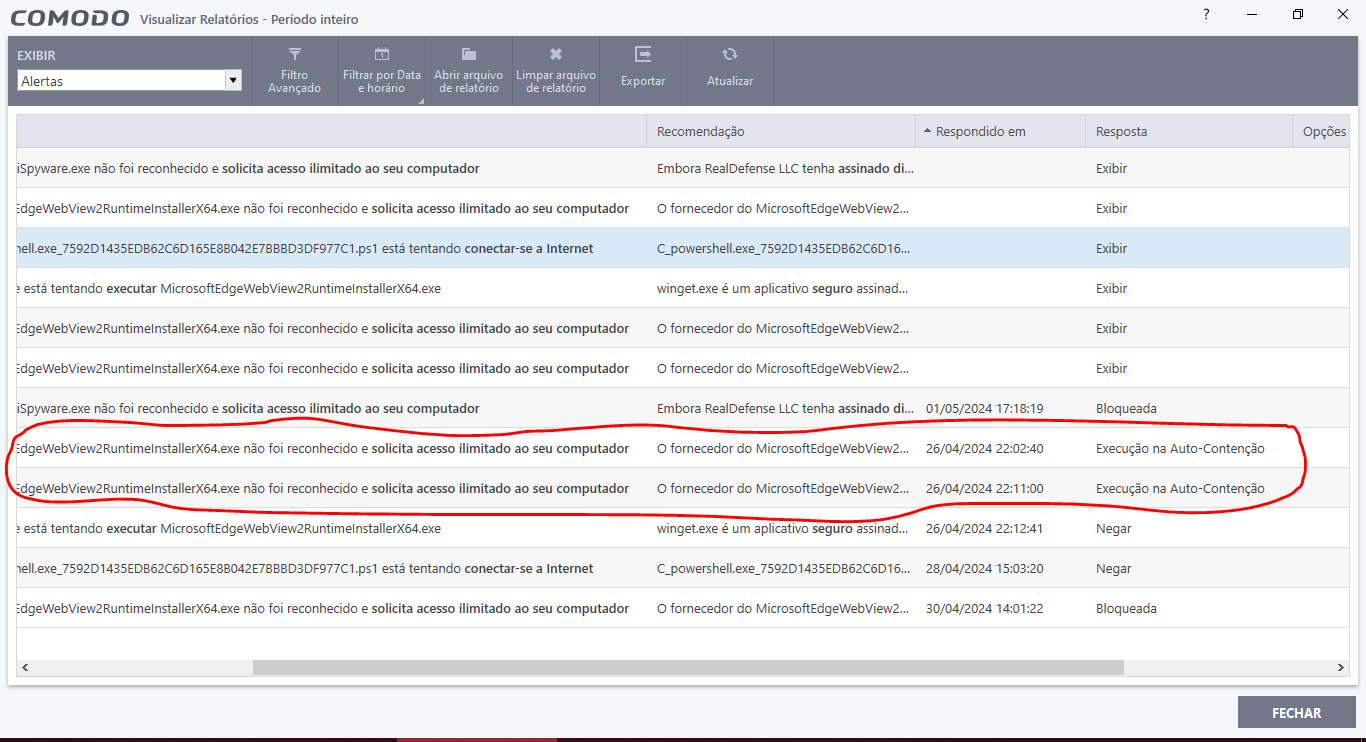
Thanks. Can you screenshot what it says when you click on Alerta rel…
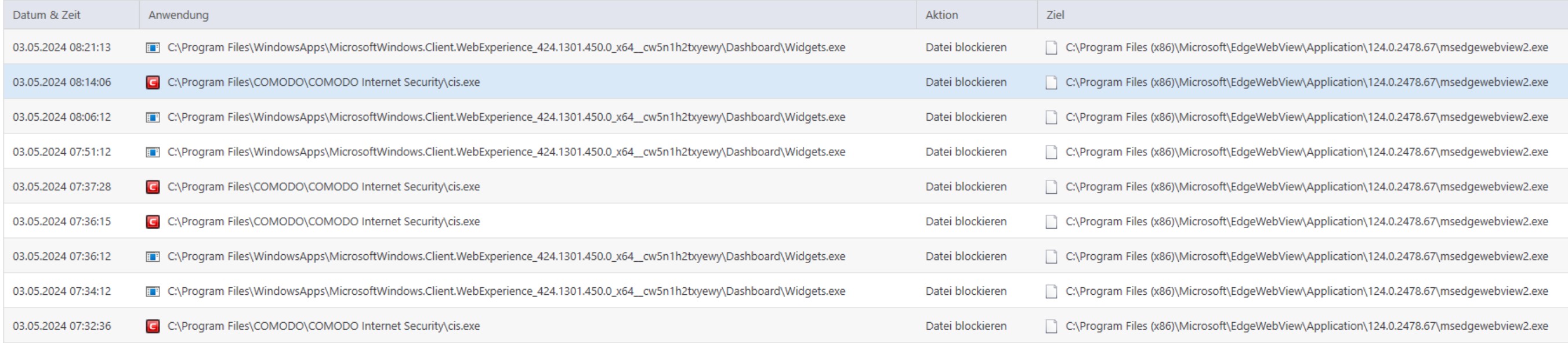
Just trying to make sense of what that updater is doing that’s meant containment has blocked it.
Thanks. Can you screenshot what it says when you click on Alerta rel…
Just trying to make sense of what that updater is doing that’s meant containment has blocked it.
Okay, you entered that window.
Because it was a Microsoft process, it was not supposed to be blocked by high containment.
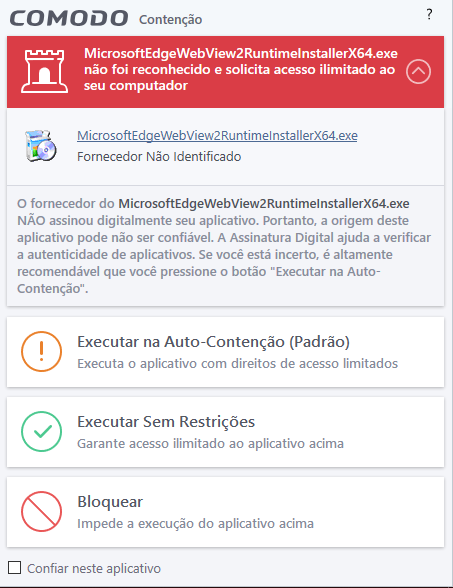
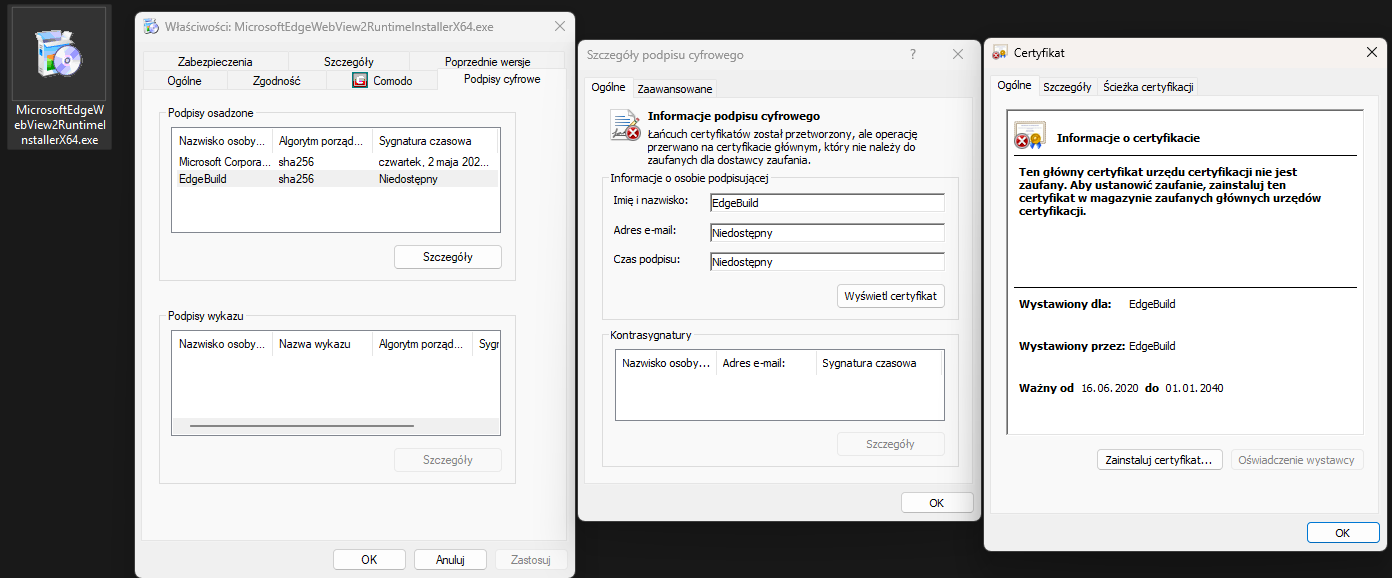
The vendor of MicrosoftEdgeWebView2RuntimeinstallerX64.exe has NOT digitally signed your application. Therefore, the origin of this application may not be trustworthy. Digital Signature helps verify the authenticity of applications. If you are unsure, it is highly recommended that you press the Run button on Auto Containment.
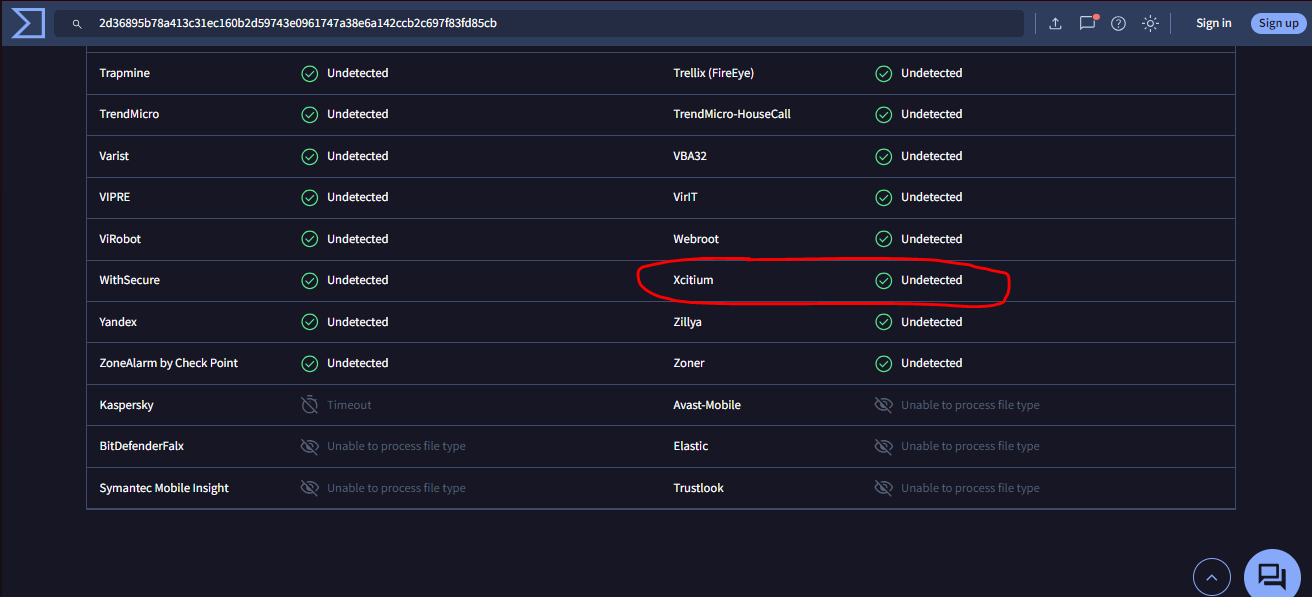
You need to Submit it to Comodo/Xcitium so they rate it as Trusted
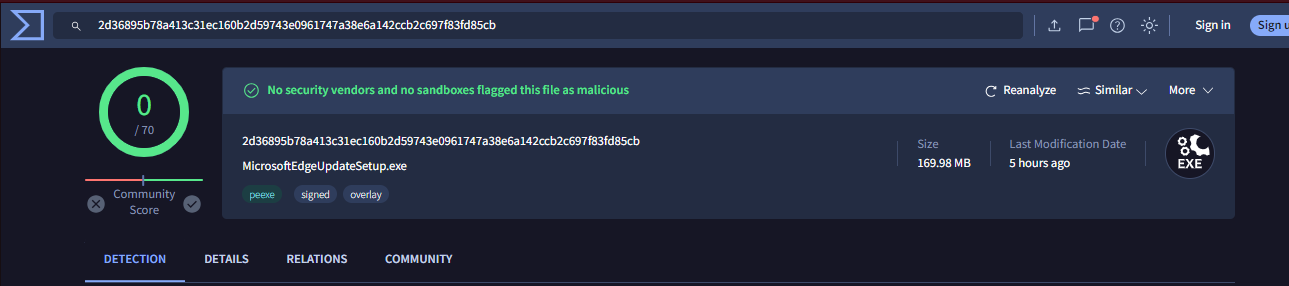
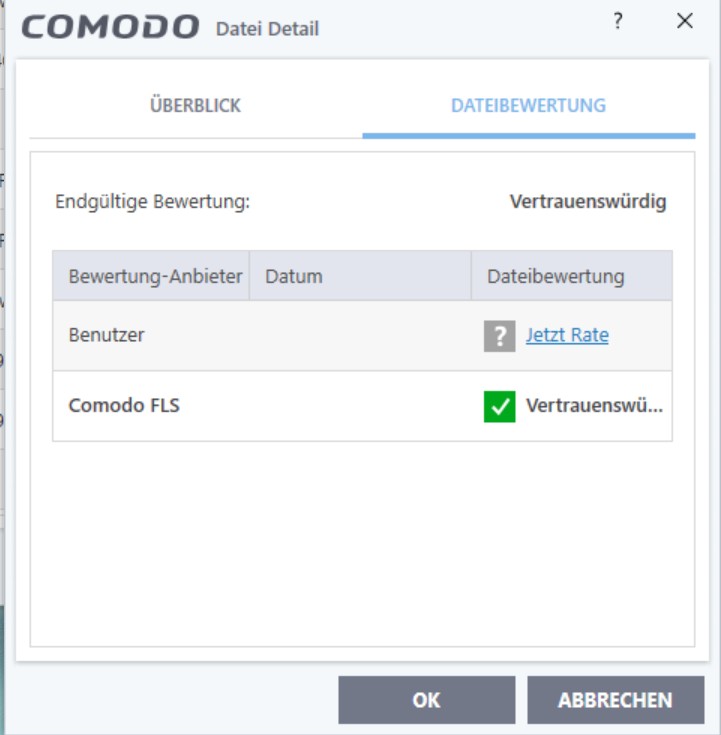
In the total virus, it is already classified as ok.
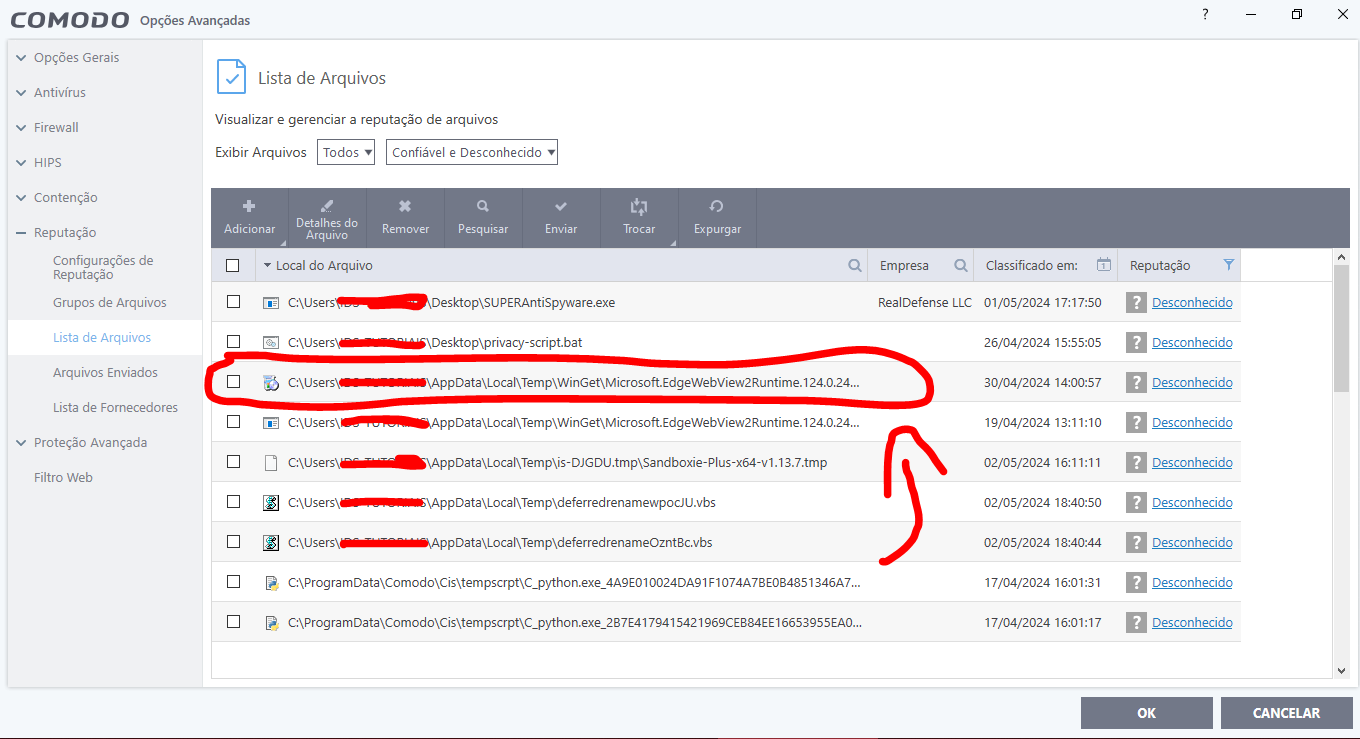
But the CIS reports that it is unknown.
If it is the same database why are there any differences?
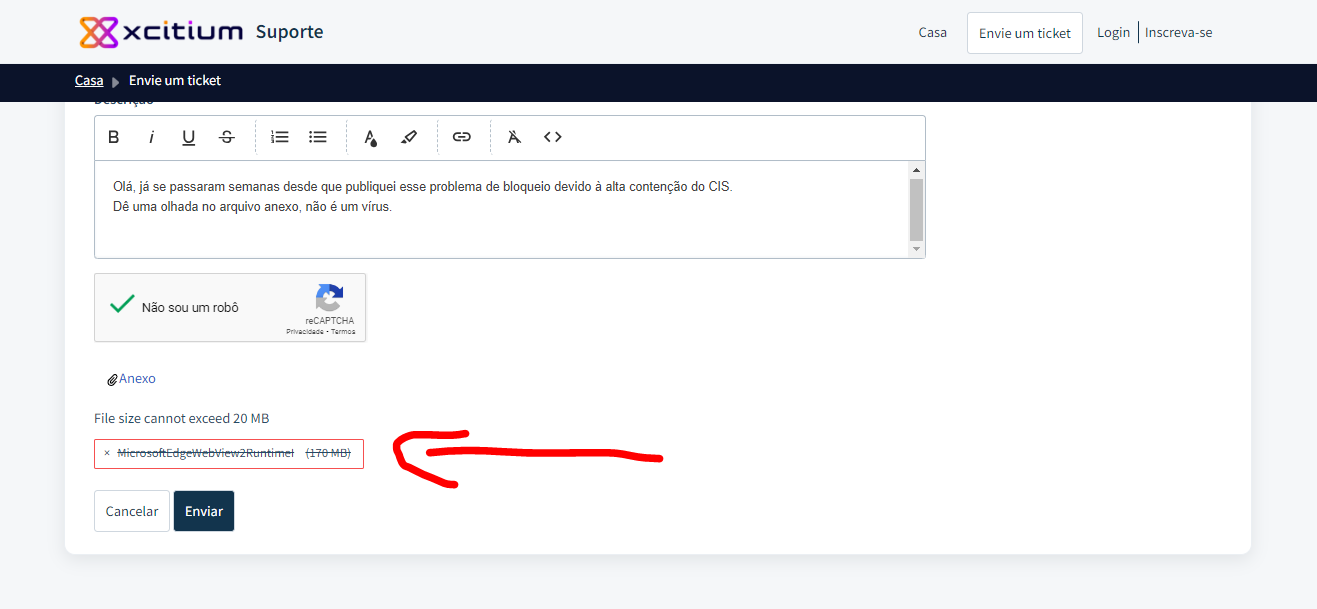
There is no way to send it to XCitium because the file size is 175MB
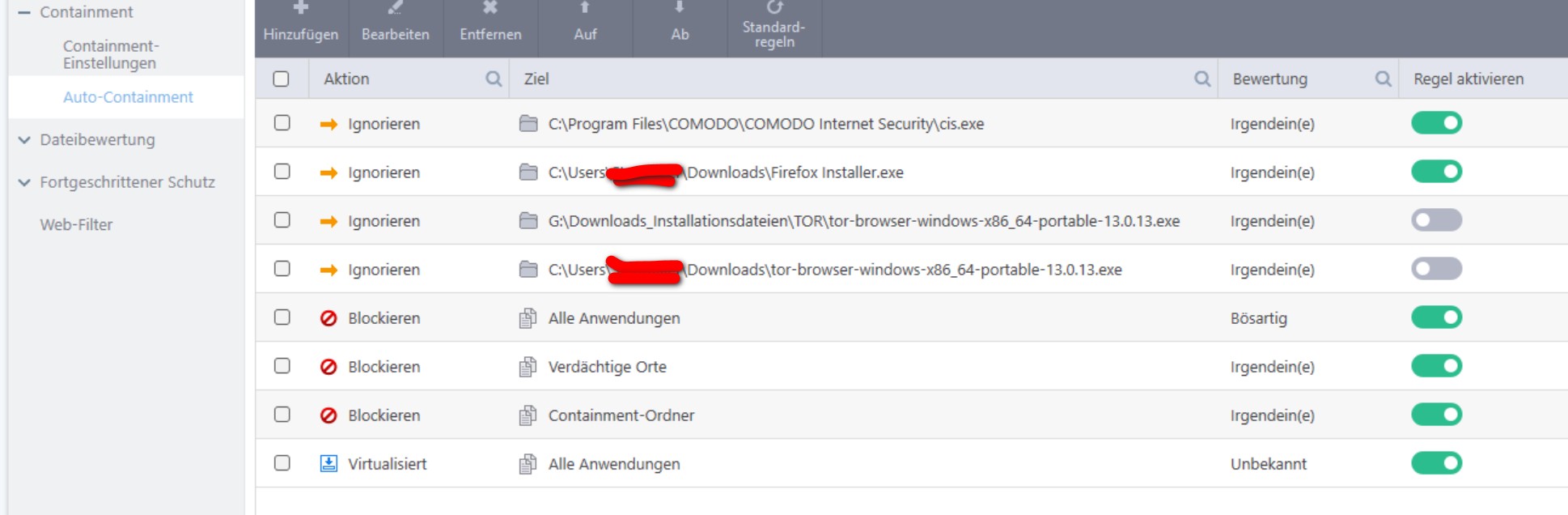
I think it has to do with your settings. I blocked edge in firewall and hips. In containment there is no entry. My setting in containment:
It looks like
The certificate chain was processed but the operation
interrupted on a root certificate that does not belong to
trusted for the trust provider.
Means that while trying to establish a secure connection, the SSL certificate verification process was interrupted. This may be because the root certificate, which is used to confirm the authenticity of other certificates, is not trusted by the trust provider (e.g. the web browser or operating system).
If it’s the same hash of course
I don’t know how long I’ll have to wait for the Comodo team to check this certificate and make it trustworthy.
Do you have another alternative to solve this problem?
Kind of sounds like a settings issue as Prodex said. EdgeWebview2 will run when Edge starts. If u have custom settings blocking Edge, this could be why Edgewebview2 is being blocked.
The only work around would be to whitelist the item but only if your 100% certain. Containment blocks things for a reason.
I did the test to unlock Edge’s automatic update, but it still didn’t update. because containment identify as unknown.
I will leave it blocked by containment, but I will wait for the Comodo Team to fix this problem. Because it is a legitimate process, it is signed by Microsoft.
I will leave it blocked by containment, but I will wait for the Comodo Team to fix this problem. Because it is a legitimate process, it is signed by Microsoft.
Thank you all for trying to help me with this problem.
The worst thing is that this file is more than 170MB so I can’t send it to verdict valkyrie and verdict.xcitium.
Both sites do not accept files larger than 150 MB.
Since I can’t send it to the Comodo team to find out about the file, where do I have to send it to so they know since the file is over 170MB in size?
SHA-1
168bad689cfd7530949059b0f3256c578462fa1a
SHA-256
2d36895b78a413c31ec160b2d59743e0961747a38e6a142ccb2c697f83fd85cb
@ipipirig please Whitelist the 170 MB file
Check file hash on VirusTotal :
Hello friend, I already checked on VirusTotal. it was from there that I got the SHA-1 and SHA-256 information.
That’s why I posted here saying that the Valkyrie lists it as unknown, that was already the case in the database.
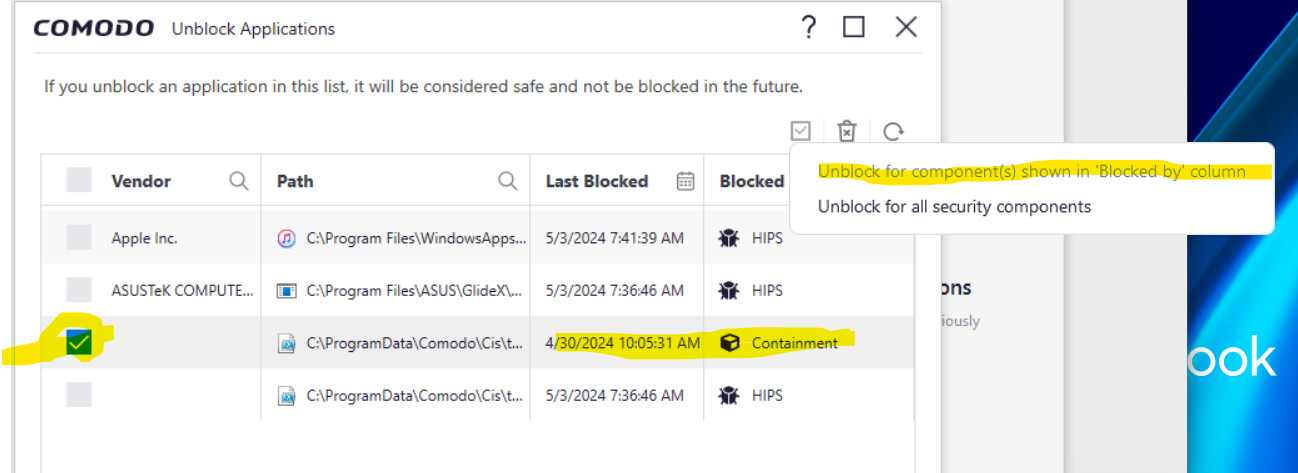
It might be worth removing it from the blocked application list and any rules created under Containment and then rebooting the machine to see if the alert comes back.
Hello, @ipipirig I tried to attach XCitium support, “Support : Support” but the file is larger than the 20MB limit
I do not know what else to do. I think you look at what is happening in the Forum.
SHA-1
168bad689cfd7530949059b0f3256c578462fa1a
SHA-256
2d36895b78a413c31ec160b2d59743e0961747a38e6a142ccb2c697f83fd85cb
Have you tried removing the entry from block Applications and the rule for that file in Auto-Containment and rebooted? It may have been blocked by Containment by it’s behaviour. Given that it’s in a temporary folder, maybe clean temporary files and then try and update Edge again. What version do you have?
I didn’t get to try. It’s a good idea.
Edge version is: 124.0.2478.80 (Official Build) (64-bit)