I will try it in the near future.
I’m here researching, watching the video that was just sent here. I’ll take a look and see the advantages
1 Like
Xcitium AEP is the best advanced endpoint protection
1 Like
@New_Style_xd You also get EDR and MDR
1 Like
I was looking at the link and noticed that the guy checked this option “Use full signature database”. Why was the CIS disabled when I installed it, as shown in the image below?
If I enable this box, what advantage do I have?
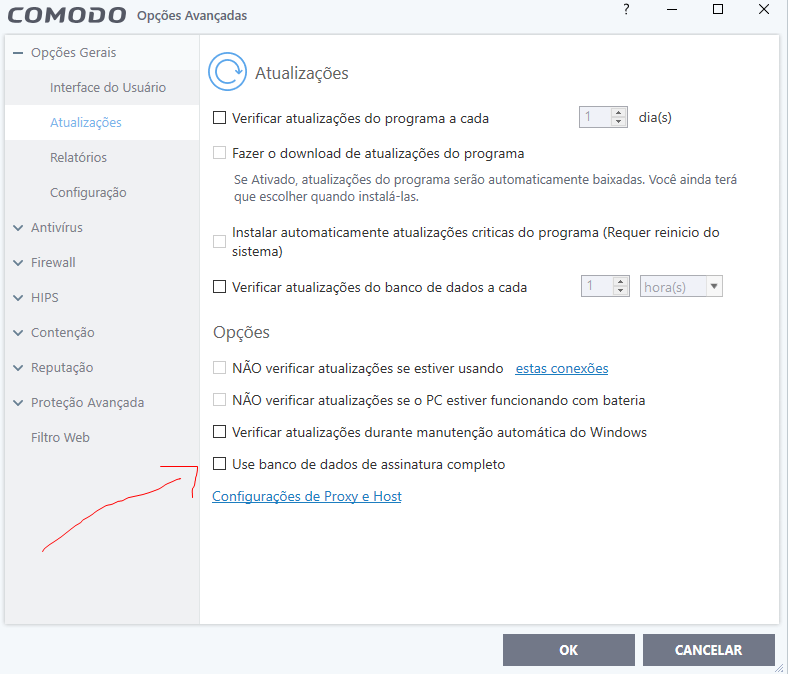
you get full signatures the latest latest new signatures
1 Like
@Nik123
I was even scared because when I installed the CIS it was already disabled.
I believe I was supposed to arrive qualified, could it be that I am infected?
I believe I explained this before in other posts but CIS & AEP ship with latest most commond malware families of signatures. The difference is 200mb with the Light version (Box unchecked) and around 700mb with the Full version. Given that malware is contained automatically it protects you from everything including any unknowns. the malware is then analyized in the cloud. There is a small performance impact with the full signature base installed but you don’t need the full signature base to be fully protected. Signatures are more like labelling a malware rather than it being stated as “Unknown”. If you look at the Statisics page: https://www.comodo.com/labs-statistics/ it shows how many unkowns turn out to be malware but with each unknown being analyised the less false positives. CIS has been updating this whitelist for a long time, since version 3.14 and the cloud analysis is very quick. I’ve very rarely run into anything being contained that shouldn’t have been. So many people are hung up on having signatures when the real protection is the Containment element and Firewall to block any connections from that malware.
2 Likes
Would you advise me to leave this box checked or not.
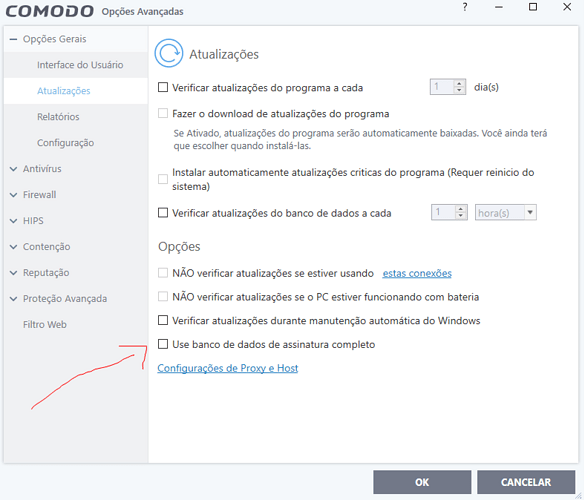
Just leave it unchecked as it isn’t needed and the tweaks you’ve made already has you fully protected. If your feeling paranoid, you can experiment with it enabled though if you like, it just makes you re-download the signatures every time to check or uncheck it.
2 Likes
Hello Everyone, I just checked the box according to the image below, you just downloaded the complete database, ok! 
I want to know the path of the folder in Windows where this database went. 
So I finally got around to trying 10 in a VM and got the same error 1603. Maybe VMs are just cursed with this build of Comodo idk.
In this folder: C:\ProgramData\Comodo\Cis\signatures
3 Likes
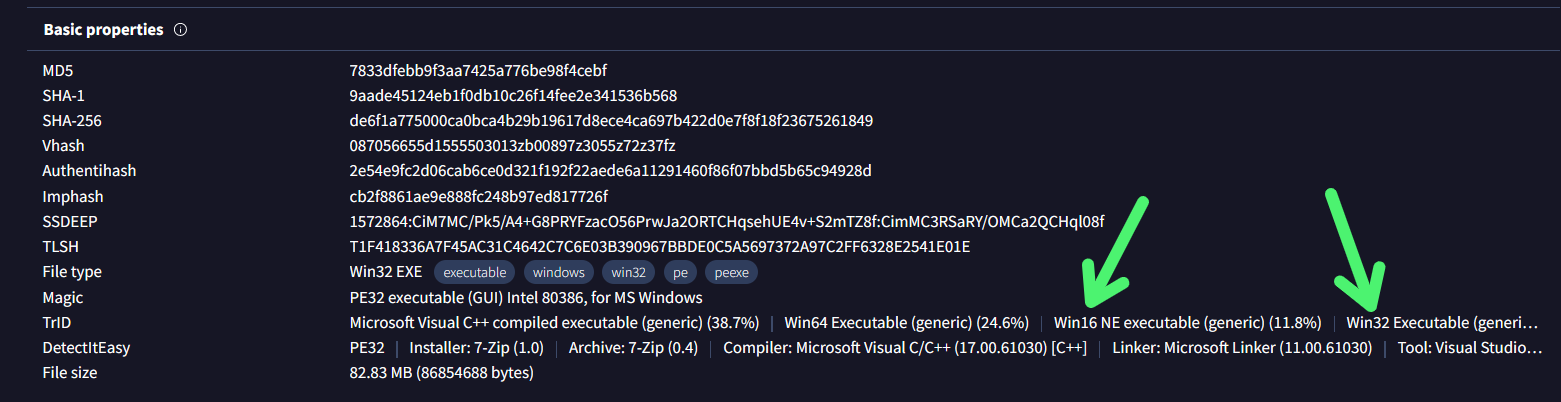
I can confirm that with an AMD processor, 64-bit software is indeed faster.
(Detect It Easy is a portable tool that can quickly define over 200 file types from their contents. It also offers various features such as HEX disassembler, entropy graph, and resource extraction.)
We can therefore conclude that Comodo CIS 2024 beta has not yet been fully migrated to 64-bit, but that Comodo CIS 2025 beta may be.
1 Like
Have my CIS do a full scan.
How can it be consuming so much HD, that it even causes the PC to crash at times.
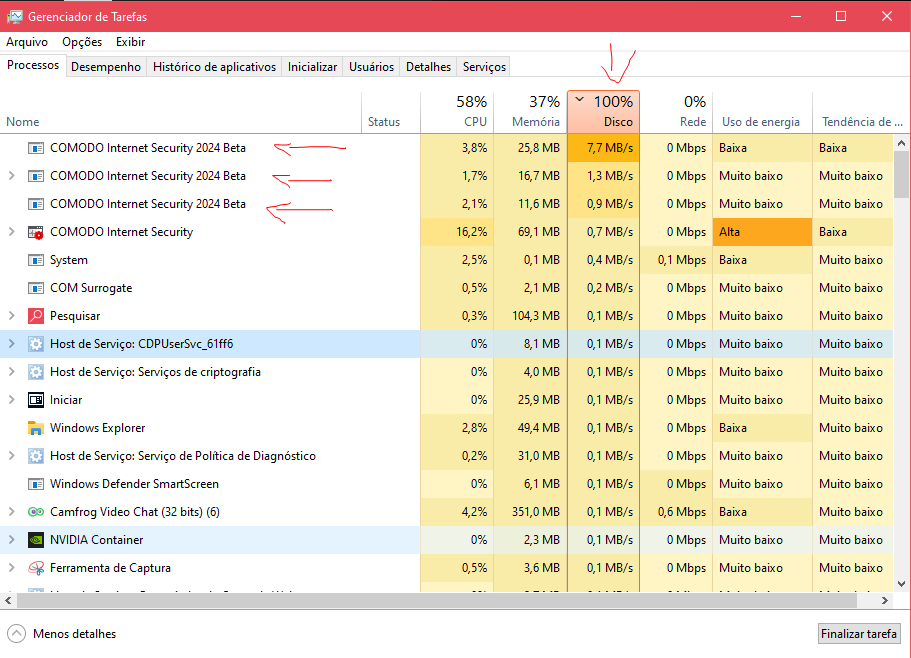
I’m pretty sure your HDD can write at more than 10 MB/s which is really slow and shouldn’t have that much impact.
1 Like
But the vast majority of people here defend the CIS saying it is perfect.
I come with proof that it has to be changed, as our friend @Varan-de-C0m0d0 has already said several times here in this topic.
I believe there will be no solution for this first moment.
I believe there will be people who will say, buy an SSD.
To tell the truth, CIS is very slow and cumbersome when scanning, compared to its competitors.
1 Like
I understand.
It may be either elsewhere (like Comodo’s perfs being bad) or windows badly reporting metrics.
Maybe some other tools like SysInternal’s one could help troubleshooting them more accurately than the task manager.
1 Like
Look at the image below when I pause the scan the HDD returns to normal.
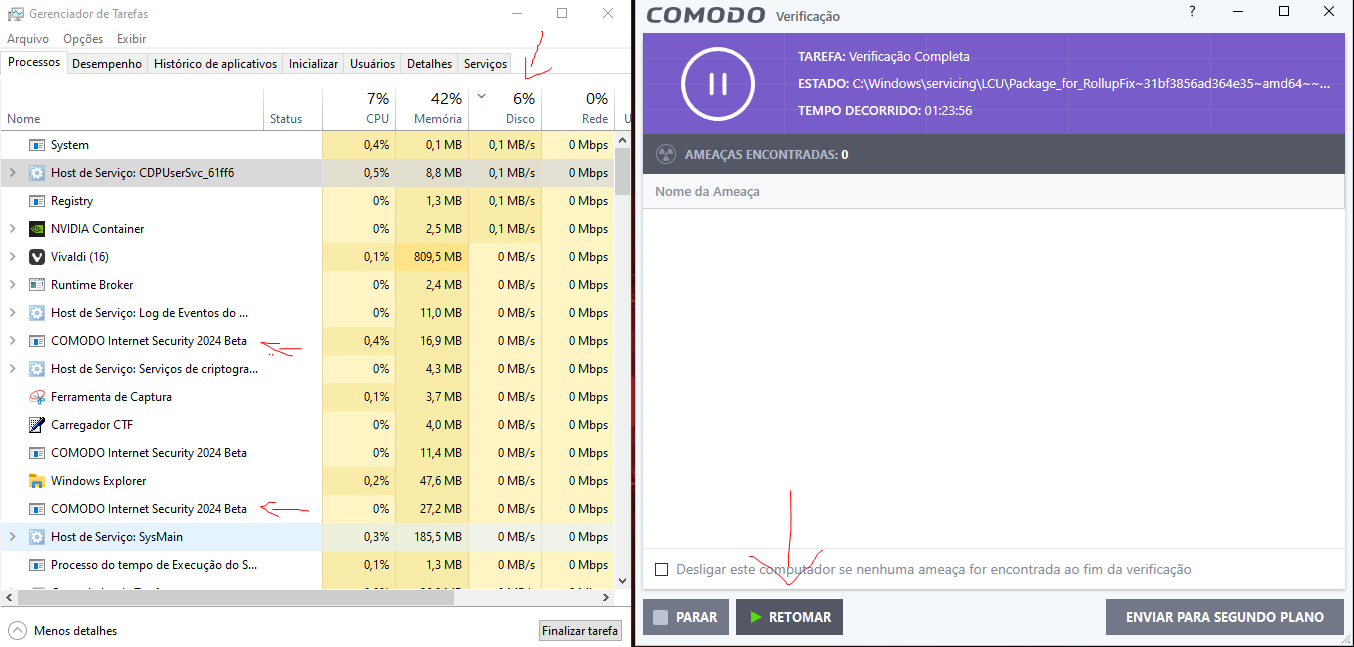
That’s why I say that the CIS is very poorly optimized
1 Like
What a boring guy. He even created two profiles to spam.
2 Likes
You can change the Full Scan prority in the Full Scan setting though by default it runs in the background using the least amount of resources.
"Run this scan with
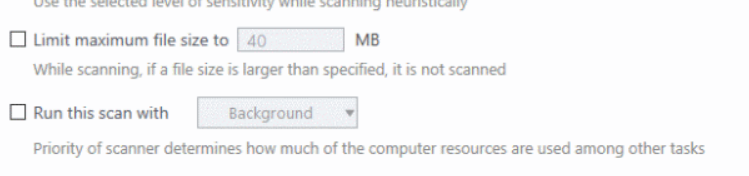
- Run this scan with - Set the Windows priority of the scan process (Default = Disabled). The available options are:
- Enabled = You can set the priority. The available options are:
- High
- Normal
- Low
- Background
- Disabled = The scan will be run at the background (Default)
1 Like