Comodo Internet Security 2024 v12.3.2.8124 BETA

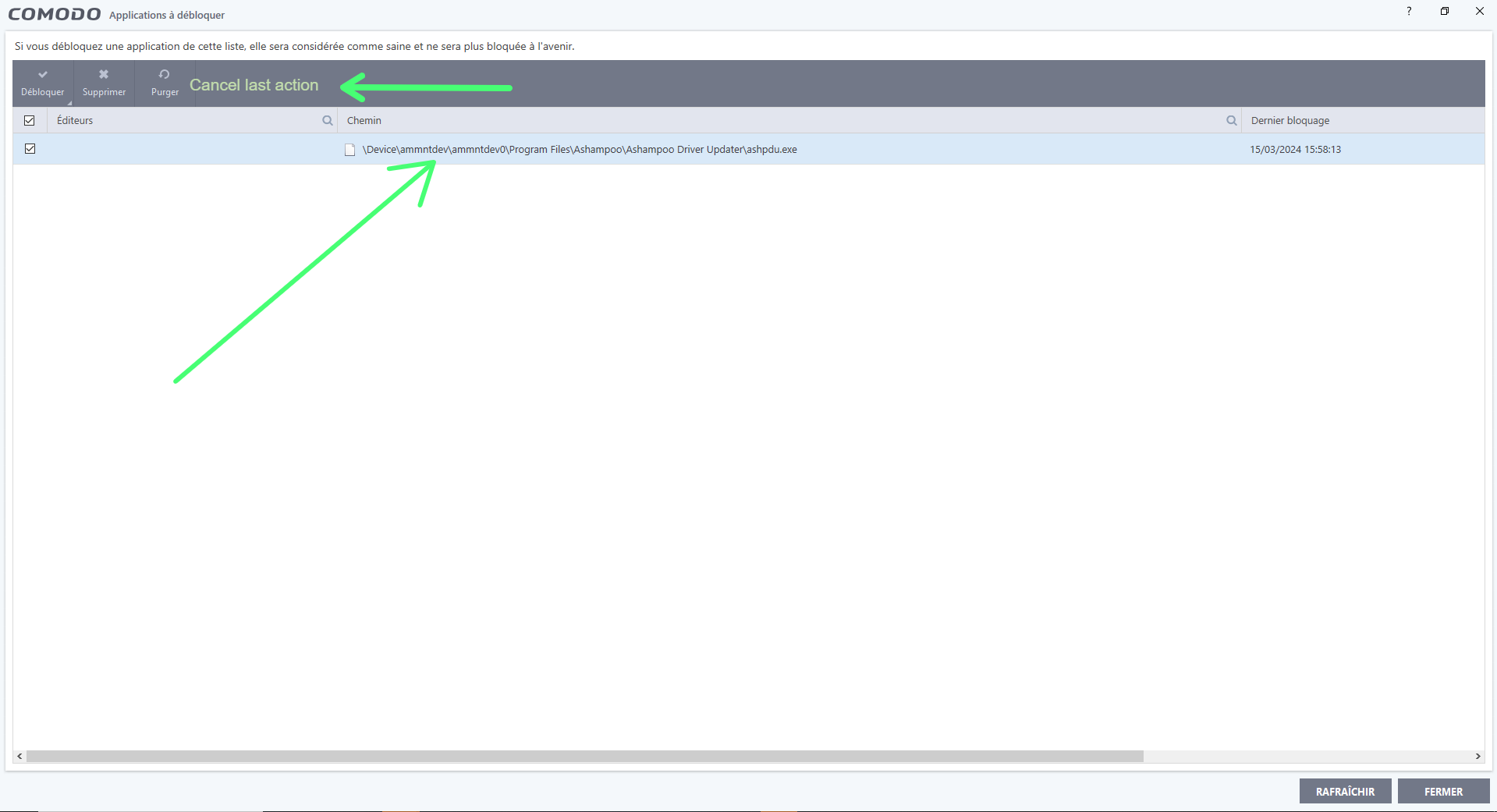
As you can see, a second’s inattention and I almost authorized an application that wasn’t mine (and a poorly rated one at that).

I clicked, but fortunately it didn’t do anything. It wasn’t authorized.

I still felt the error…

So I thought that maybe, if it’s not restrictive or contrary to CIS policy, it would be a good idea to add an immediate feedback button.

Rather than having to search through the long list of rules.

What do you think?

Addendum:
Finally, it was authorized.

I hadn’t seen this, as the blocked applications window often needs to be refreshed.

It doesn’t always refresh itself (info for beta devs).

So it’s been authorized. I went to look in the config, but I couldn’t find it. …

Is there a way to do an all-round search with the process name and directly in all the rules?

(without going through the HIPS rules, or Firewall individually)

Use the Search function in HIPS rules window and Firewall rules window…

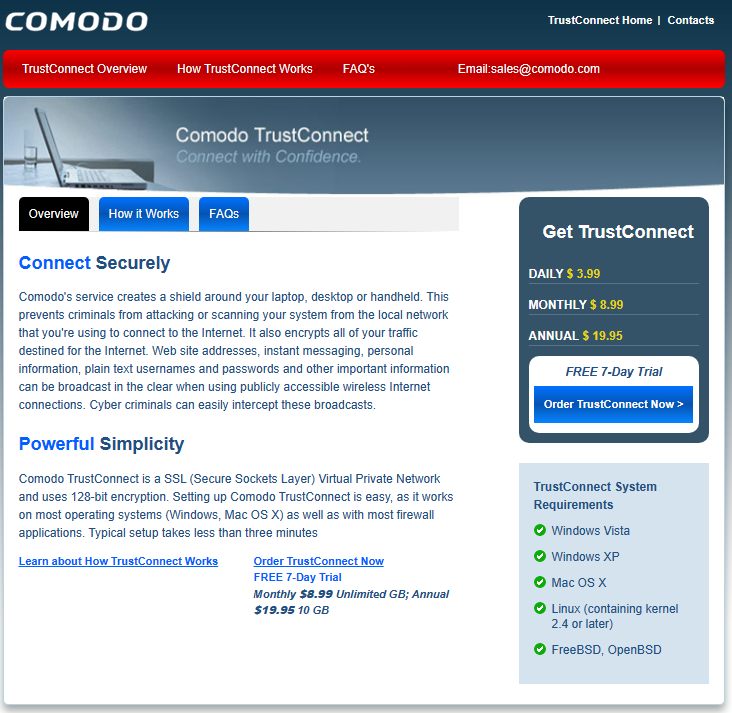
I connected to a public network with my laptop today, and Comodo CIS suggested that I connect via “TrustConnect”.

For the record, as this is the first time for me, I don’t know if this is normal, but it doesn’t work.

Thank you very much Cisfan!

I get it!

he blocked it with the relative path and then ended up with the virtual path.

It would be really cool, if there was a column with the time of blocking and the date, as well as one with the time of unblocking and the date.

That way, I could understand which process it was.

It would be nice to pass the info on to the beta devs.

I think it’s information that CIS processes anyway, so it would be enough to enter it live.

But then again… maybe I’m the only one asking for this…

Check all CIS Logs. Most likely you’ll find what you’re looking for…

Hello All,

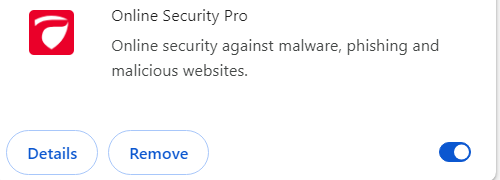
Looks like I found something from the google store called Comodo Online Security pro extension , got it added to chrome but checked it is not updated that frequently, so is there a possibility that this extension can be updated and integrated into the upcoming stable release of Comodo Internet Security 2024 itself in order to enhance it’s malicious domains & phising websites blocking capabilities for google chrome & MS Edge.
image

1 Like

Don’t expect it to be integrated into upcoming stable CIS release. There are much more Wishes waiting to be implemented. Yours is at end of the queue…

1 Like

Yes, very good idea.

There’s also ComodoUABlocker and ComodoADblocker

1 Like

Yes, but I know, thank you so much for your help. But what I really wanted to talk about were the two columns to be added…

Thanks Sir, wish to see it gets integrated anyhow as it will be great for all the awesome Comodo users and fans & everyone.

1 Like

Yyyyeeeeeeeeeeeeeeeeeeeeeeeeeeeeeeessssssssssssssss !

I agree completely!

1 Like

Given that there are extensions such as uBO and Netcraft, and that CIS obviously has limited resources, is it conceivable that Comodo/Xcitium could update Comodo Online Security?

In my opinion, it would be more useful to update Comodo Secure Shopping to avoid using secure browsers from Bitdefender, Kaspersky, …

It’s a generally bad idea to install browser extensions with installer. Many PUA apps have done this in the past.

Not to mention privdog controversy…

Comodo is a well reputed security software company itself so you can rely that any of there extension will never be a pua or pup that’s for sure, so don’t compare it with whatever someone else did.
Instead it should be great for all Comodo users if Comodo can update there existing browser protection extentions for all browsers to block all types and kinds of malicious and phising websites in realtime and help users protect there browsing and privacy to the best possible extent that’s that. Also let us hope that there extension gets updated and integrated soon in the upcoming stable release of Comodo 2024.

1 Like

I don’t want to ruin your high hopes, but @CISfan already mentioned countless times that actual issues aren’t fixed for years.

You should use Comodo’s SecureDNS or any other DNS service that provides malware/phishing domains blocking.

2 Likes

Homepage looks like 15 years old, especially Windows XP and Vista as requirement.

Many Comodo products are obsolete outdated and unsupported but are still being advertised on their homepage…

The solution could be for Comodo to rely on the OpenSource community and work with a business model closer to that of RedHat, for example.

Instead of complaining about the interface, for example, many would participate.

The same goes for browser extensions and the rest.

Thanks feitrouyolehu-3452

I entered my login and it didn’t work.

Now, I imagine you’ve told me why.

Actually, it’s not that important.

What’s important is that CIS doesn’t disappear. Because, for the moment, this product is really different.

If you go to the Bitdefender pages, you’ll see that Home Scanner has also disappeared.

And so has TrendMicro’s BrowserGuard.

Etc…

Etc…

It’s just that technology moves fast.