Happy to get back Comodo beta 2, which feels much better and smoother than the previous beta 1
2 Likes
Bump bump bump bump…
hi @CISfan , unfortunately no it doesn’t support Windows 7, 8, and 8.1… Microsoft has ended Extended Support for Windows 8.1 on Jan 10, 2023.
The reason is that Microsoft also changed driver signing process which is not compatible with all those older Windows versions…
Hello,
Does the Beta version benefit from special telemetry that would automatically report bugs to the developers?
Because I find it really strange that they never intervene here to ask for Diags’ analysis reports.
Having participated in numerous betas, this is what I am asked every time. (and systematically for the slightest fly that flies)
I therefore conclude that these are sent automatically, because it cannot be otherwise.
Can a programmer confirm for me what is being sent by telemetry please?
Thanks in advance.
When will fast and full scanning from the “old” topics be restored? And the version will be quite…
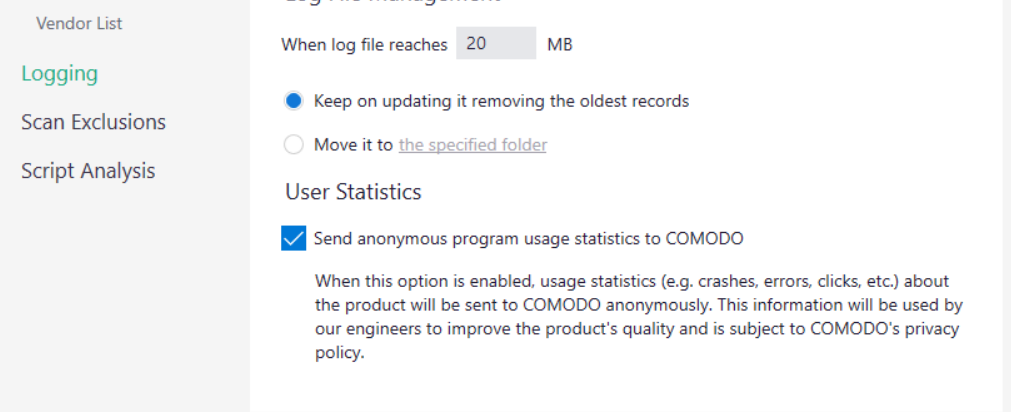
I believe it’s done automatically. You have the option on installation to send crash reports etc to Comodo as one of the installer options. You can see it in the Logging settings:
THANKS EricCryptid !
I understand better.
It is preferable ! 

It’s work - but not directly  Enter ‘configuration’ => ‘antyvirus’ => ‘scaning’ - and here click to run scanning.
Okay, thanks Infosec for the response.
I’m going to try reinstalling…
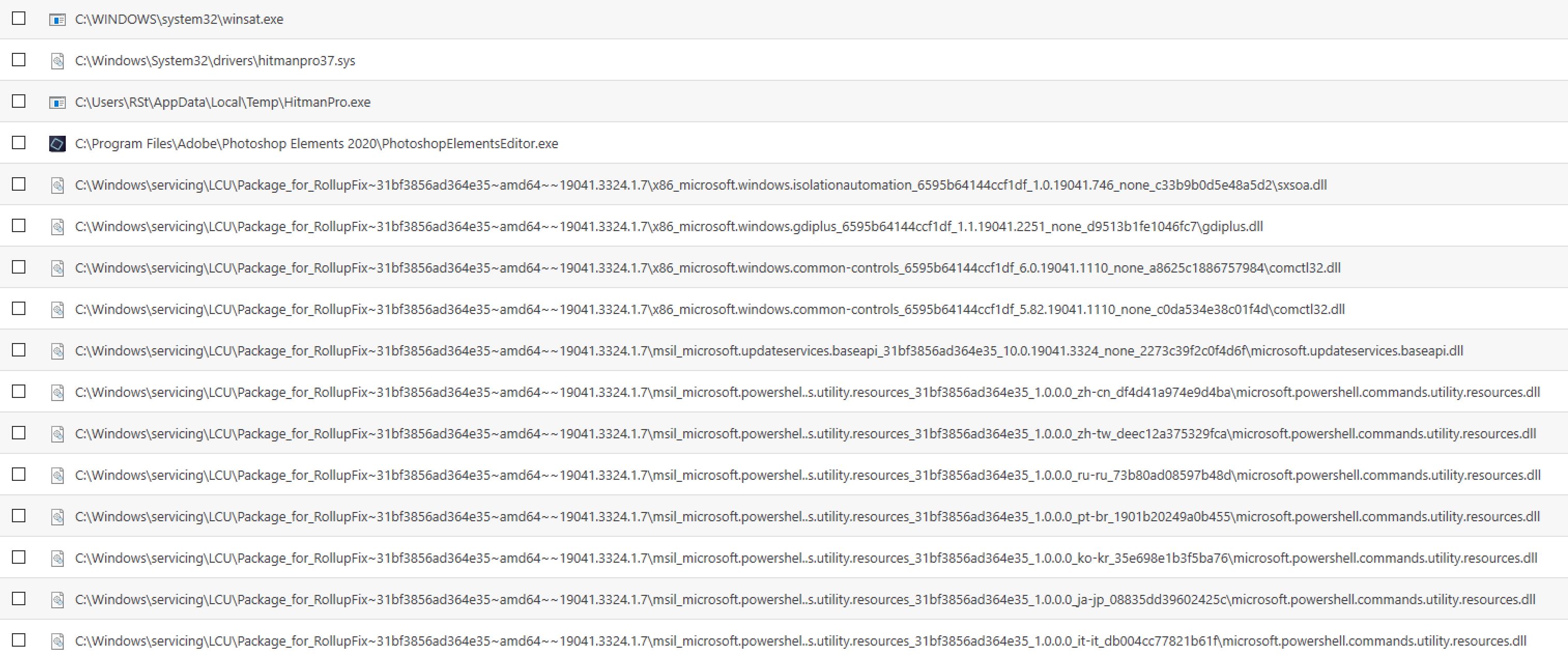
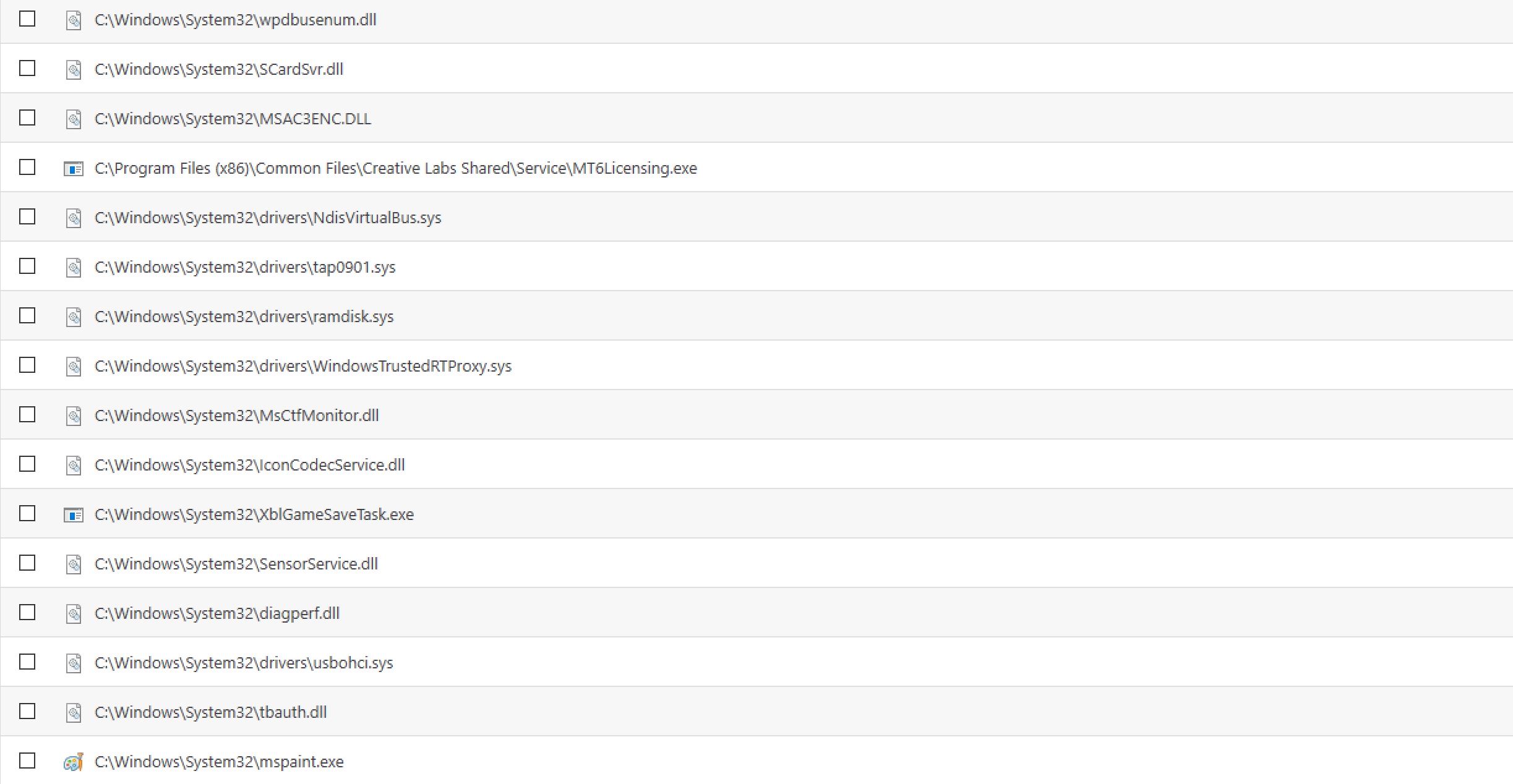
I installed Beta2 without uninstalling 8012. I’ve gotten 12207 unknown files. 
No idea why. Some examples: (Should I change it to trustworthy?)
I can still use programs that are set to unknown
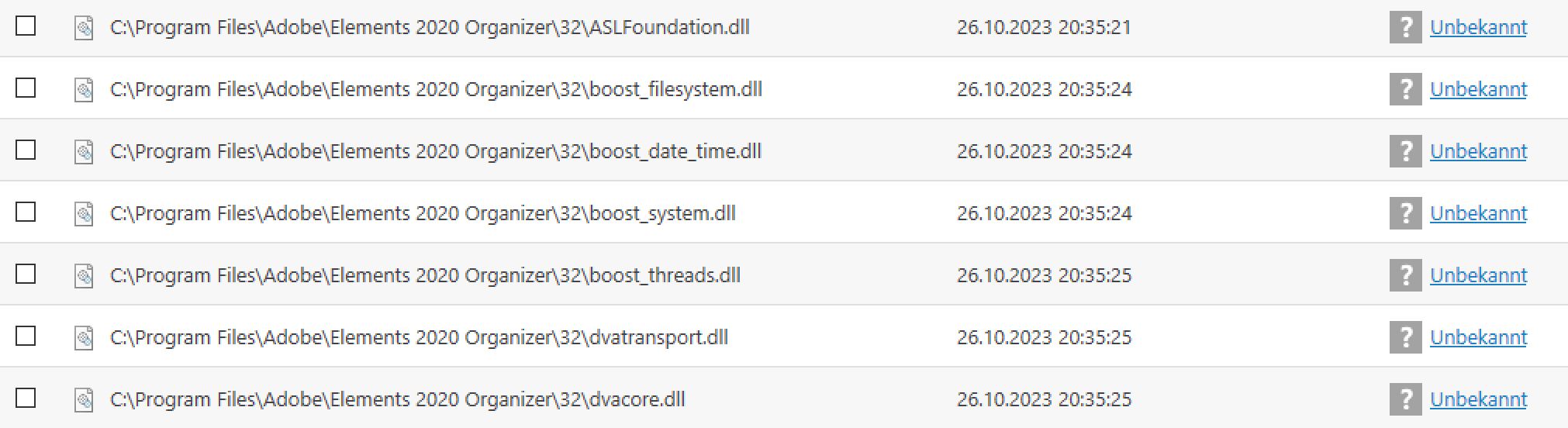
Adobe is trustworthy:

But many files of Adobe is set to unknown, too:
Due to many things that have changed under the hood from 8012 to 8104 (assuming you backed-up your configuation from 8012 before installing 8104 over it!), to exclude possible conflicts or upgrade problems, in my opinion it would be better to totally uninstall 8104, reboot, run CIS CleanUp Tool https://download.comodo.com/cis/download/installs/ciscleanuptool/CisCleanupTool_x64_3.1.0.45.exe, reboot again and re-install 8104 and import the configuration you saved from 8012. Hope you have that config backup; I regularly make one after changing settings, so I can go back to a know good config without the need to re-do the changes made.
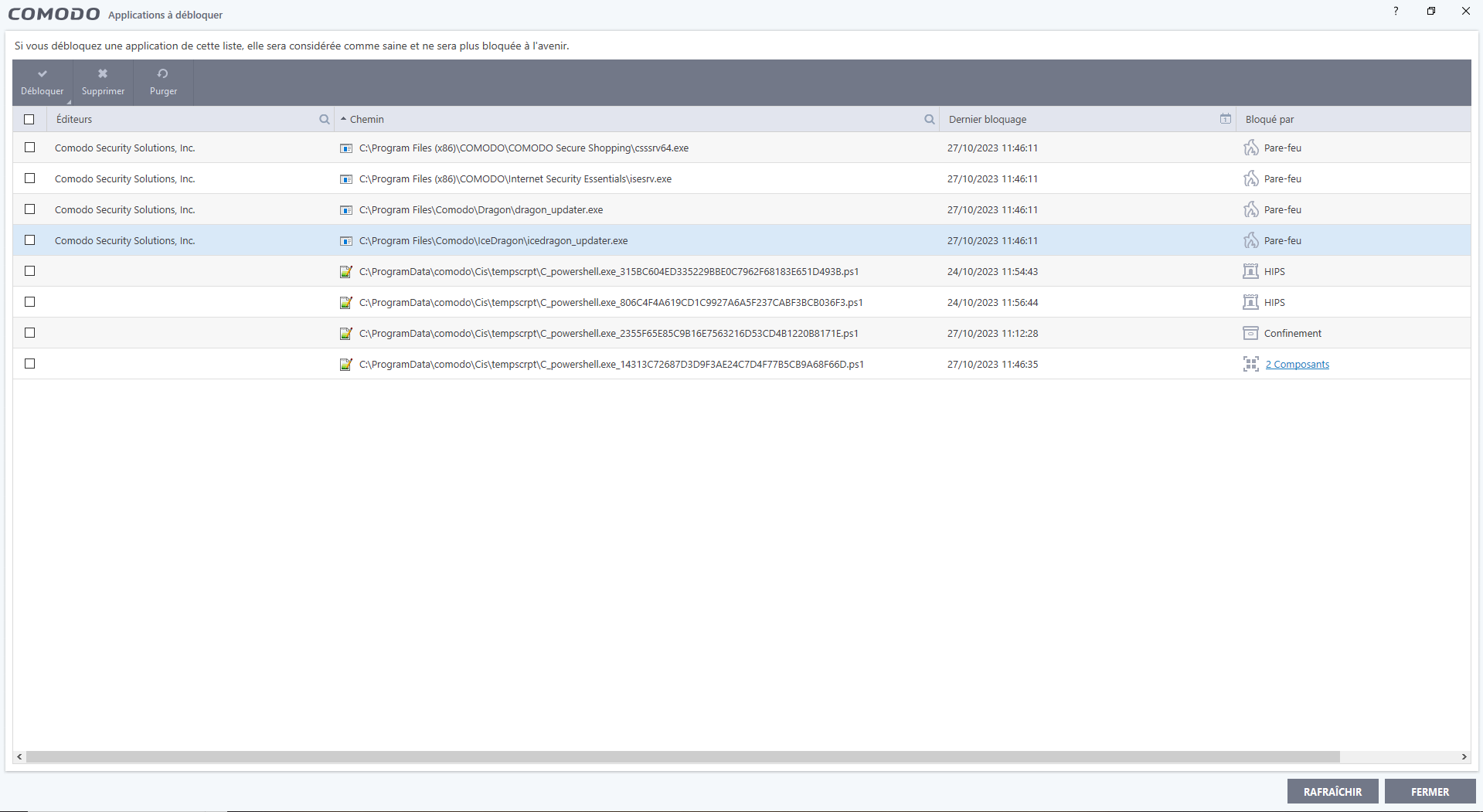

The complete update, as well as the import of my personal configuration, now works on my PC. 
I did a re-installation…
(Except the validation of the license which comes across an error 12)
Hence the interest that the submission of the file evaluation can automatically classify the files checked by Comodo.
You can’t reasonably validate thousands of files by hand without going blind or spending a year…
This function seems urgent to me…
I expected this suggestion and will now do it this way. All configurations are of course saved.
There is one point that could be improved:
In my case, unblocking applications takes a lot of time.
He veils himself and remains frozen in this situation sometimes for more than ten minutes…
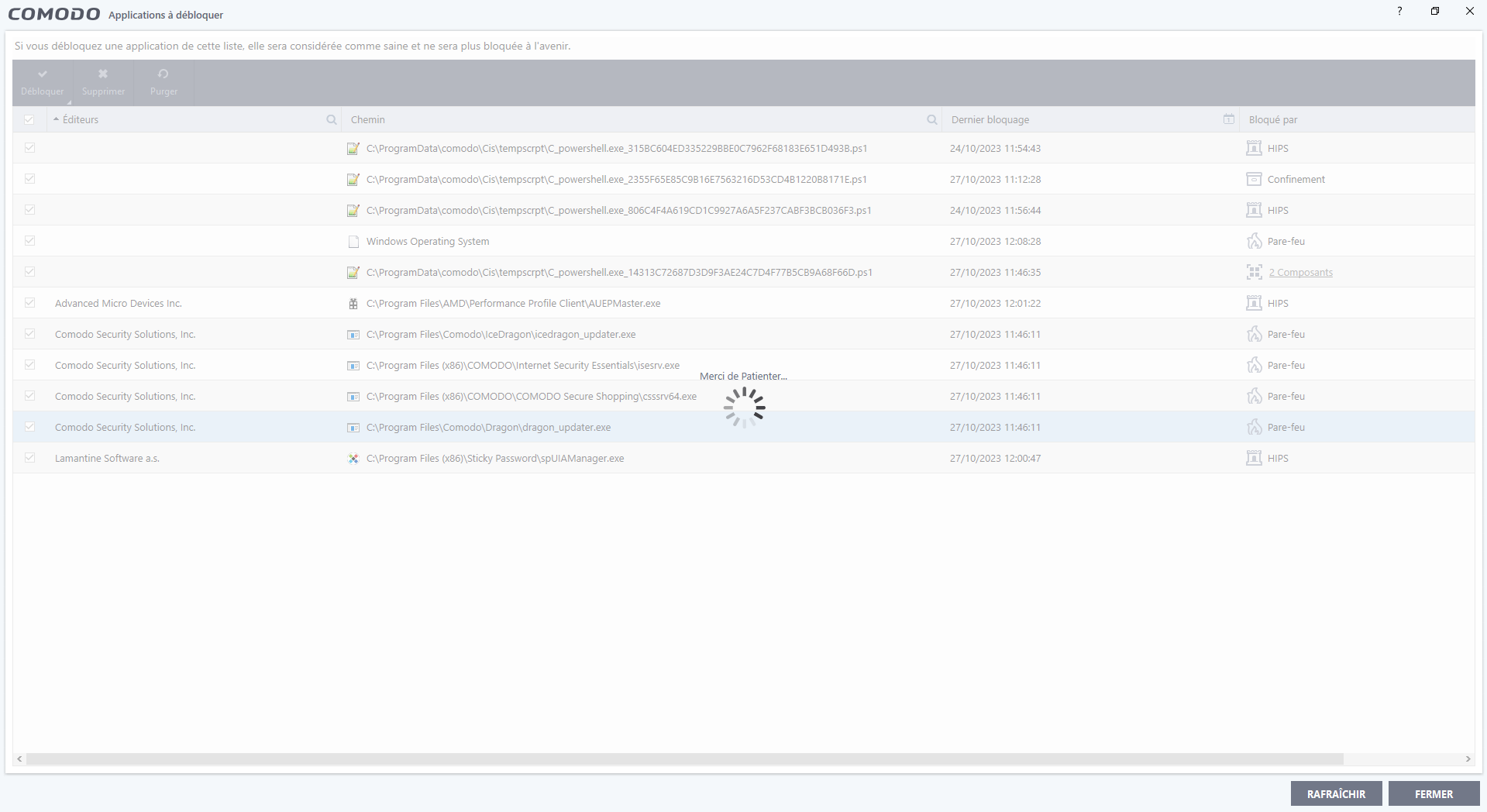
Sorry… a lot of messages, but at the same time it might help those who pass through here…
Everyone has the same errors when uninstalling via cleanup?
(Before reboot)
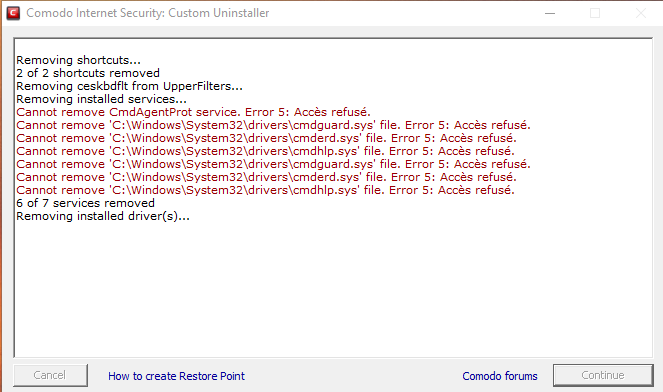
Removing shortcuts…
2 of 2 shortcuts removed
Removing ceskbdflt from UpperFilters…
Removing installed services…
Cannot remove CmdAgentProt service. Error 5: Accès refusé.
Cannot remove ‘C:\Windows\System32\drivers\cmdguard.sys’ file. Error 5: Accès refusé.
Cannot remove ‘C:\Windows\System32\drivers\cmderd.sys’ file. Error 5: Accès refusé.
Cannot remove ‘C:\Windows\System32\drivers\cmdhlp.sys’ file. Error 5: Accès refusé.
Cannot remove ‘C:\Windows\System32\drivers\cmdguard.sys’ file. Error 5: Accès refusé.
Cannot remove ‘C:\Windows\System32\drivers\cmderd.sys’ file. Error 5: Accès refusé.
Cannot remove ‘C:\Windows\System32\drivers\cmdhlp.sys’ file. Error 5: Accès refusé.
etc…
etc…
I only have access denied.
However, I left CIS before starting the uninstallation.
I know it will try again and restart, but, does everyone have everything in denial like me?
I copied and pasted it into NotePad++, there are 700 lines of refusals… (before reboot)
Wanted to take the shorter, faster route. Now after reinstalling there are only 3 unknowns.
I got same messages, no issues.
I booted the pc before uninstalling in safe mode with net connection. After uninstalling I booted in “normal” modus again. Robooting 3 times.
You could use revo uninstaller (I used it once without problems otherwise I’m careful about doing it). Better you reboot.
Beta2 installed without any problems.
1 Like
Hi Prodex,
Okay, thanks for the quick response.
I also used Revo, but I was pilloried… it seems that it is not recommended.
In any case, I’m relieved that I’m not the only one with these errors.
I’m going to do the various reboots and see what’s left and then re-install again.
To see if it gets any better…