So, is it a feature of CIS only? Is CCAV still vulnerable?
Not sure. Looking at the test results it looks like CCAV failed in one instance where Comodo protected, but I think CCAV also has this feature to a certain extent.
Actually, CIS failed too, it got 5 yellow dots (versus the 1 red + 4 yellow dots of CCAV).
[i]Yellow dot = It indicates a blocked malicious software placed on a victim’s workstation as a result of applying an exploit in a drive-by download attack. The color also symbolizes an unblocked hacker connection with an infected workstation by a firewall module. In this case, a cybercriminal may still try other security bypass techniques
Red dot = both the attack on a browser and a download and run of malicious software by a PowerShell interpreter wasn’t blocked by an antivirus application[/i]
What it’s not clear to me is how they judged a PowerShell interpreter running in the sandbox…
By the way, at page 20 they wrote
The exception of this rule is also Comodo software, which has implemented a local sandbox mechanism and unknown files scanning in the cloud, both ensuring that running unknown applications and scripts (.ps1, wscript.exe, .vba, .cmd, .bat, cmd.exe, .pl, .pdf, powershell.exe and others) won’t access a network so they won’t do any serious damage to the system
They tested CCAV v1.10, while the option to block internet connections to sandboxed apps was introduced in v1.11.
So, I think that CCAV v1.11 or later will get at least the same results of CIS
At the default level, CIS does not block connections by using the firewall, which is why there was an “unblocked hacker connection” for the 5 test scenarios. Blocking connections require user interaction if I recall the default settings correctly. Interpreters can be used to steal data, that’s why “fileless” attacks are targeting infrastructures and banks and such.
The “hacker connection” can be blocked manually when you see a Firewall alert in CIS, or by setting the firewall to block outgoing requests for both CCAV and CIS. You won’t get a connection alert in CCAV unlike CIS however, so CCAV protection is dependent on those settings.
In terms of the CCAV fail, it looks like a PS interpreter was not caught by the sandbox based on these results. Comodo caught all of them.
They can easily determine whether the interpreters are running in the sandbox by checking the contained apps.
The version of CCAV they tested (v1.10) didn’t have that option and sandboxed apps were able to connect to internet
I think the interpreter was able to connect to internet even if working inside the sandbox (see above) and download the payload, so probably that’s the reason of the red dot
Red dot = both the attack on a browser and a download and run of malicious software by a PowerShell interpreter wasn’t blocked by an antivirus application
This leads me to believe that the interpreter was missed during the attack stage, and then the interpreter downloaded the payload which lead to a compromised system. If the interpreter was in the sandbox and downloads the payload, the payload which is the unrecognized child of the interpreter would be contained. Or the executed script would be contained. So it would have been a yellow dot if the interpreter was contained.
As long as they know what containment means 
This makes me think the trick is about blocking Internet connection, but we will never know until we ask them
Yes blocking connections is the key between a yellow dot and a green dot. I’m not concerned at all about the yellow dots since a single tweak in both CIS and CCAV settings would prevent the “hacker connections.” As for the red dot of CCAV it will need an explanation from them. It is always advisable to take any AV results with a grain of salt.
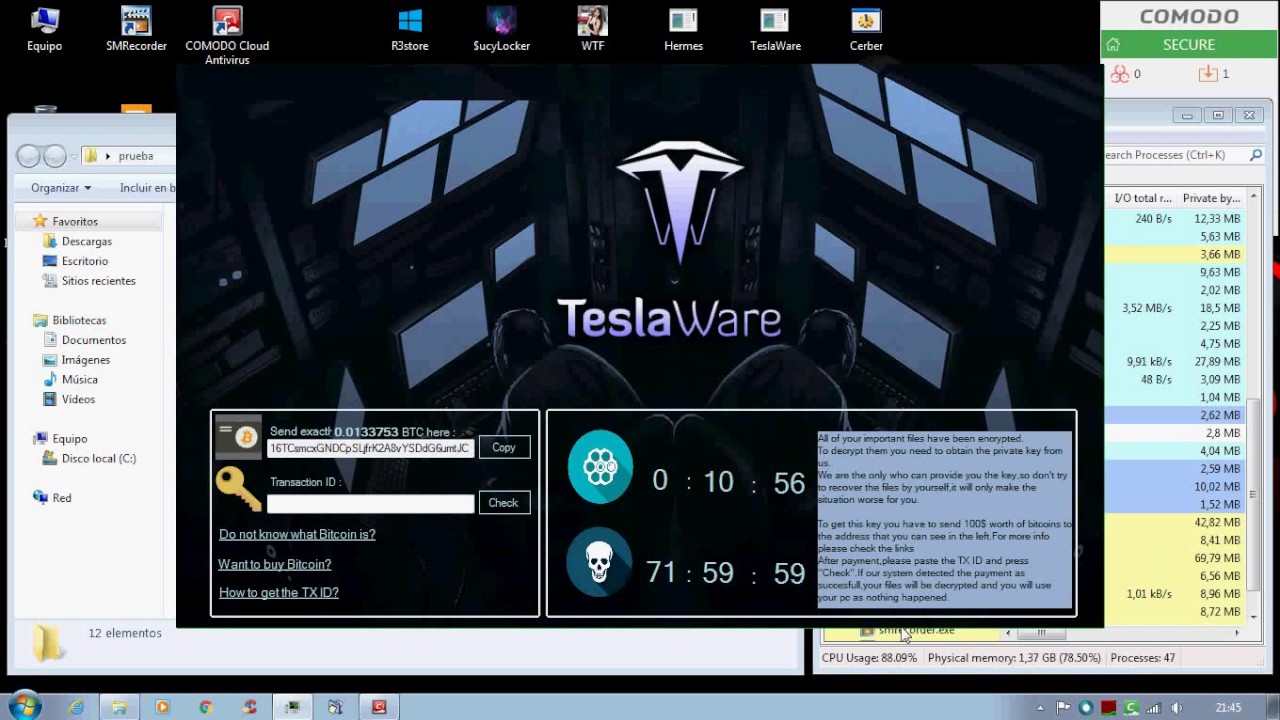
CCAV vs. some ransomwares :-TU
The recognizer didn’t show any popup in this test? :o
Well, if the ransomware is sandboxed, it can’t modify files (for example, pictures) in the real system, so maybe that’s why there’s no VirusCope popups… and this is the reason why I made a wish to add an option for VirusCope to monitor every app (not only sandboxed ones)
I think the recognizer is still in test mode, meaning that if it detects something, the user won’t be notified. They are making sure the recognizers do not produce many false positives when they enable detection alerts again.
Comodo Cloud AV Review By Malware Blocker
if everything caught in our containment/auto sandbox…and then sent to valkyrie and turned into either good file or malware…why do u need another av? (i am trying to understand the logical reason for future improvements)
Edit: wait, did mean why the guy in the video recommends a av alongside the sandbox? or why i am using one? 
The long wait time for unknown to be analyzed for novice users can be “bothersome” for novice users.
I have had 62 files (Game files) being analyzed for maybe 2 weeks.
And a folder on my VM with maybe 30 malicious files being analyzed for over 5 weeks.
!ot!
It would be nice if comodo could create its own visible window, to represent the unknown file when it dosen’t want to show itself. When running inside the sandbox.
Not really sure what is going on with this test. If there is no internet connection, of course CCAV won’t detect anything. This reviewer said he redid the scan with the internet connection on. Any functional AV would be able to detect at least some of the threats in a malware pack as they are usually from a malware depository which has a lot of older samples (despite what these YT testers say). I think the connection still wasn’t working properly, or CCAV didn’t register the connection properly.
It could also be an issue with the VM/not restarting the computer after the installation. It looks like he skipped the initial quick scan, so it is possible that he didn’t restart after installing CCAV. For most security programs a restart is needed to properly complete the installation and for the services to register fully. Also sometimes programs can behave abnormally when running in a VM.
Another thing that is confusing me is why this guy is saying that CCAV is compatible with other AV’s. Just because it uses the cloud doesn’t make it compatible with other AV’s. The only real difference is that the scanner is using the definitions in the cloud rather than locally; the scanner still needs to access a file to scan it. Also, based on how Melih is questioning the need for another AV, I assume that CCAV wasn’t designed to work along other AV’s. I’m sure that some AV’s can work along with CCAV naturally, but it is dangerous to assume that CCAV is compatible with most others. Nowhere does it say that CCAV was designed to work with other AV’s.
IMO it’s impossible for CCAV to detect 0 samples from this package.
Comodo Cloud Antivirus Review By Computer Solutions

Keylogger test failed because SpyShelter test tool already trusted by Comodo File Intelligence 88)
but the big “FAILED” mark is totally unfair