Comodo 2025 & newer Nvidia Drivers: anyone has working or issues?

Hi guys,

Am wondering if any users here are using newer Nvidia drivers >version 570, and it works fine for them?
Win 11 OS anecdotes are helpful too, but have Win 10pro (x64), so definately hoping to see that as well.

Installing the newer Nvidia drivers work fine during active windows session only, but have to revert back to 561.09 for boot.
ComfyUI ai requires newer drivers than my 561.09.
Boot works fine with 561.09.
Fails with any newer drivers.
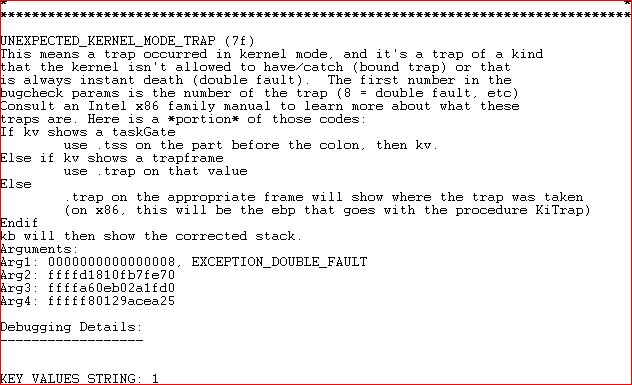
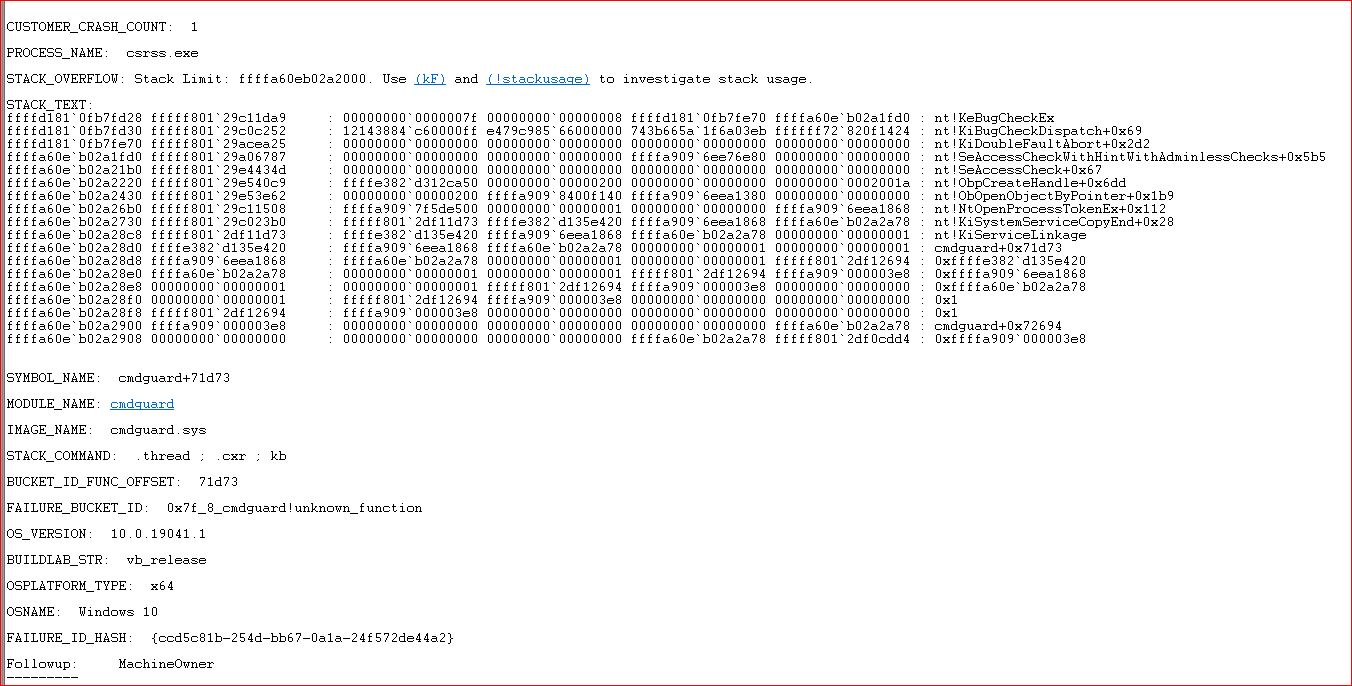
Minidump singles out cmdguard.sys.
Did disable all commodo but firewall (that doesn’t use cmdguard.sys) and then boot/load up with new drivers and that works fine.
But i need HIPS/containement etc, so need to get working with new cmdguard,sys.

Did post this already in New Version 12.3.4.8162 Available for Comodo Internet Security 2025 - #666 by prodex
about 4 days ago, and comodo mod already acknowledged within 24 hours which is great.
My full thread to analyse was here with their BOT being very helpful. But no newer Nvidia driver anecdotes sadly.
https://malwaretips.com/threads/help-comodo-2025-cmdguard-sys-boot-fail-with-newer-nvidia-drivers.138577/

But thought in meantime, if any comodo users here using full comodo with newer Nvidia drivers, would be quite helpful for troubleshooting.
Any feedback greatly appreciated :slight_smile:

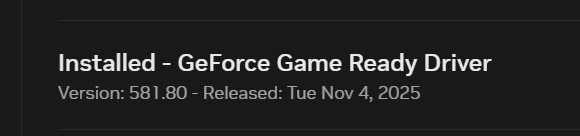
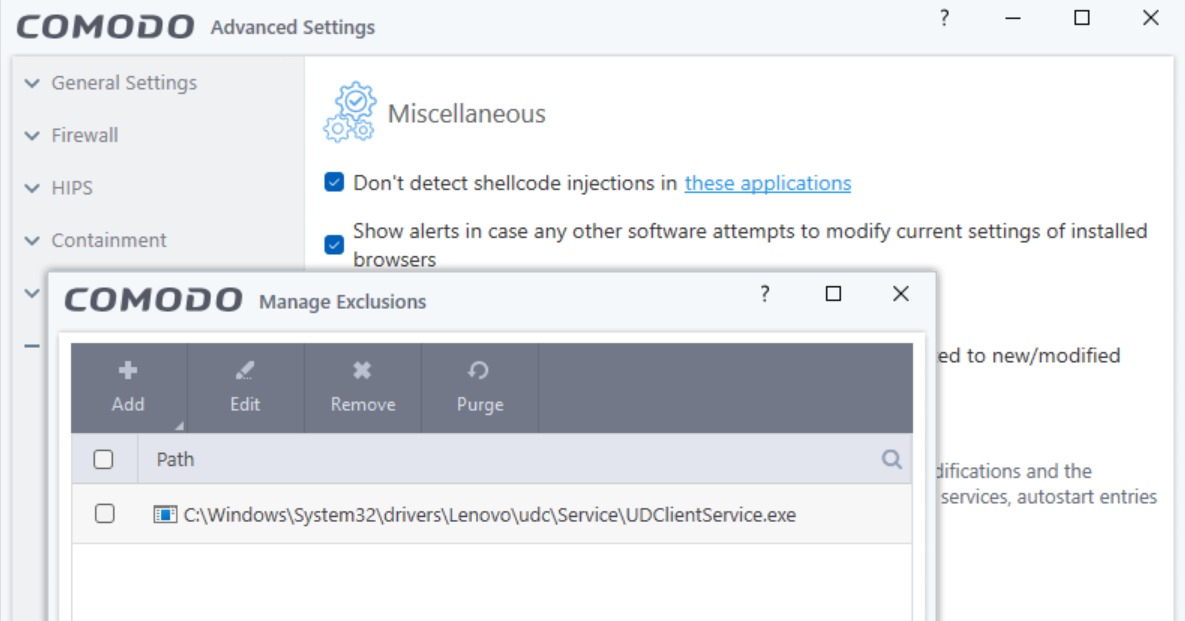
I haven’t had issues. I have Nvidia GeForce RTX4060 with the below driver though yet to install the latest one. I did find that CIS/CFW was blocking the Lenovo Diagnostics so I had to add the diagnostics file to shell code exclusion. Have there been any log entries? Blocked tempscript files?

1 Like

Thanks Eric for reply & Help!
Are you on win10 or 11?
Have actually noticed that with a few programs and Comodo 2025, and had to do same by manually adding exclusions. HAd to hard reboot in all those instances as Comodo 100% locked machine, which is good.
Prior always got asked, so this was new for Comodo2025 vs my old version experiences.
Would comodo log the boot time errors?
If so what category should an error fall under?
I checked 'Alerts" for that date and it mentionned nothing.
In my case,
winDbg examines minidump singles out cmdguard.sys,
winDbg says “Double fault”
Windows10 boot says “unexpected kernal trap”
If it is a process during, what would i have to add to exclusions i wonder?
Or how else to troubleshoot?
Any advice greatly appreciated!

I’ll have to look at my end when I get time. I’ve not had system freeze issue since before .8012.
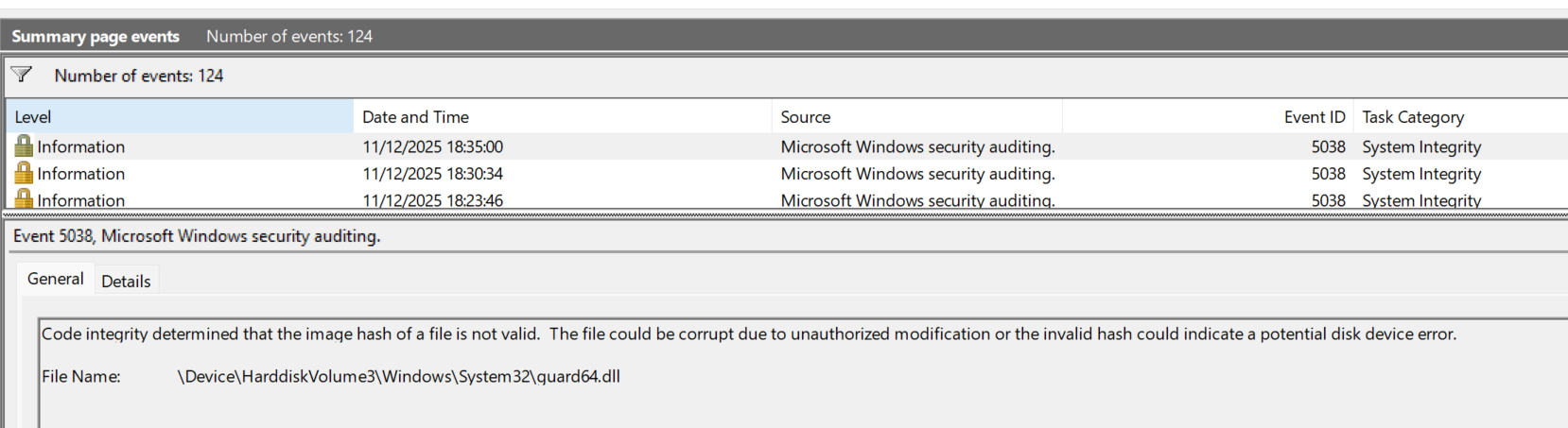
I know this guard64.dll image hash warning in windows logs never got resolved and then we were told it was used to detect other injections according to this post.

just checked my events
running Comodo 2025 (latest) and Nvidia driver 561.09 that works fine for reboot,
do see same issue with guard.dll
but am not seeing any negative-effects for all kinds of processes.

Do you think this is related to my cmdguard.sys & >570 drivers that enabled 50** series GPUs?

And, thank you for all and any thoughts as try to get this resolved. :slight_smile:

The guard64.dll shouldn’t cause any issues. Did you harden your system with added anti-exploit options enabled in Windows Security Centre? Can you isolate which program specifically that causes the issue?

That’s what confuses me.
Am Only using Comodo 2025 and Win10Pro; there is nothing extra. No hardening either.
Truly, on reboot it’s only when i enable Hips on Training mode (all modules - tried both enabled and all disabled) that the boot fails. (and fails of course on regular non-training modes).
And Minidump singles out only cmdguard.sys every attempt.
What happens is, as Win10 builds the environment, near that end process, just before login or closer to it, the building fails, and shows screen “unexpected kernal trap”
Again, comodo firewall only enabled and it boots fine.

So, this where i am out of my depth here, is knowing what files Win10 is going through/interacting with that causes doublefault with cmdguard.sys.

TL;DR:
on win10 boot, not sure what win10 files are conflicting with cmdguard.sys or how to isolate, which is what i always do, but not sure how to do here.
This is higher level stuff, so am dearly hoping for more advice on how to isolate/test/resolve for this win10 boot environment.
If i knew what processes, i could add HIPs permissions and then maybe it would work?

Thks again Eric for continuing to help with this show-stopping bug.
Have a new GPU as of now, so dearly want to get this resolved. Even just to make sure 5k GPU works (no support on nvidia 561.09).
Totally hate the idea of switching to Kaspersky, and not using Comodo, which have used for such a long time.

update:
maybe related or not?
EricCryptid, further to your post about adding Lenovo to HIPs to allow it,
had now a 3rd time where Comodo 2025 hard froze system without any pop-up.
This time it was comfyUI btach process.
Asked lots of stuff, as had set that up, but then at one point, it just froze, as python was calling for this and that.

Had this with 2 other programs so far. Fix was either add to HIPs allowing it, or enable training mode.
Programs were
(1) OBS
(2) Lossless Scaling via Steam

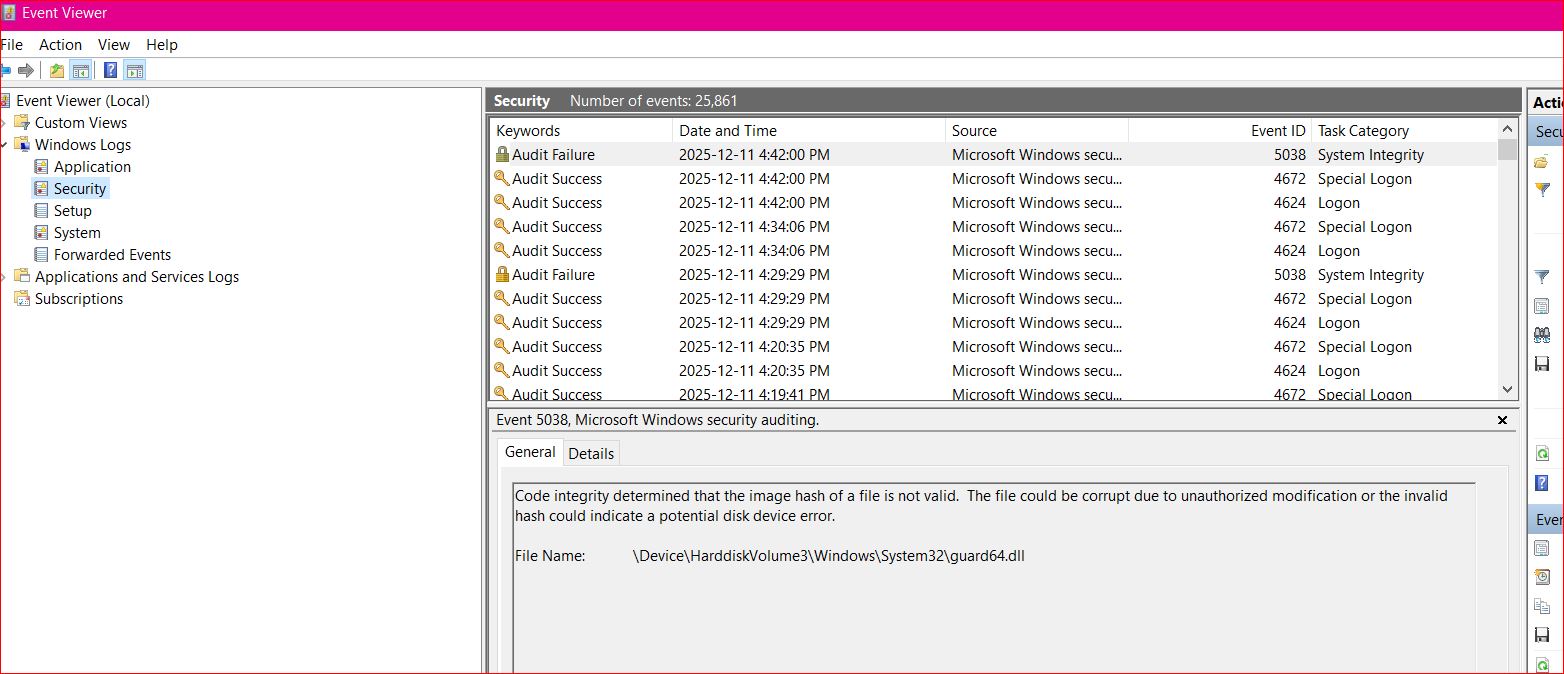
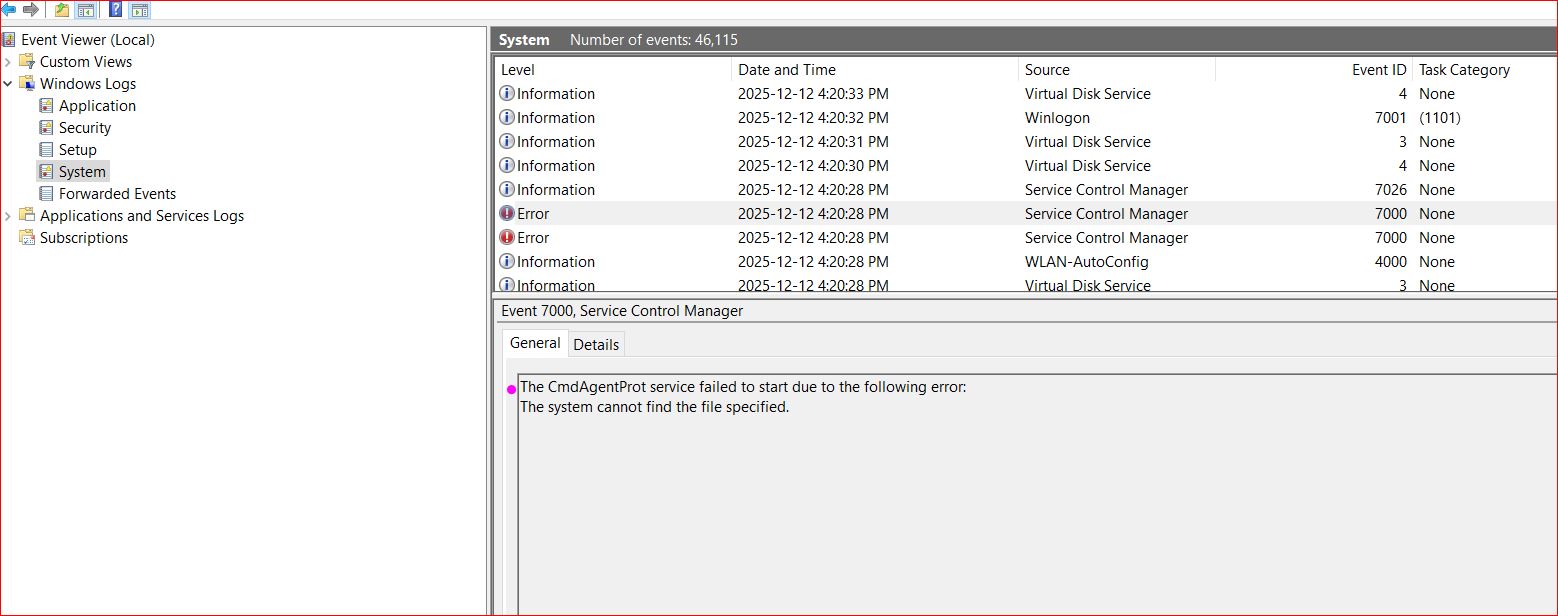
ok, this seems significant
(in comodo enabled log to windows event viewer)

with newer nvidia driver (win10pro) 580.97

with older nvidia driver 561.09 after system restore, this error is Not there.

and screen-shoted some excerpts of minidump that seem not to have personal info


If it works with HIPS disabled and you’ve set Containment to Restricted like @cruelsister 's setup there’s no need for HIPS. I find its can be confusing and I have less with it disabled. Containment will do what it needs to and protect your system and HIPS can be bypassed anyway so see if disabling hips works for you or adding ComfyUI to the exclusion list of shell code injections under miscellaneous. I also don’t use TDT when using full CIS as it’s disabled by default. Seems the less you mess around with it, the better.

Also, try just running a sfc /scannnow with the command prompt in case any windows files somehow got corrupted.

Thanks for latest.

Few thoughts/reactions:
(1) Want to make sure you saw the signifcant event i posted; am saying this because, i posted JUST before your post, and so knowing forums sometimes, you may have missed this critical info?
(reattached below to ensure is seen)
(2) A small step forward with your latest idea! My PC did boot successfully with all features on, but HIPs (disabled status). So containment-ON worked for new Nvidia drivers too.
aside: did test after with successful boot with all but HIPs, and then enabled Hips Training, in hopes something changed. Sadly failed again.
(3) Looked up Cruelsister’s posts. Saw their recent statement that they use containment only, no, hips, but no rationale provided. Unless posted earlier? Could not find after several minutes of looking.
(4) Containment: have only Enabled or Disabled as options. What does restricted mean? How do i do that?

All this said,
(5) I use the HIPs ruleset heavily. Have used containment and enjoyed, but see it as a lighter different focus issue. Is that wrong way to see?

But i don’t just want HIPS, instead, i rely on it for my PC safety. For 15 years now?
I consider a well managed HIPs a core component of Comodo, and am super glad it exists.
Totally get others may not want for various reasons. But i do.

I cannot see how containment offers anywhere near the same level of allow this or disallow that.
Though, Explanations would be most helpful :slight_smile:

To me, this screenshot implies that something needs to added for HIPs.Comodo to work with newer Nvidia drivers, or am missing something.

edit: missed this. did run sfc /scannow several times when initially diagnosing this issue.

Thanks. I’ll read this more in detail tomorrow as late here in the UK and up early tomorrow. See @cruelsister 's video hereComodo Firewall 2025 Setup to setup the containment level as Restricted by default. The containment variations can be seen here: Comodo 2025 Containment Variations. If your insistent on using HIPS, try just the default setup in Safe Mode with the defaul Proactive configuration.

Hey thanks for quick reply even though short on time!
Short of time myself this eve, but did spend a few minutes checking out first cruelsister video to get a first impression and think about it.

With all the productivity software that i use that has to output things etc, i should say initially that am reserved/wary, but will roll up sleeves and look more tomorrow.
One software i do use containment fairly regularily and everytime i tested screenshotting, it said it outputted, but it being virtual, of course there was nada.
So impression is virtualized programs ( have many creativity productivity apps) and so output actual will not work?? ComfyUI is just one of many. Maybe am seeing this wrong?
Whereas HIPs lets me control each app the way i want.
Would love to hear if am missing something.

@cruelsister 's setup is a great set and forget. She can answer questions about it’s protection effectiveness. You can use HIPS but i would suggest doing your tweaks bit by bit so you can identify what’s causing the issue.

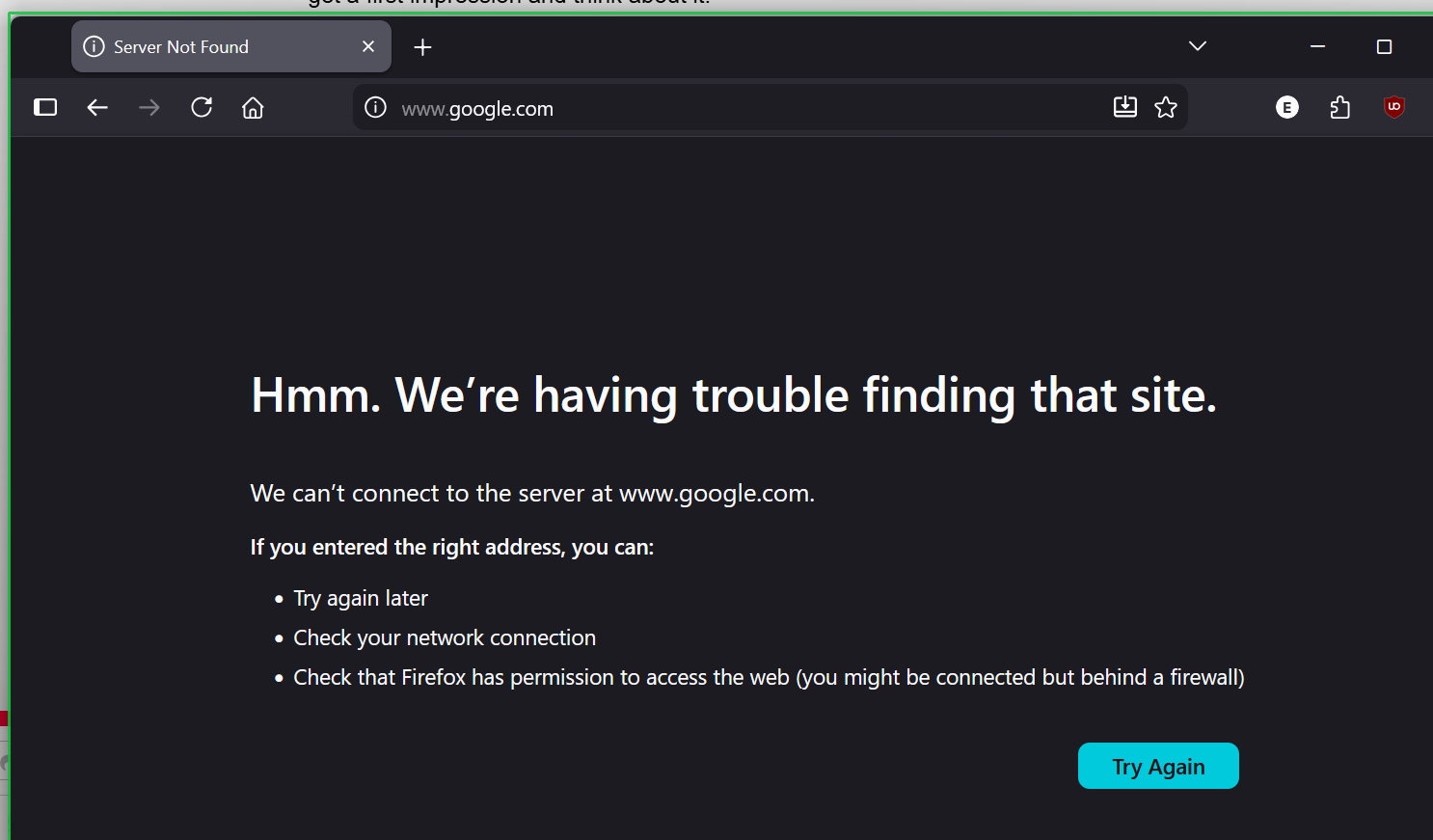
If you want contained/sandboxed apps to have internet connection, There was a fix in the latest version where Comodo added Winsockets Interface in Protected objects with the latest version. It won’t allow internet connection for any contained apps by default so you’d have to tweak or remove that to enable the connection. e.g. Firefox running in the container (green border).

One additional side note, If your using just the Firewall, Windows Defender incorrectly detects the KillSwitch installer as a Trojan so you’d have to temporarily turn of real time protection to instlal it.

@EricCryptid
@C.O.M.O.D.O_RT

Before thanking you yet again :slight_smile: for these things to consider/check, i need to dearly ask one more time (asked near beginning of this thread).

Question: would it be possible to have someone with “Win10prox64 updated to Oct2025 update” with Nvidia drivers >570 to see if a reboot works with HIPs enabled?
(eric*, read some more threads here and saw you are on Win11)

I just want/need to Confirm it’s Not a Win10 issue, ___before i pour days and days of trying to make this all work again.
With the vast amount of productivity apps i use daily, i initially do remain concerned moving to a Containment based system as a secondary workaround choice.
Am very detailed, so this will be a big undertaking to move from my existing comodo usage-system, and concerned in the end it will be too different for my more productivity–app focus, but it will take days, or weeks of trial and error to figure it all out (per Eric’s suggestion will look at Cruelsister’s vids etc).

Included @C.O.M.O.D.O_RT in this post, as am feeling we are nearing the point where this thread may be marked as a user-issue, as opposed to a Comodo HIPs/win10 issue.
The double-checking of win10/HIPS enabled on reboot would be a huge help in helping me resolve this issue. (ie. Is it my PC setup somehow with the hundreds of moving parts in any PC environment?)
Also @C.O.M.O.D.O_RT , above posted screencaps of Window events & parts of minidump. FYI, in case, you’re short on time, as we all are.

This issue would all be avoided if could get HIPs to work with boot (on my long-time setup), as HIPs in latest Comodo 2025 works always fine even with Nvidia drivers >570 when enable after login, and disable before shut-down. Just boot fails and always stuck in endless loop requiring system restore to Nvidia driver 561.09.
(Well other than some pop-ups not working and hard-freeze, so hard-reboot needed)

Also,
(1) can HIPs be enabled with a batch file call on Windows startup/later exit? Do you know the syntax? Use batch file files for various things, like windows shudown, kill this program etc. They work great. Idea is auto, and not have to do manual.
(2) Is there anywhere documented what HIPs does on initial boot startup before login? Especially, does it play a safety role there too?

And now, thank you again :slight_smile:

short update:
uninstalled/fresh installed Comodo2025
Nvidia driver 580 and 5*** series GPU
Again boot fail with HIPs active.
Sadly :frowning:

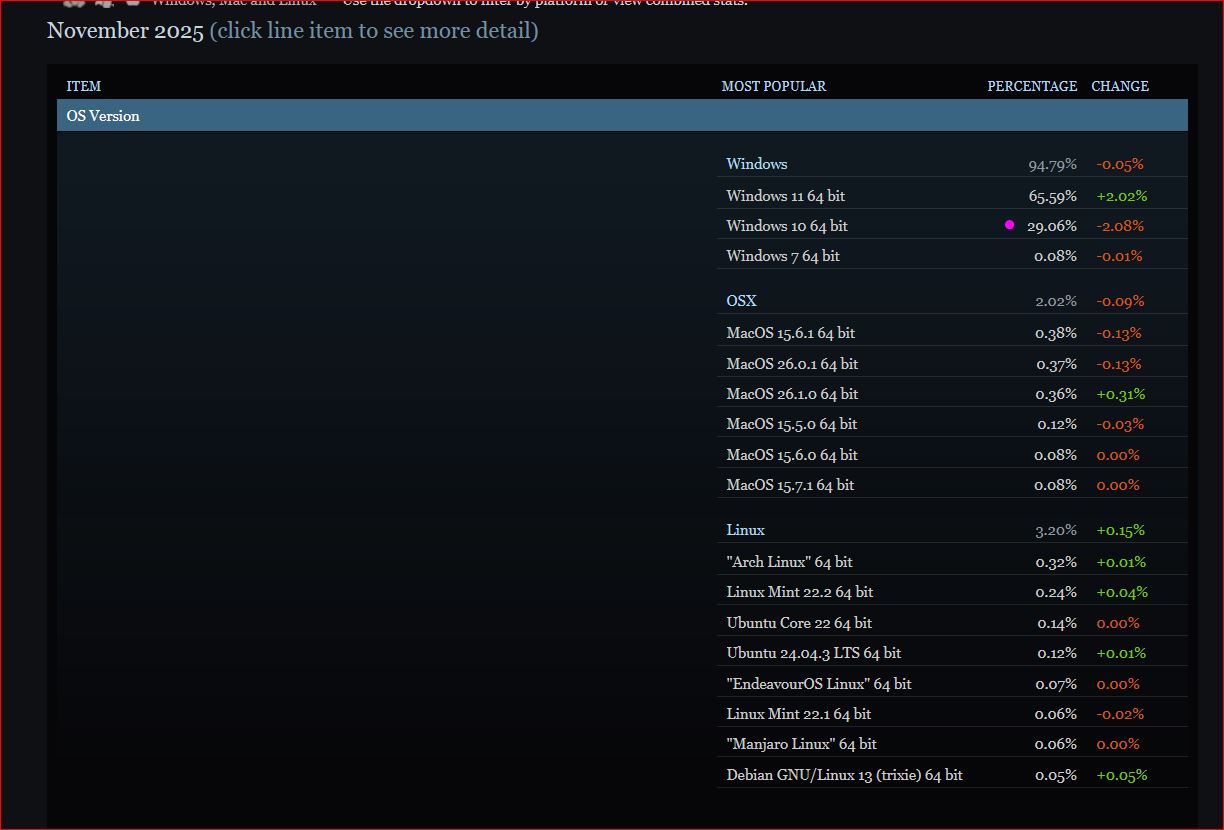
Saw this latest Steam Survey, lotsa users still on Win10, esp compared to MAC/linux (well for gaming anyway)

Hi Something_x2,

Thank you for reporting.
We are checking on this.

Thanks
C.O.M.O.D.O RT

1 Like