CIS crashed - exploit or just bug?

Greetings,

I’m using Windows 11 home fully updated (25H2 OS Build 26200.8328) and CIS 2025 Complete (12.3.4.8162).

Yesterday, while leaving the computer on for a few hours not touching anything CIS 2025 Complete crashed. When I came back, the CIS widget was gone, CIS icon in the system tray was absent and under Task Manager > Processes only three CIS 2025 background processes were running; no CIS 2025 active Process / App was running. I found the following logs of the crash in Event Viewer > Windows Logs > Application:
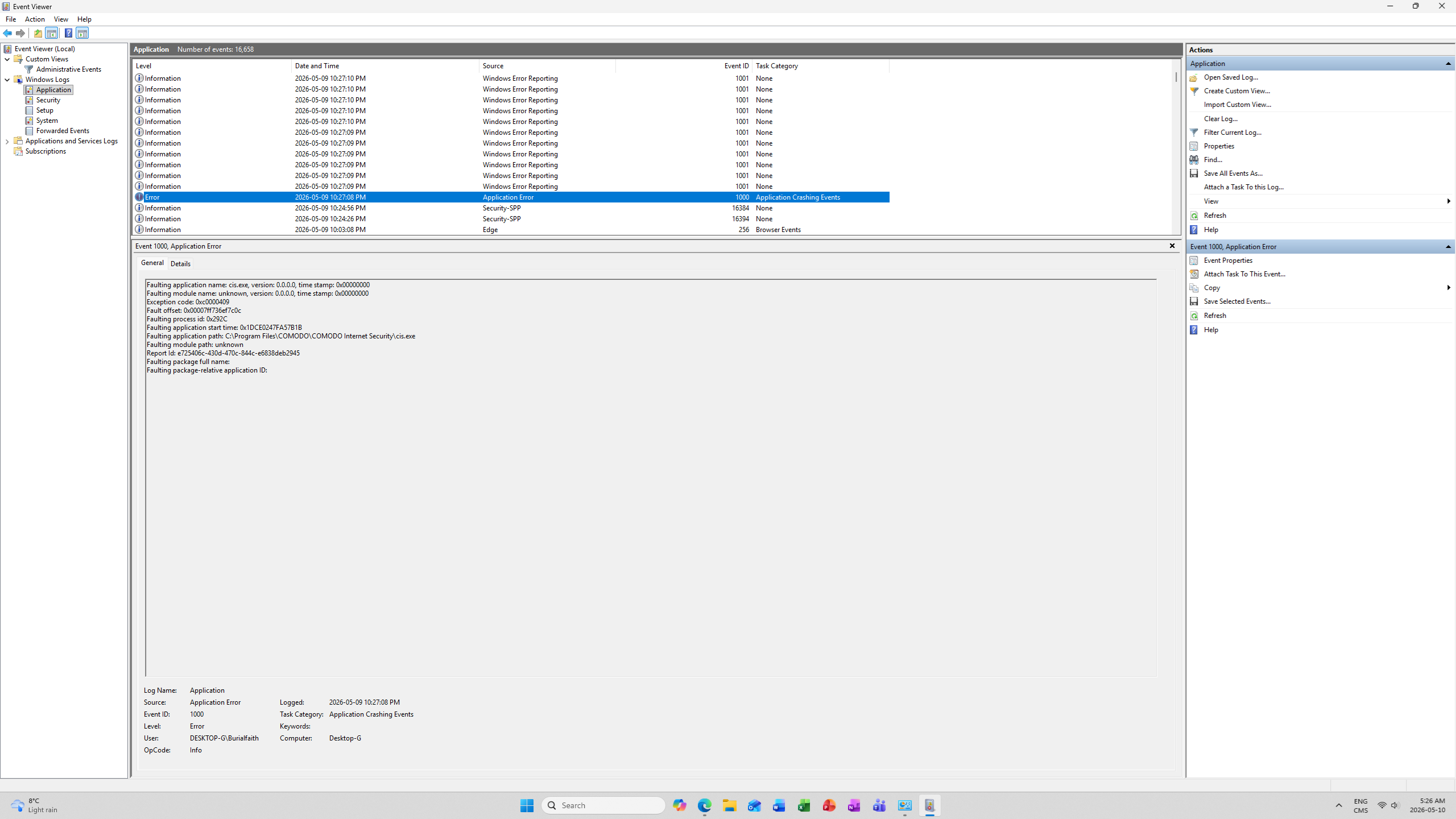
I’m rather concerned that the firewall was off for a few hours considering it blocks frequent “IP in” connections and that HIPS was not working at the same time.

After the crash, sfc /scannow found and fixed corrupted files. C:\Windows\Logs\CBS\CBS.log shows that the scan repaired 0 files suggesting that only packages Metadata were fixed:
2026-05-10 23:23:43, Info_______________CSI 0000024c [SR] Repairing 0 components . (Line obtained via: findstr /c:"[SR]" %windir%\Logs\CBS\CBS.log > "%userprofile%\Desktop\SFC_Details.txt" )

After sfc /scannow, dism /online /cleanup-image /checkhealth listed that “the component store is repairable”. While dism /online /cleanup-image /restorehealth (ran manually on May 11th) also appears to have fixed metadata:
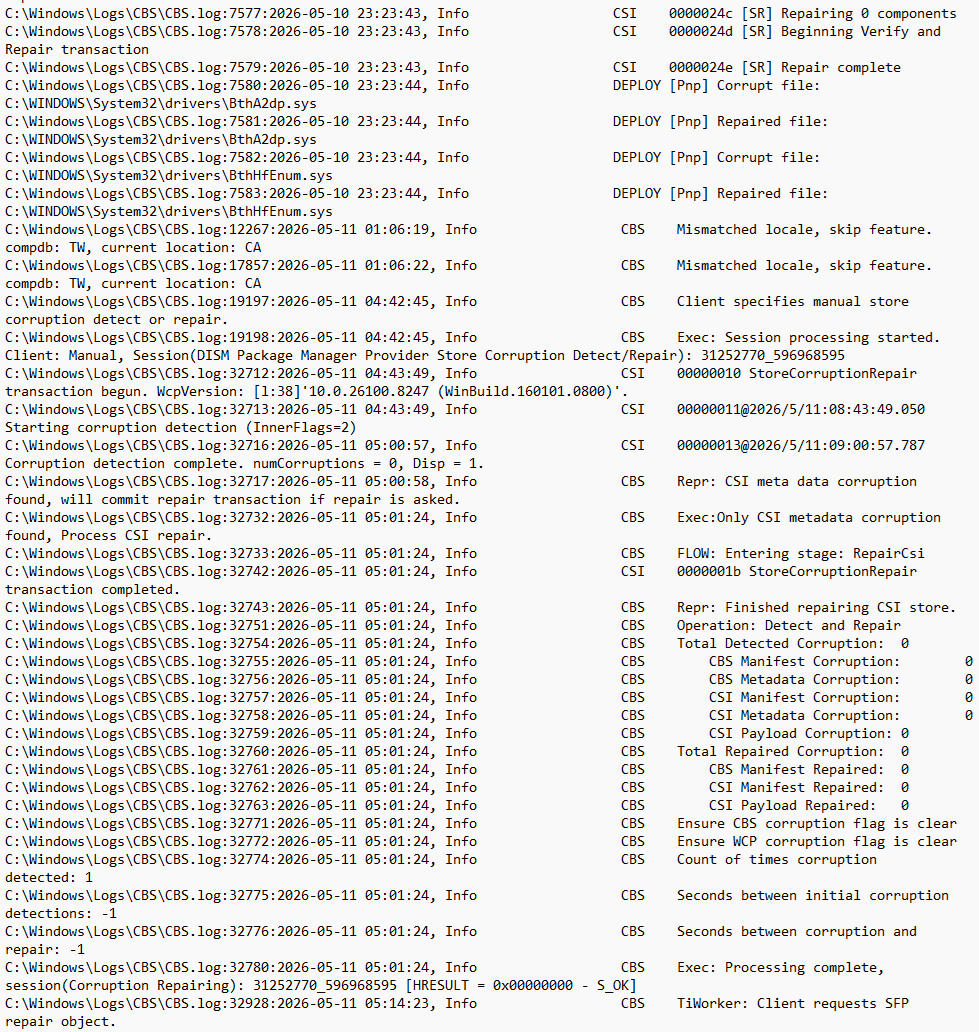
The data in the above picture has been retrieved via PowerShell:
Select-String -Path "C:\Windows\Logs\CBS\CBS.log" -Pattern "corrupt","repair","cannot","mismatch" | Out-File "$env:USERPROFILE\Desktop\CBS_Corruption_Report.txt"

Interestingly, that later command also lists two corrupted Bluetooth drivers (BthA2dp.sys and BthHfEnum.sys) that appears to have been repaired at the time of running sfc /scannow, but weren’t shown via findstr /c:"[SR]" %windir%\Logs\CBS\CBS.log > "%userprofile%\Desktop\SFC_Details.txt" (if that makes any sense)…

Also, is there something greater than only metadata fixes and corrupted Bluetooth drivers here considering the CIS crash?

Hoping the current report will lead to improvements in CIS 2025 quickly. Meanwhile, is there any way to prevent CIS from crashing alike again?

Thanks in advance,
Best regards,

B
The errors with the BlueTooth drivers that System File Checker finds are not related to the crash of cis.exe. I have seen that error multiple times in the past with no crashes of cis.exe happening. Those two things are not related.

If cmdagent.exe is running you are protected. It runs as a service and handles the protection CIS provides. The cis.exe are what is being called the client program. The client is there to communicate with the user and to tell cmdagent.exe what protection settings to enforce. Cis.exe does not need to run for CIS to protect the system.

You report the firewall was blocking incoming traffic during the period that cis.exe was not running. This means that the firewall was doing its work.

When cmdagent.exe is running the HIPS is also working. When cis.exe is not running cmdagent.exe cannot communicate with cis.exe to show alerts. With CIS Default Deny principle it will not run processes when the user or the rules do not give permission to run.

In short when cmdagent.exe was running you were protected.

Do you have CIS set to Send anonymous program usage statistics to COMODO? When you did the crash report will have been sent to Comodo.

1 Like

There’s an issue with Comodo firewall. Whenever I’m pulling over 1Gbps on my 5Gig fiber, say doing speed test on speedtest.net, 10G network interface will crash. Uninstalled CIS, everything back to normal.

This a different problem.

There are two reports about the network filter driver throttling throughput but not about a network interface crashing. Please start your own topic in the bug report section.

When filing a bug report please state what NIC and driver versions are involved and which driver versions you tried.

1 Like

Citizen_K : “You report the firewall was blocking incoming traffic during the period that cis.exe was not running. This means that the firewall was doing its work”.

I don’t see such a thing nowhere in my OP.

Citizen_K : “Do you have CIS set to Send anonymous program usage statistics to COMODO”?

Yes.

Citizen_K : “Please start your own topic in the bug report section”.

Its what I did, the OP is in “bug report” section of COMODO forums…

My comment was meant for user xyxzxyz.

I was responding to the following statement you made in the topic start:

I interpreteted this as that you saw in the logs the firewall blocking incoming traffic. Hence my comment.

You saw three background processes running which means that the protective parts (cmdagent.exe - Comodo Internet Helper Service and cmdagent.exe - Comodo Internet ProtectedHelper Service) were running and you have been protected.

A crash of the client program cis.exe never breaks protection. With the client program crashed the service cannot talk to the user to show an alert. This means it doesn’t get an answer so it will block actions because of the Default Deny principle of CIS.

1 Like

Thanks for the reply Citizen_K.

I’m glad to hear that when the client (.exe app) is not running the core of CIS still is (3 services) and thus the firewall and HIPS still runs in the background. (If not, that would have been a suggestion to improve CIS).

Since CIS had the option to "Send anonymous program usage statistics to COMODO”, I guess I should just be waiting for a CIS update?

Meanwhile, if you need more info about those crashes, please let me know.

Thank you,

B

The crash report has been sent to Comodo so the ball is in Comodo’s court.

1 Like

Hi burialfaith,

Could you please share us the crash report via pm ?

Thanks
C.O.M.O.D.O RT

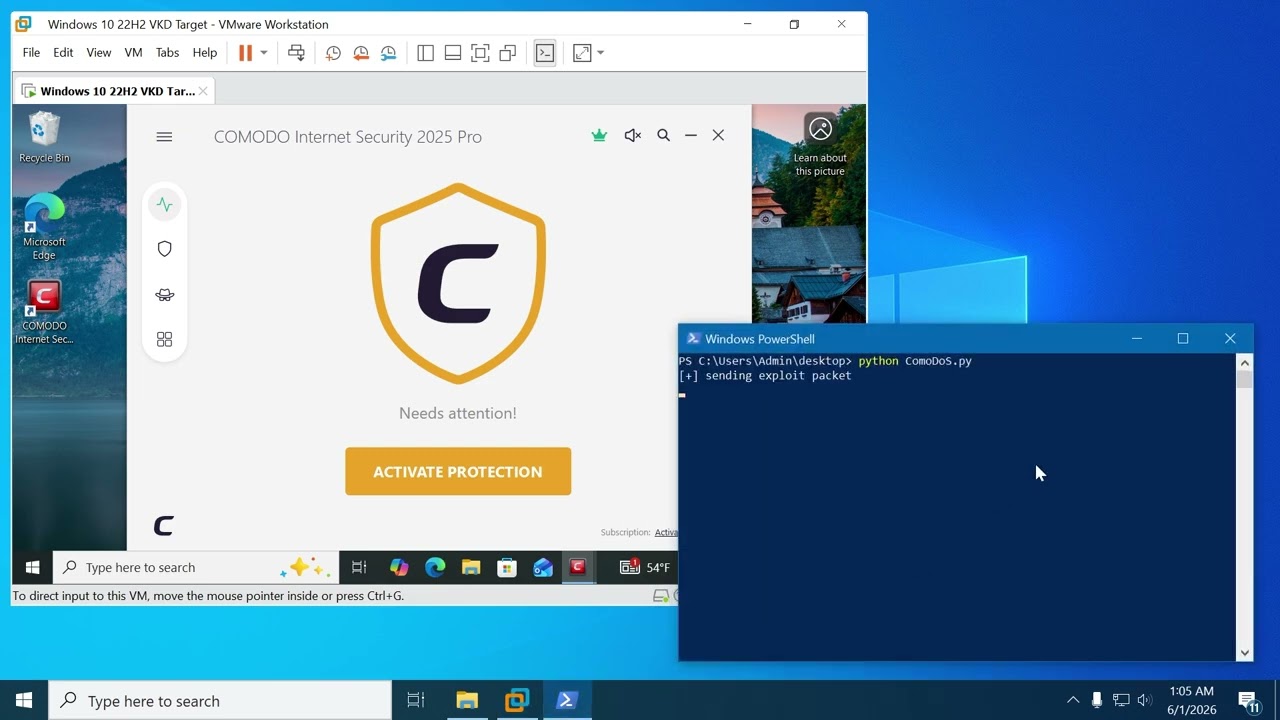
Probably related?

And here is the video:

Another flaw, in the commodo section I want to see the correction or are they going to say it’s an isolated case?
If they’re going to say that, there are already several isolated cases that already amount to a very large number of flaws. :grimacing:

1 Like

Hi FFreestyleRR,

May I know your CIs and vm version ?

Thanks
C.O.M.O.D.O RT

It is unrelated. This topic is about a crash of the client.

The 0 day is about a crash in the Inspect package filter driver which runs ‘under water’ in the kernel.

The above referenced 0-day vulnerability by FFreestyleRR regarding the firewall driver being crashed by a maliciously crafted IPv6 packet seems to have been fixed today by version 13.8.2 of Xcitium XCS Agent for Windows: https://forum.xcitium.com/t/release-notes-agents-hotfix-update-june-11-2026/20980. Hopefully CIS will receive the patch as well.

Hi,

I am using the old rocking solid version 8012 (waiting for a new and a stable version) but this report wasn’t from my personal PC. I just decided to share it to patch this if needed.

Ok. I am not even using IPv6 (I am keeping it disabled) so probably I am not affected. Still wasn’t sure where to post this, and it would be good if this be patched.

Nice. Thanks for the clarification! :slight_smile: