I can’t speak for her, but I believe she has proven that it overcomplicates things and is not necessary for fully protecting your machine when you configure things her way.
Cheers:
I guess it depends on what the users goals are.
Generally not a fan of videos showing “click here” type of things when these should be written down with reasoning for/against for every choice.
But there are some interesting things that need to dig into.
Because it’s less user friendly and auto sandbowing is more convenient while still protects you more than with the HIPS enabled.
If I recall if you accept something unknown in the HIPS, it won’t be sandboxed
while with disabling it, it sill every time
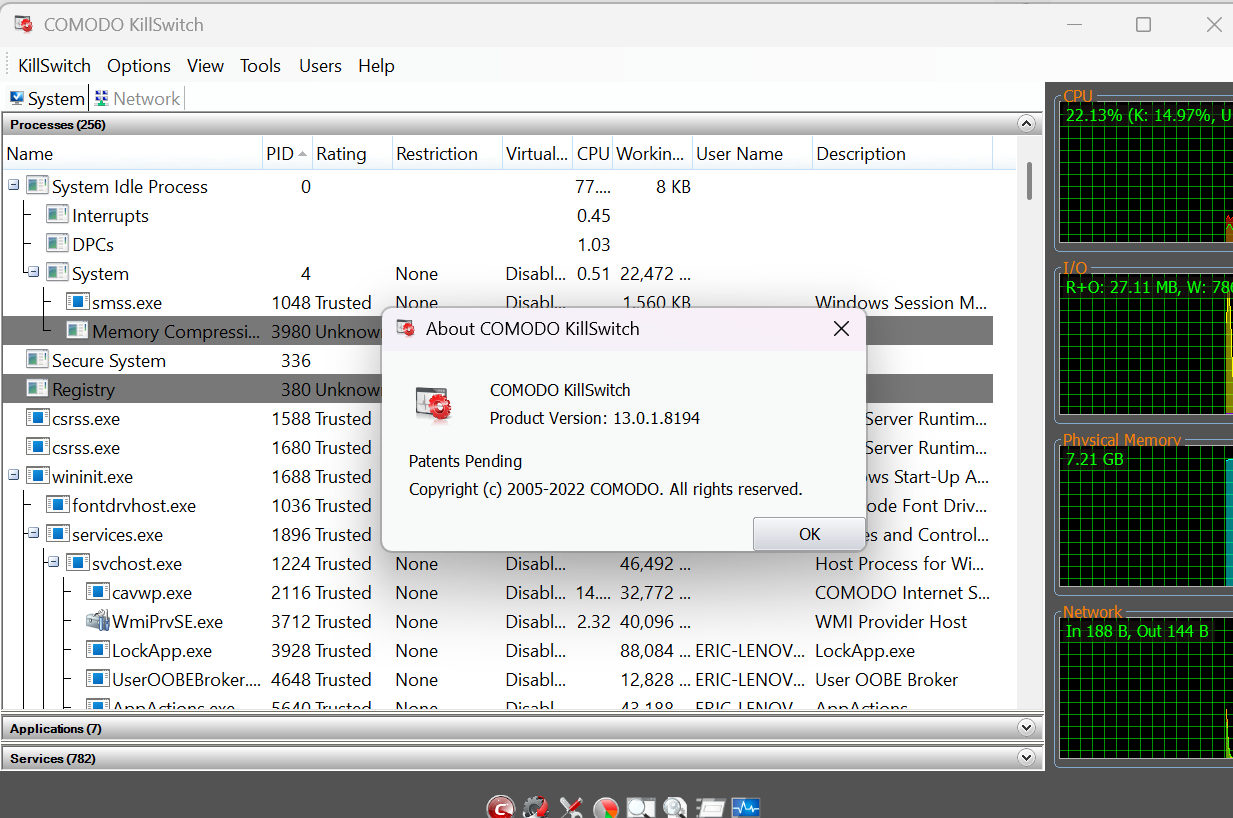
I just got an update. After the reboot I checked what had changed and found that Comodo Autoruns, Comodo Cleaning Essentials and Killswitch had been updated to v 13.0.1.8194.
Notice that the version number speaks of a v13. Is that a promise of things to come?
3 Likes
Same here. Update went smoothly. Fingers cross  for a CIS/CFW 13.x version in the near future.

2 Likes
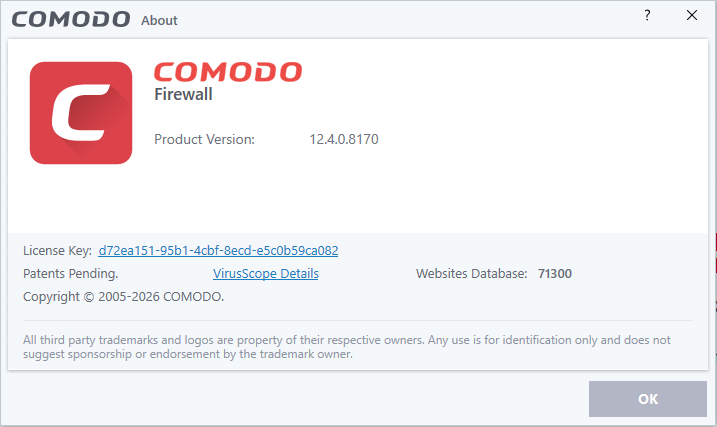
I also receive an update on 12.4.0.8174, however after installing with the internal updater, the version of CFW unchanged. Maybe it’s not a REAL CIS/CFW 13.x.
1 Like
The update relates to the Killswitch/Comodo Cleaning Essentials version not CFW or CIS. Hopefully with this new version number, it’ll mean an upcoming update to CIS/CFW
3 Likes
Ok, so you should not mention “for CIS/CFW 13.x” 
He posted a “crossed fingers” emoji before “for CIS/CFW 13.x”, but it is hard to see. I only knew by hovering the mouse over it.
Agree with @Cassette the fingers crossed icon is a bit hard to see. Amended post to avoid confusion.
Now I’m curious—why does it say “activation pending”?
It’s the Pro version. I just haven’t done a full scan of my system. It’s the last requirement for the benefits though it’s only for people in the US. I did a fresh install and been too busy to run the scan but I might do it now. Anyway, for the virus guarantee etc, you have to have certain things enabled and do a full scan for that to be in effect. I might just do the scan now since I’m watching telly.
Hello Any update for me ?
Killswitch/CCE has been fixed now. Just run the updater.
1 Like
updated to v 13.0.1.8194. Issues fixed ? have you guys checked ?
That’s a great question—many people here have the same doubt, since we don’t know exactly what was fixed; we only know that the version has changed.
I’d like someone with technical expertise to show what was actually corrected in relation to the original flaw—whether through a video or a text explanation (a video would be preferable, if possible).
Well, I don’t believe there are any major improvements. If there were, we would have been informed—or would still be informed.
As EricCryptid puts it: “With Cruelsister’s settings, your PC becomes bulletproof.”
I use Cruelsister’s configuration; however, there is a flaw involving Comodo and Sandboxie that has existed for a long time and remains unpatched—there’s even a video about it on YouTube.
I am waiting for Comodo to fix this flaw in Sandboxie.
Can you provide specific link to that video?
2 Likes
## Why use more than one sandbox?
- Lucas Anderson
- October 30, 2026
- Blog
No single tool is perfect. Windows Sandbox is clean and simple, but it forgets everything. Sandboxie-Plus is more flexible, but it runs closer to your real desktop. Comodo can stop and contain unknown apps, but security suites can be noisy. The smart move is to use each one where it fits best.
The catch is that suspicious apps love small mistakes. One bad click can give an installer access to personal files, saved browser data, or network shares. So treat every unknown app like it is guilty until it behaves.
Not necessarily! Errors can arise from user behavior (whether intentional or, more often, unintentional), incorrect personal settings, and so on. I once encountered such a case on a forum; after I persisted with my questioning, the user finally admitted that they had downloaded a program, which caused the issue.
That is why I have three effective barriers in place against malware. Even when using only Comodo, I have never once run into any problems.
In fact, a computer science graduate recently confirmed that I shouldn’t change a thing about my current configuration—he said the PC is exceptionally well-protected.