Fourteen days is the standard ine US as well and it still applies to security tools but we’ll just have to wait and see what happens. We’ve been advised not to use Killswitch or CCE which I haven’t. There’s always autoruns or process explorer in the interim.
2 Likes
I’m eager to find out what will happen—whether they’ll push an update for everyone to download automatically via Comodo’s internal updater to resolve the issue,
or if they’ll send a script for us to run to uninstall it.
Personally, I think an update to a new version of the product—without needing a script—would be better, as the current situation is embarrassing for those of us managing multiple machines and clients using the product.
An automatic update within the program is needed, as it has been said before, not all users visit here and so would not know about the issue or that they have to download a script and run it.
1 Like
Exactly. Now, how do we get the developers to understand what we’re talking about? Just imagine creating the script and having a bunch of machines without this fix—then you haven’t really accomplished anything. 
What exactly is the issue with Killswitch?
It was mentioned at the start of the thread, but no details were given; we’re all left in the dark here, not knowing when this update will arrive.
My impression with ‘security incidents’ is that 9 times out of 10 they are “The stars must align and the user must do x y z” before the code can have fun, but just as a precaution they need to patch it.
Hence why I wondered what the issue was. Guess we might find out, or not.
1 Like
They asked people to stop using it.
But I’m opening and using it normally, and so far, nothing unusual has happened.
I’ve asked what might happen if you run or open the program—despite their warning not to—but so far, no one has said what the consequences for the computer might be.
It’s not just me; plenty of people are using it, which is why we need an urgent update.
However, this update needs to happen via Comodo’s internal update mechanism—without requiring scripts or a manual download and installation of the new version—because some users have no idea this is even happening if they don’t visit the forum.
And what about my clients? Many of them use it; how will they get updated?
It’s Monday, and I’m waiting for that update; I wonder if it will arrive today to fix the problem you mentioned earlier.
1 Like
i installed yesterday cis premium without firewall. cleaning essentials and killswitch are there.
Just some Fun Facts about the KillSwitch issue for anyone interested (keep in mind that I am also clueless about what is going on):
KillSwitch for the New Build (8170): Signature Date 7-14-26:
https://www.virustotal.com/gui/file/4a234b0f4dd7663d37f0f2b0a63f7a3cfdac0ae7ae28f026511c08951d76b4a3/detection/f-4a234b0f4dd7663d37f0f2b0a63f7a3cfdac0ae7ae28f026511c08951d76b4a3-1791446793)
KillSwitch from Previous Build (8162): Signature Date 12-3-24:
Previous Build (8162): Signature Date 12-3-24
KillSwitch from Cleaning Essentials:
Old Cleaning Essentials (V10): Signature Date 1-20-17
Finally the current Process Explorer (17.14): Signature Date 9-10-26:
Process Explorer (17.14): Signature Date 9-10-26
2 Likes
Judging by the links that were posted, we really are infected.
of course we need deeper knowledge, and something weird might be going on.
my guess is that those are false alarms. many of those results say “killsiwtch”, so detector knows the applications. generic signatures generate false alarms quite often.
however, some result say “trojan”. which makes me wonder, that these may not be usual false alarms.
Sophos Comodo KillSwitch (PUA)
Thanks for these links. Other AVs have routinely detected Killswitch as riskware or a PUA because it can really mess things up with your system if your not careful with CCE elements. Even Windows Defender detects the installer file as some sort of trojan when you try to install it with the firewall though that was last year and I’ve not checked it recently.
The core protection still unaffected as far as we know so your protected just avoid using Killswitch or more in particular CCE. It does ship initially with an outdated certificate which is why you see a program update after installing it which updates the certificate. I don’t currently have killswitch installed as I did a fresh install of CIS after this announcement.
I did PM the OP and @C.O.M.O.D.O_RT this morning BST but haven’t heard back.
2 Likes
They still haven’t released a removal script or anything else for that matter even though it’s been two weeks. I’m shocked…shocked I tell ya.
1 Like
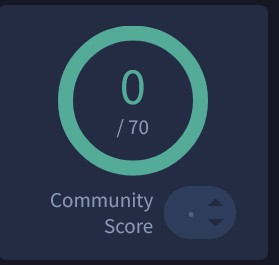
Virutstotals used to always give the usual “Generic#randomnumbers#bull” detection on almost anything that does anything remotely interesting, but maybe they have become better lately.
Bet my own stuff would get flagged as soon as I compressed the exe.
And most CVE’s seem to be hysteria, even if they are actual bugs in the code, the chances of exploiting so many of them are remote or requires user assistance. I guess humans would have a perfecf CVE 10 on those ratings.
Still, curious to see what is the problem. You could probably just throw the exe files into a opencode session with Ghidra and a decent model and point it to the CVE’s and have it discover what the issue is.
2 Likes
What should I do? Mine is on this version.
What do I need to do? I’m infected.
Either don’t use Killswitch/CCE or Do a fresh install and just don’t install killswitch. These detections are PUAs/Riskware rather than actual malware. We haven’t been told what the security issue is with KS/CCE though you’ve openly ignored that and have been using it.
1 Like
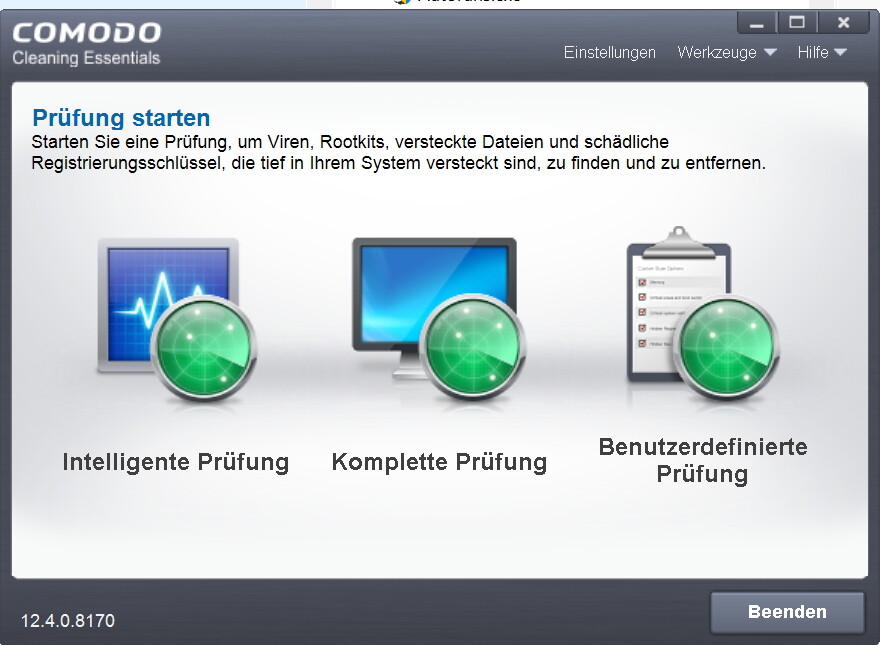
Killswitch.exe and CCE.exe in the installation directory
see attachments:
-
Opened with CCE.exe
-
Opened with Killswitch.exe
Killswitch:
KillSwitch scanned with CyberLock (formerly voodoo):
Total tokens: 0 (0 request / 0 response)
File path: c:\program files\comodo\comodo internet security\killswitch.exe
File hash: 4a234b0f4dd7663d37f0f2b0a63f7a3cfdac0ae7ae28f026511c08951d76b4a3
File size: 10,22 MB
File publisher: Xcitium, Inc
Digital signature verified: True
Counter signer: Microsoft CorporationDetailed Analysis
The file is signed by Xcitium, Inc., and counter-signed by Microsoft Corporation, indicating it is a legitimate software component. The signer thumbprint is
9A66BEB9F8B967A5CADF645CBE69F095C251DB9F, which is associated with a valid certificate.The file has a large number of imports (957), which is not unusual for a complex application like a security software component. The imports include functions related to
Nt*(Native API), Windows API functions for process management, file system operations, and GUI-related tasks. The presence of these imports is consistent with the functionality expected from a security software component.The strings extracted from the executable include class names and function names that suggest the file is part of a larger application with a graphical user interface. Names like
CApplicationView,CDialogMarqueeProgress, andCKillSwitchDocindicate components related to user interface and possibly process management. The presence of these strings is consistent with the file being a legitimate part of COMODO Internet Security.The file’s digital signature and the absence of suspicious imports or strings suggest that it is not malicious. The requested execution level is
asInvoker, which is typical for many legitimate applications.Final Verdict
Malware type: Not applicable (Safe verdict)
Final verdict: Safe with 100% confidence.
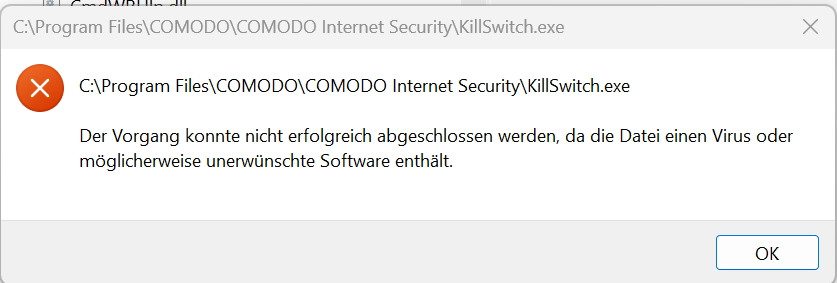
Notification:
The operation could not be completed successfully because
the file contains a virus or potentially unwanted software.